Press ECO button for 3 seconds to turn on or turn off ECO function in line mode.
7. Circuit Breaker
Located on the side of the UPS, the circuit breaker serves to provide overload and fault protection.
8. USB Port to PC
The USB port allows connection and communication between the USB port on the computer and the UPS unit.
The UPS communicates its status to the PowerPanel® Personal software. The USB port is also used for
operating the UPS in ECO mode. For more information, refer to ECO Function Setup section.
9. ECO Mode, Surge Protected Outlets
ECO Mode outlets automatically cut power to peripherals when your computer is in Sleep mode or is turned off
(USB connection required).
10. Widely-Spaced Outlets
The UPS unit has widely-spaced outlets so AC power adapters can be plugged into the UPS without
overlapping or blocking adjacent outlets.
ECO FUNCTION SETUP
ECO Function
When the ECO function is active the UPS can detect whether the PC that is connected to the USB port is turned on
or off. If the PC is turned off, the UPS will turn off the ECO controlled outlets and cut power to the devices connect-ed
to them in order to save power.
Generally, these are peripherals that are not used when the PC is not turned on.
ECO Controlled Outlets
Three of the surge-only outlets are also ECO con-trolled outlets. When the PC that is connected to the USB port is
turned off, the UPS will turn off the ECO controlled outlets to save energy.
ECO Setup
1. The factory default setting is OFF. ECO mode can only be enabled/disabled and will only be active when the
UPS is receiving utility power and not in battery mode.
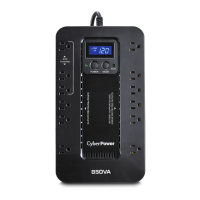
2. For the EC650/850LCD, press the Mode switch for approximately 3 seconds to enter setup mode and select the
ECO function. When the ECO function is selected, press the Mode switch for 3 seconds to turn the function ON
or OFF. Once ON or OFF is selected, wait 8 seconds for the setting to be confirmed and the LCD screen will
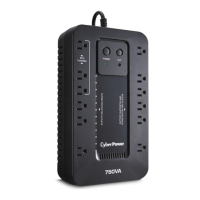
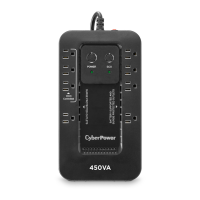
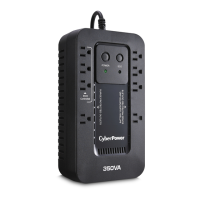
return to status mode. For the EC450/550/750G, press the ECO button for 3 seconds to turn ON or OFF the
ECO function.
3. When the ECO function is OFF, utility power from the ECO outlets will always be on. When the ECO function is
ON, utility power from the ECO outlets will turn off if the PC connected to the UPS via the USB port is turned off
or if there is no PC is connected to the UPS via USB.
ECO Indicator
The LED will blink when the ECO function is turned ON but the PC is either off or not connected. The LED will be
solid if the ECO function is turned on and the connected PC is on. The LED is off when the ECO function is disabled.
See below table for more information.
ECO
Indicator
ECO
Function
ECO Outlet
Status
Condition
Solid
(green)
ON
With Utility
Power
When PC is ON and USB port
on the UPS is connected,
Peripherals will receive power
to operate.
Blinking ON
Without Utility
Power
When PC is OFF or the USB
port on the UPS is not
connected, power to the
Peripherals will be turned off.
OFF OFF
Always with
Utility Power
When PC is ON/OFF,
Peripherals is always ON.
DEFINITIONS FOR LED INDICATORS & AUDIBLE ALARMS









 To Next Page