MXGE Series CyberResearch
®
Motherboards
114 ©Copyright 2009 CyberResearch, Inc.
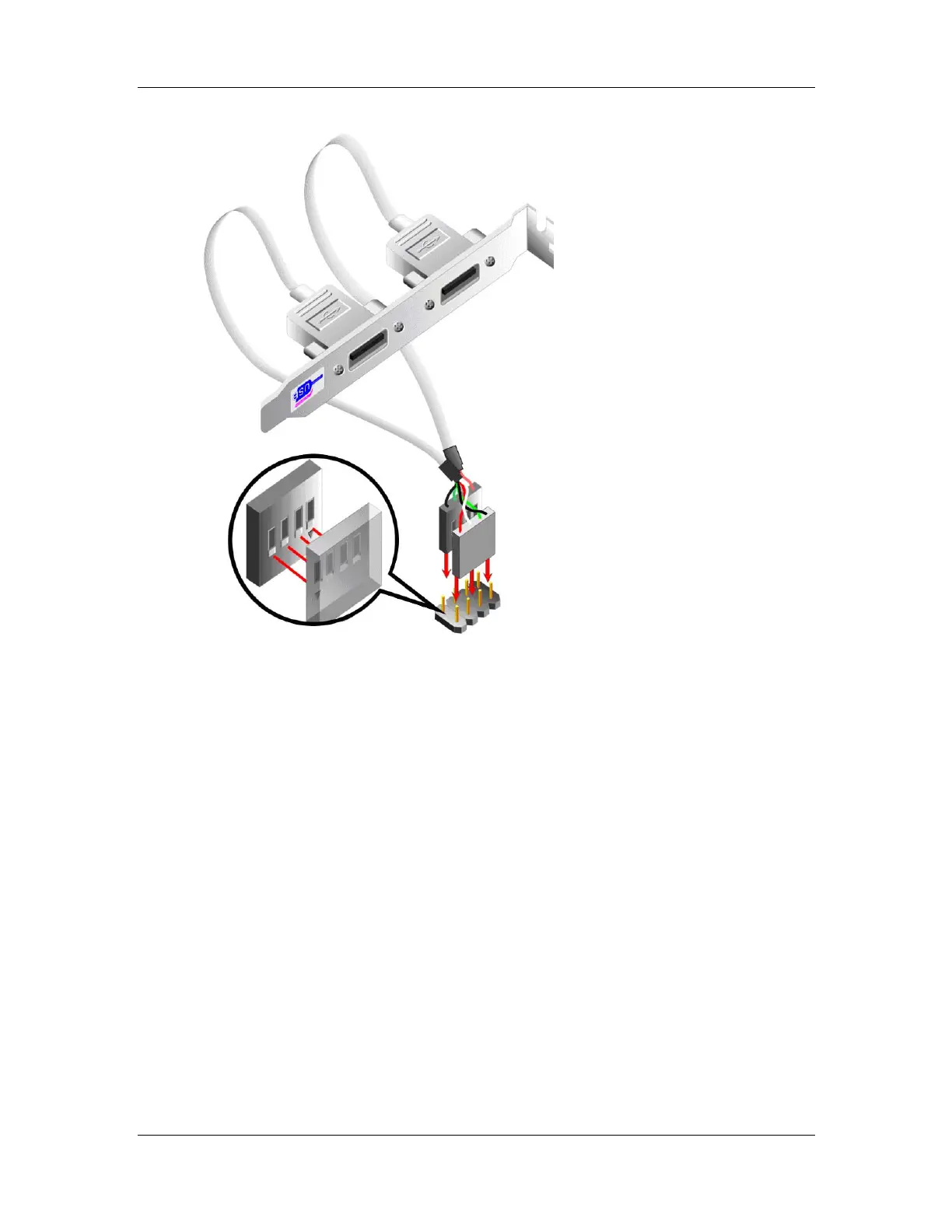
Figure 5-20: Dual USB Cable Connection
Step 4: Attach the bracket to the chassis. The USB 2.0 connectors are attached to a
bracket. To secure the bracket to the chassis please refer to the installation
instructions that came with the chassis.Step 0:
5.7.8 USB Cable (Four Port) (Optional)
Four port USB 2.0 cables can be separately purchased from CyberResearch. To install a
four port USB cable onto the MXGE, please follow the steps below.
Step 1: Locate the connectors. The locations of the USB connectors are shown in
Chapter 4.



 To Next Page