MXGE Series CyberResearch
®
Motherboards
144 ©Copyright 2009 CyberResearch, Inc.
6.3.5 Hardware Health Configuration
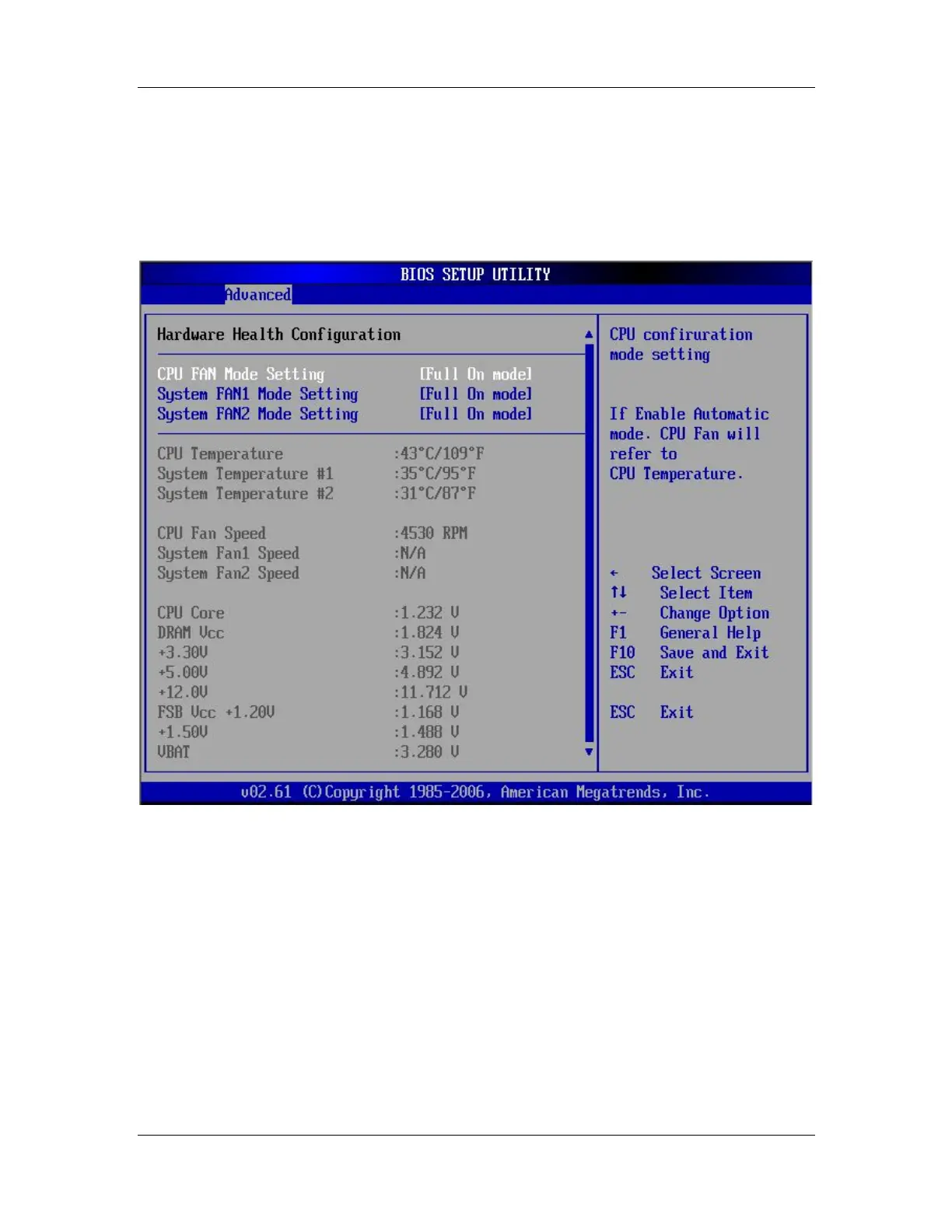
The Hardware Health Configuration menu (BIOS Menu 8) shows the operating
temperature, fan speeds and system voltages.
BIOS Menu 8: Hardware Health Configuration
FAN Mode Setting [Full On Mode]
Use the FAN Mode Setting option to configure the fan mode options for the following
fans:
CPU Fan
System Fan 1
System Fan 2



 To Next Page