26
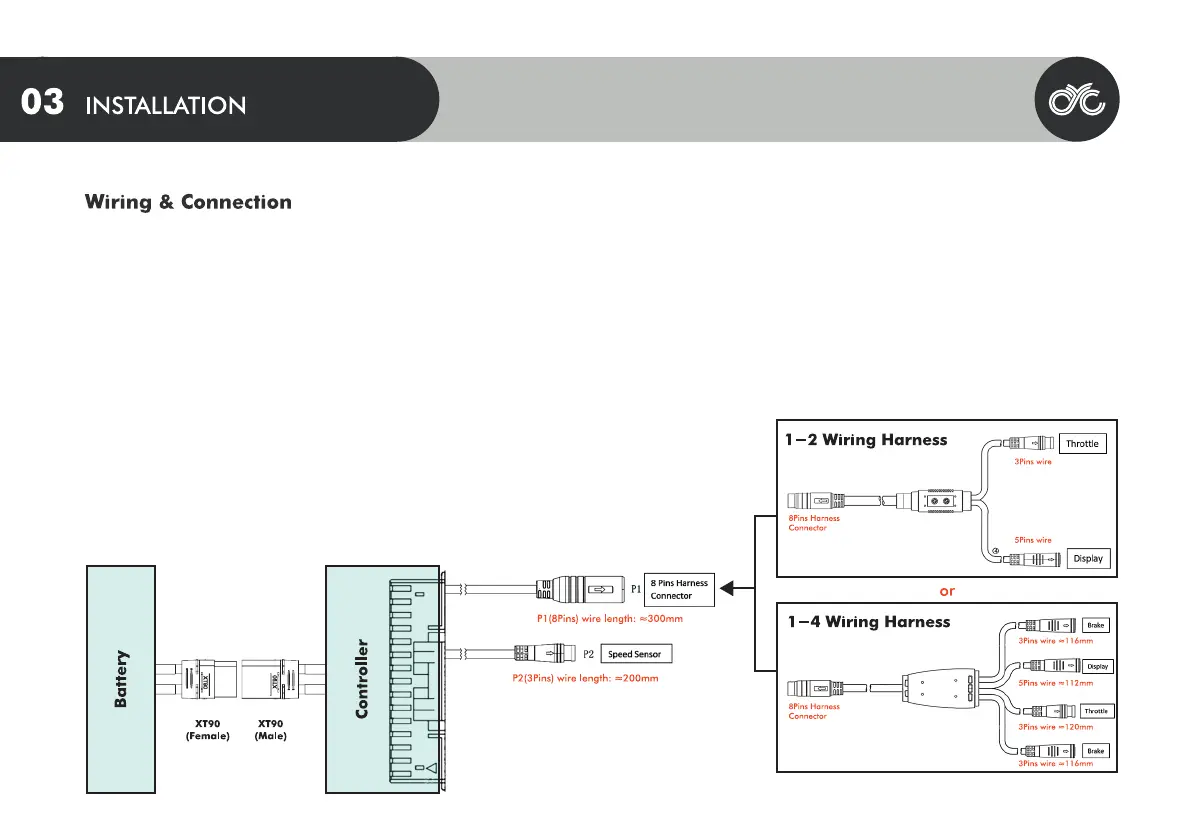
Connect your controller to the following connectors as per below:
1. Connect the peripheral connector (P1) to the 1-2 or 1-4 wiring harness
2. Connect P2 to the speed sensor
For brake sensors:
Please note if you purchased brake sensors separately, you will need to enable them on the CYC Ride Control app.
*If you purchased brake sensors from another supplier, ensure that the connectors match. A pin-layout may be requested at support@cycmotor.com



 To Next Page