04
CONNECTING A DEVICE
STEP #1:
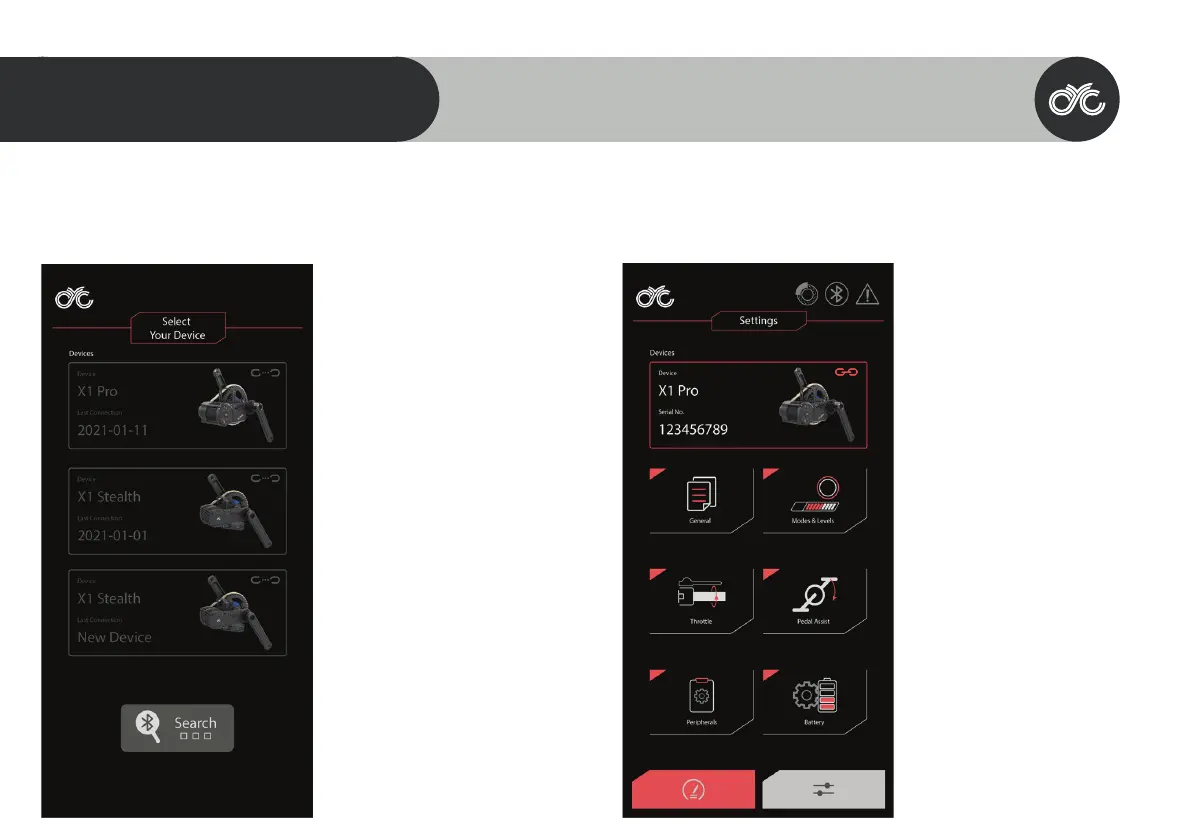
Open the app and tap the Search button at the
bottom of the screen. Kindly ensure your
phone’s Bluetooth is enabled. (Please keep
close to the motor while connecting)
STEP #2:
Available devices will then be listed, select
your kit and it will begin connecting to the
controller. (Please note signal strength)
STEP #3:
Once connected, the CONNECT icon will
change stating you are connected & can select
again to disconnect.
MAIN SETTINGS
The settings page allows you to navigate
through dierent parameter categories. There
are six dierent categories with each providing
a set of adjustable parameters or readings
from your ebike system.
IMPORTANT
Save all new changes in parameters to ash or
risk losing progress. Any changes made that
were not saved will be lost after a restart. Note
to save after every change in value.
To save to ash, tap the ‘Save’ button in the
upper righthand corner, ‘Save successful’
message will appear upon completion.
28
CYC RIDE CONTROL



 To Next Page