SW102 DISPLAY GUIDE
05
35
Functionalities
Power On/ O
Press and hold the POWER button for 2 second to turn the display on/ o.
The display will automatically shut down when there is no operation for a
period of time.
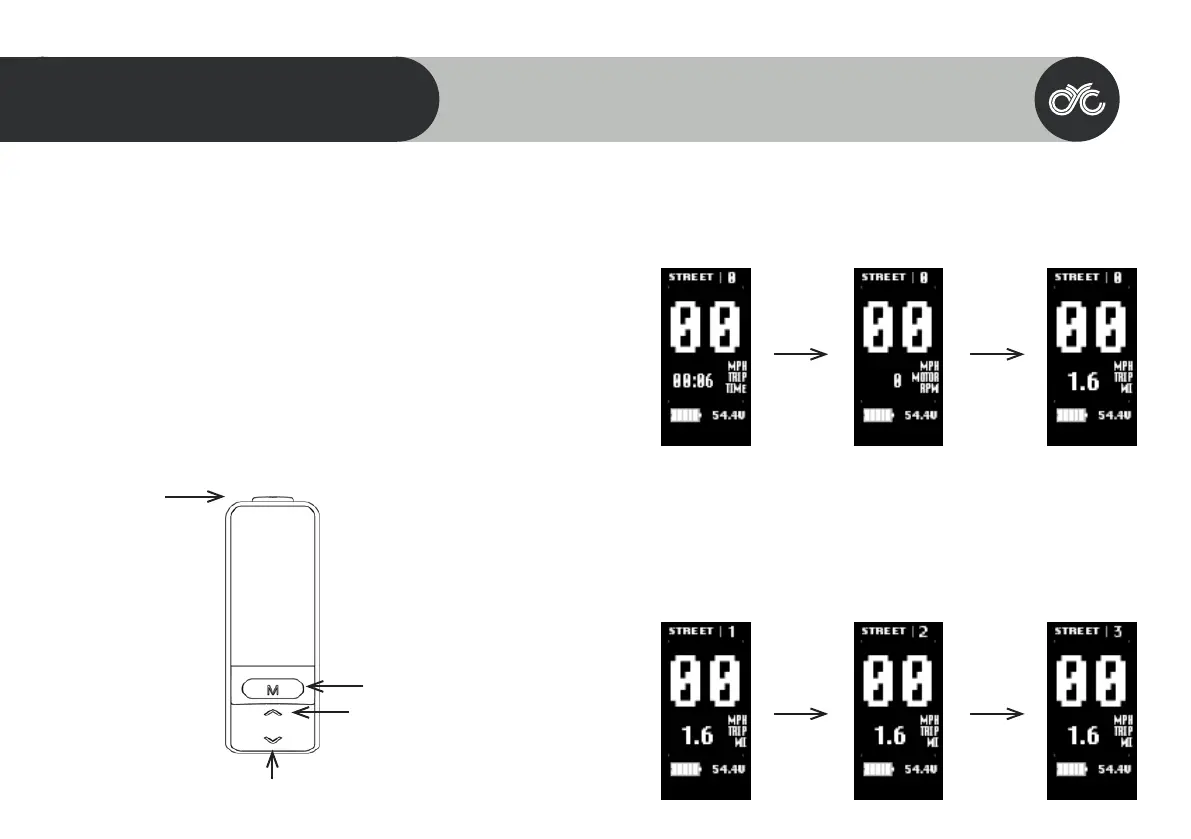
Navigation
1. POWER
2. MENU
3. UP
4. DOWN
The MENU is used to go into your main settings page & your clear data
page. It is also used to enter and select a setting or function & nally, it’s also
used to switch between the various main dashboard information.
POWER
MENU
UP
DOWN
Switch Dashboard
Switch the main dashboard to display dierent information by pressing the MENU button.
Assist Level Operating
Press the UP/ DOWN button to change the assist level between level 1, 2, and 3. Note that
“OFF” means no motor asssitance will be given.



 To Next Page