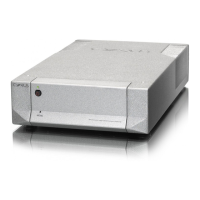
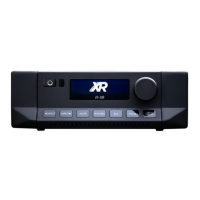
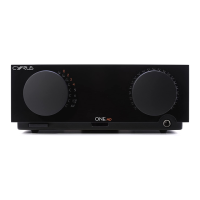
Cyrus 6 DAC, Cyrus 8 DAC
User Instructions
IMPORTANT! READ BEFORE OPERATING THIS EQUIPMENT! .. 1
Power supply: ...................................................................... 2
Servicing: ............................................................................ 2
Product service centres: ...................................................... 2
FCC NOTICE .......................................................................... 3
WELCOME TO THE WORLD OF CYRUS! ................................. 4
Preparaons for Installaon ................................................ 4
Model Dierences and Upgrades ........................................ 4
INSTALLATION ......................................................................... 5
Key to the rear panel drawing: ........................................ 5
Connecng to the AC Mains Supply .................................... 6
Important – read before making any audio connecons ..... 6
Connecng Analogue Audio Sources ...................................6
Connecng a Turntable ........................................................ 6
Digital Audio Inputs ............................................................. 6
Connecng digital audio sources .................................... 6
Connecng USB audio sources ....................................... 6
Connecng Loudspeakers .................................................... 7
Using the Zone 2 output of your amplier .......................... 7
Seng up Zone 2 with powered speakers ...................... 7
Seng up Zone 2 with a second amplier ...................... 7
Connecng a Tape/Disc recorder for recording .............. 7
Bi-amping............................................................................. 8
Connecng power ampliers: ......................................... 8
Connecng Headphones ..................................................... 8
Connecng a Cyrus Surround Sound decoder ..................... 8
Connecng a Surround Sound decoder (other brand) ........8
MC-BUS System ................................................................... 9
External Power Supply - PSX-R ............................................ 9
CONFIGURATION .................................................................. 10
Input names .................................................................. 10
Input 11 auto-hide ........................................................ 10
Display mode ................................................................ 11
Input sensivity oset .................................................. 11
Factory Sengs ................................................................. 11
OPERATION ........................................................................... 12
Key to the front panel drawing: .................................... 12
Power ................................................................................. 12
Selecng an Input .............................................................. 12
Selecng the ‘Cyrus AV’ or ‘AV Direct’ Inputs .................... 12
Volume and Balance .......................................................... 13
Mute .................................................................................. 13
Listening to headphones ................................................... 13
Playing music in Zone 2 ..................................................... 13
Tape/Disc Playback and Recording ....................................14
REMOTE CONTROL OPERATION .......................................... 15
Remote control introducon: ....................................... 15
Remote control backlight: .............................................15
Fing baeries to the remote control: ........................ 15
Sending commands to Cyrus components: ................... 15
Switching on Cyrus components: .................................. 15
Cyrus amplier commands ................................................ 16
Cyrus CD player commands ............................................... 17
Cyrus Audio streamer commands ...................................... 18
Learning TV and Satellite commands ................................. 19
Preparaon for learning: ............................................... 19
Learning commands: ..................................................... 19
Checking programmed commands: ................................... 20
Problems with learning: ..................................................... 20
Sending TV or SAT commands ........................................... 20
TROUBLESHOOTING GUIDE ................................................. 21
SPECIFICATIONS .................................................................... 22
Power Supply ................................................................ 22
Power Consumpon ..................................................... 22
Enclosure ...................................................................... 22
Analogue audio performance Cyrus 6
DAC .........................22
Analogue audio performance Cyrus 8 DAC .........................22
Digital audio performance at Pre-out ........................... 22
WARRANTY ............................................................................ 22
WEEE ...................................................................................... 22
CONTENTS


 To Next Page