EasyManua.ls Logo

Cyrus 6 DAC - User Manual

Cyrus 6 DAC
50 pages
Print Icon
To Next Page IconTo Next Page
Loading...
ENGINEERED TO ENTERTAIN
v
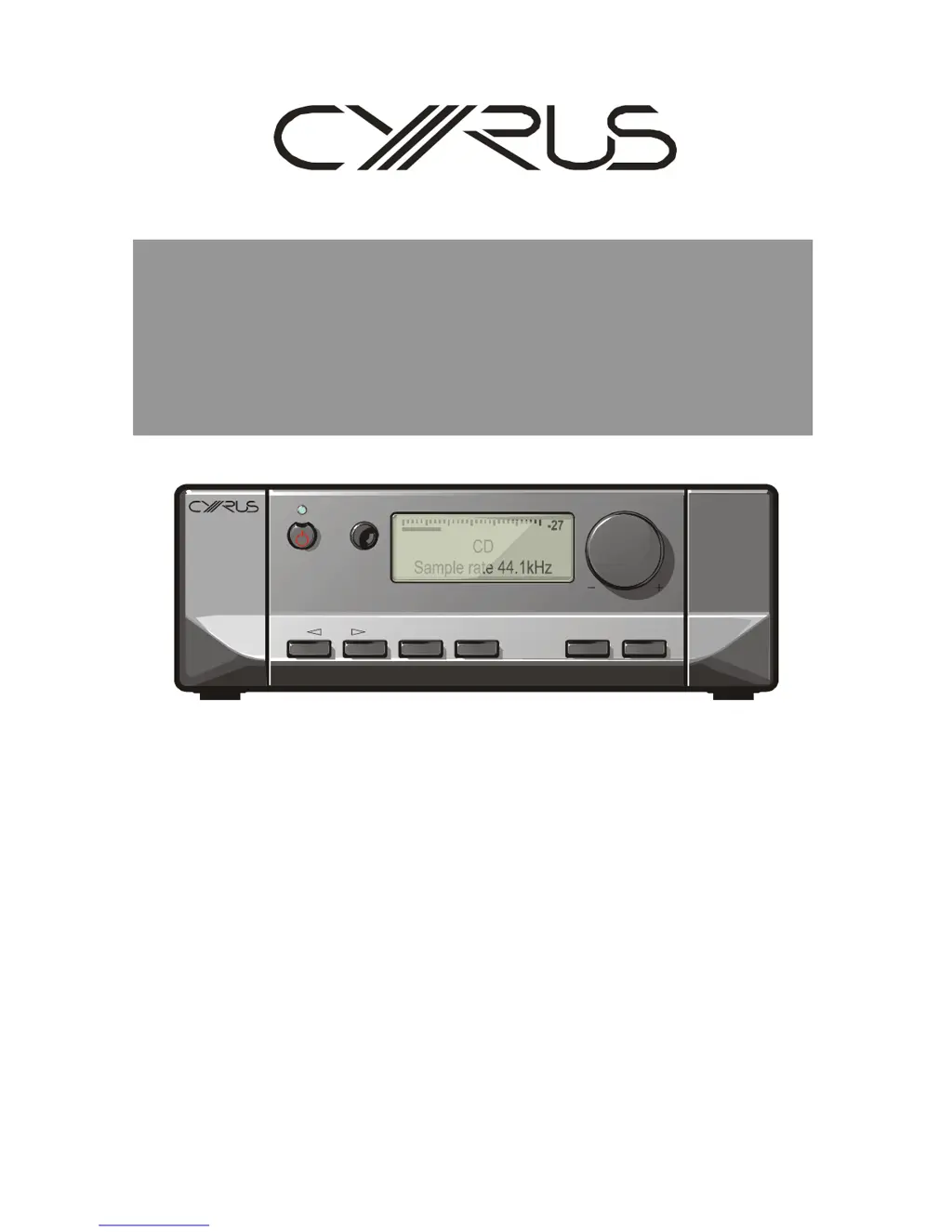
Cyrus6DAC,Cyrus8DAC,
Cyrus8QxDAC
Digitalamplifiers
-27
CD
Sample rate 44.1kHz
MUTE PHONES SETUPZONE 2INPUT

Other manuals for Cyrus 6 DAC

Questions and Answers

  • W
    williamscraigJul 27, 2025
    Why is there no sound from my Cyrus Media Converter?
    • M
      Mr. Roger HornJul 27, 2025
      If there is no sound coming from your Cyrus Media Converter, here are several things to check: * Ensure the unit is not in Standby mode (the Standby light should be GREEN). * Make sure Mute is deselected. * Verify that the source is working correctly (e.g., the CD is playing, not paused). * Confirm the sample rate and sound format of the digital signal from the source are correct and within the amplifier's specifications, and that the program is encoded as two-channel stereo. * Check that the BAL control is not at an extreme limit and is centralized. * Inspect your speakers and replace any blown fuses. * Examine speaker cables and interconnects for faults; check connections and replace cables if needed.
  • R
    Rachel ButlerAug 2, 2025
    What to do if my Cyrus Media Converter says 'Over-temperature'?
    • T
      timothy60Aug 2, 2025
      If your Cyrus Media Converter displays an 'Over-temperature' message, it means the amplifier has overheated. This can happen if you're using low impedance speakers, the volume is too high for extended periods, or there's not enough ventilation. The amplifier will automatically switch off until it cools down. To prevent this from happening regularly, improve ventilation around the amplifier's casing. If the problem persists, your speakers' impedance rating may be too low.
  • J
    jacksonlisaAug 7, 2025
    What to do if my Cyrus Media Converter has an output fault?
    • K
      Kristie WilliamsAug 7, 2025
      An output fault on your Cyrus Media Converter usually indicates that the amplifier output has been overloaded, often due to a short-circuit at the loudspeaker terminals. To resolve this, switch off the amplifier and inspect the speaker wiring for any short circuits, both at the amplifier's rear panel and at the speaker terminals.
  • L
    lsmithAug 13, 2025
    Why is my Cyrus Media Converter making spurious noises from speakers?
    • J
      Jessica GrahamAug 13, 2025
      Spurious noises from speakers connected to your Cyrus Media Converter are often due to faulty interconnects or connections. Check the interconnects and connections, and replace them where necessary.
  • S
    Sarah CalderonAug 19, 2025
    What to do if my Cyrus Media Converter shows a PSU fault?
    • B
      Brooke BoydAug 19, 2025
      A PSU fault on your Cyrus Media Converter indicates a problem with the internal power supply of the amplifier. This issue cannot be resolved by the user, and the amplifier should be returned to your retailer for repair.

Summary

SERVICE CAUTIONS

STATIC PRECAUTIONS

Precautions to prevent static damage to components during servicing.

LEAD-FREE COMPLIANCE

Requirements for using lead-free components and processes in repairs.

SOUND QUALITY

Importance of using original specification components to preserve sound quality.

TECHNICAL SPECIFICATIONS

TYPE IDENTIFICATION

SMD COMPONENT REPLACEMENT

Handling

Precautions for handling Surface Mount Device (SMD) resistors and capacitors.

Handling SMD ICs

Precautions for handling Surface Mount Device (SMD) Integrated Circuits.

Static precautions

Essential precautions to prevent static damage to SMD components during handling.

Soldering;desoldering SMD components

Techniques and tools for soldering and desoldering SMD components, including temperature control.

TECHNICAL DESCRIPTION

The protection circuits

Explanation of over-current, DC drift, thermal, and power supply protection mechanisms.

FRONT PANEL CONTROL PCB

FAULT FINDING

Dismantling the amplifier

Steps and cautions for safely disassembling the amplifier for servicing.

Initial precautions and first tests

Essential checks and tests before powering up a faulty amplifier to prevent damage.

Power amplifier faults

Troubleshooting common power amplifier issues like DC rail fuses and voltage checks.

Semiconductor faults

Guidance on testing semiconductors in the power amplifier stage using a DVM.

Preamplifier faults

Fault finding for preamplifier issues, including power supplies and signal tracing.

Digital audio faults

Diagnosing issues with digital inputs, DAC, and audio channels.

USE WITH A PSX-R

QUIESCENT CURRENT SETTING

Quiescent current setting (no signal condition)

Procedure for setting quiescent current in the power amplifier after repair.

DC OFFSET ADJUSTMENT

DC offset adjustment (no signal condition)

Procedure for adjusting DC offset voltage at the speaker terminals.

CIRCUIT DIAGRAMS

Cyrus 6 DAC Specifications

General IconGeneral
BrandCyrus
Model6 DAC
CategoryAmplifier
LanguageEnglish

Related product manuals