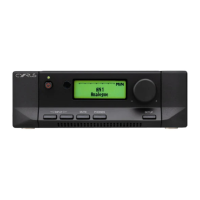
Cyrus ONE
HD User Instrucons
10
ONE REMOTE APP
The ONE Remote app is available to enable your Cyrus ONE
HD to be controlled from most popular mobile devices when
within range of the Cyrus ONE HD.
The app is a free download from the Google Play
TM
App
store for Android
TM
mobile devices or from the App store for
Apple mobile devices.
The images in this secon show the Android app screens.
Apple app screens will have a slightly dierent appearance.
First use
Before using the app for the rst me, switch on your
Cyrus ONE HD and ensure that Bluetooth communicaon is
enabled on your mobile device.
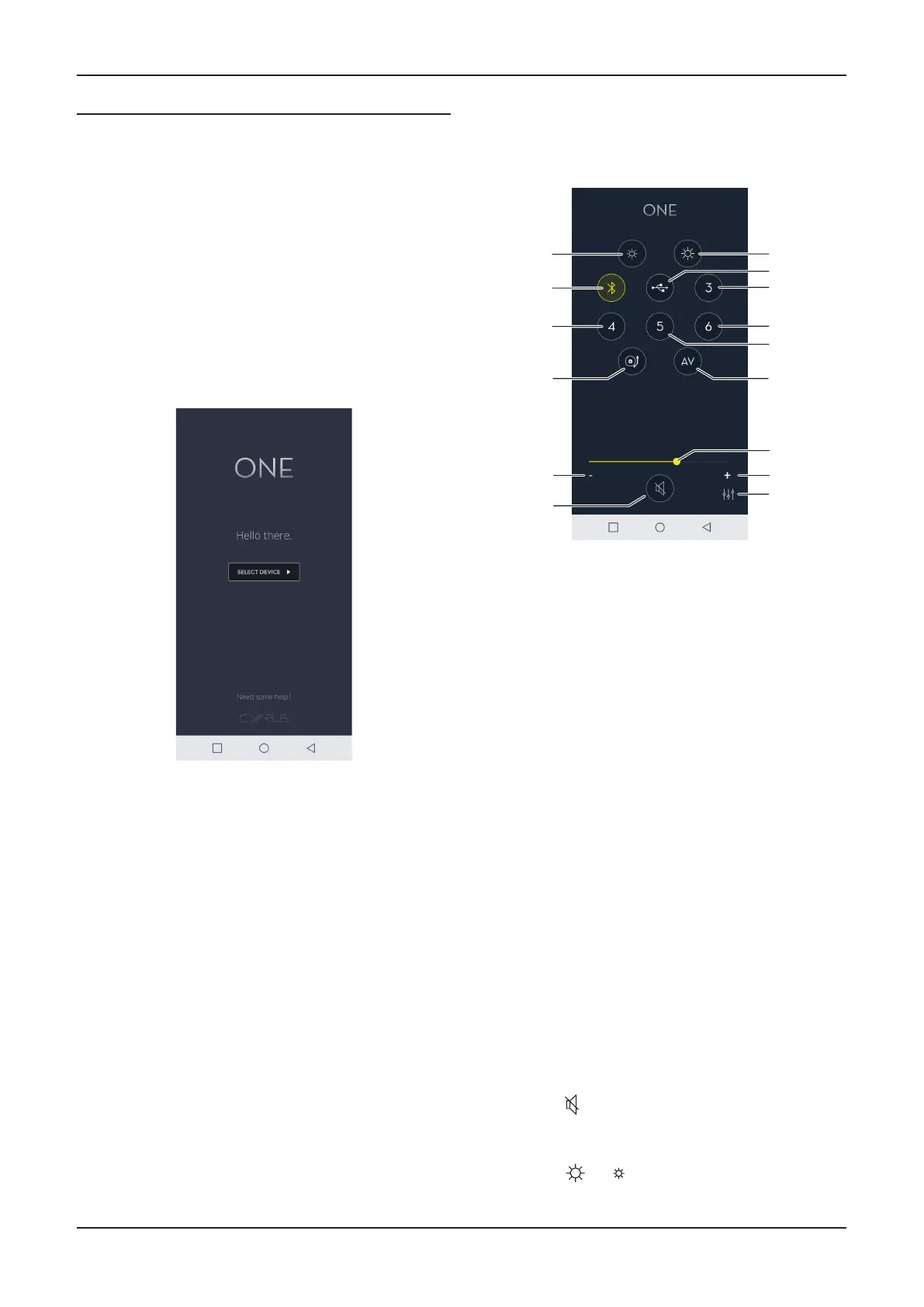
Launch the app and this screen will appear.•
Touch ‘Select Device’ to connue.•
You should now see the connecon ID of your Cyrus ONE
HD
amplier in the format ONEHDXX where XX is the last two
digits of its serial number.
If there is more than one Cyrus ONE amplier in range, they
will all be listed.
Touch an ID to connect to it.•
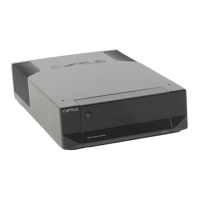
If the app connects successfully, the home screen with
remote commands will appear.
Using the app
Once the app is installed, volume and source selecon will
be duplicated on the device screen with some addional
funcons available only from the app screen.
Reduce brightness1.
Select 2. Bluetooth source
Select source 43.
Select turntable source4.
Step volume down5.
Mute6.
Increase brightness7.
Select USB8.
Select source 39.
Select source 6 10.
Select source 511.
Select AV source12.
Volume bar13.
Step volume up14.
Sengs15.
Volume control
Slide the volume bar to the right or le to increase or •
decrease the volume level.
Source select
Touch one of the source selecon icons to change the •
selected source.
Mute
Mute will temporarily mute all sound from the speakers.
Touch the •
icon to mute the sound. Touch again to
return to the volume previously set.
Indicator brightness
Touch the •
or icon to increase or decrease the
brightness of the front panel indicators.



 To Next Page