Cyrus Pre OPERATION
11
English
OPERATION
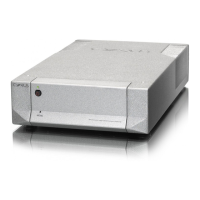
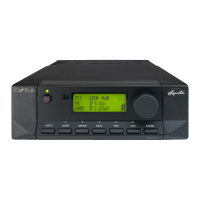
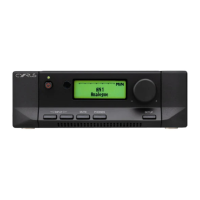
Refer now to figure 2, front panel drawing on page 9.
Power control
When the Cyrus Pre is in regular use and power is
permanently applied, the STANDBY key
1
can be used
for power control. The Standby light
2
will show red
when the pre-amplifier is off and green when operating.
The Cyrus Pre will also switch on when an input source
7
-
12
is selected.
The Cyrus Pre remains permanently powered from the
mains supply when set to Standby to ensure stable
operating conditions and consistent audio performance. If
the Cyrus Pre is to be left unattended for a long period
however, the mains power should be switched off or the
product disconnected from the AC supply.
Selecting an input for listening
The six input keys
7
-
12
switch between selected input
sources. These can be a turntable - PH, a CD player - CD,
a tuner - TU, a video recorder or video disc player - VI
and two spare auxiliary inputs - AU and SP. When an
input key is selected, the red indicator above the key will
turn on.
Recording and playback
If the tape recorder connections are made according to the
previous instruction in this manual, then you should be
able to listen to a recording by selecting the Tape Monitor
key - TP
6
. The indicator above the TP key will now
light in addition to the selected source. To cancel this,
press the TP key again. Should your tape deck have a
three-head facility, then you can use the TP key to monitor
the recording quality directly from the third head, whilst
recording.
You can record from a source by pressing the relevant
Key
7
-
12
and following the recording instructions in
your tape deck manual.
Volume and balance control
The rotary knob
5
of the Cyrus Pre has a dual function
of volume and balance control. The light ring display
around the rotary knob performs different functions,
indicating either volume or balance setting depending on
the current mode of operation.



 To Next Page