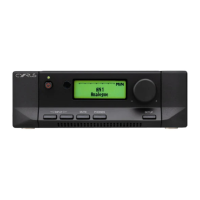
TROUBLESHOOTING Cyrus Pre
English
20
If you suspect that your Cyrus Pre is not operating to
specification please read through this section before
returning the amplifier to your local dealer.
No Sound from either Speaker
•
Check that the pre-amplifier is on. The standby light
should be "ON" and green.
•
Check that the power amplifier is switched on.
•
Check that the pre-amplifier responds to different
front panel commands.
•
Check that the MUTE light on the volume control
light ring is "OFF".
•
Check that the relevant programme source is selected
and is working. For example the CD Player is
playing.
•
Check that the Tape Monitor is not selected
inadvertently, RED light above the TP key is "OFF".
•
Check that the installation is correct according to the
installation guide in this booklet.
•
Check both the input and speaker connections to the
power amplifier.
No sound from either speaker when using CD input
only
•
Check that the RCA/XLR input selector is set
correctly on the rear panel (see page 4).
No Sound from one Speaker
•
Check the Balance Control is not set to left or right
limits.
•
If your loudspeakers are fitted with protection fuses,
check that the fuse is intact.
•
Check the interconnect cable integrity on the rear
panel and at source. If possible use another
interconnect cable.
•
Check the interconnect cable integrity between the
Cyrus Pre and the power amplifier.
•
Check the speaker cable connection integrity of the
missing channel at the power amplifier and
loudspeaker.
TROUBLE SHOOTING GUIDE



 To Next Page