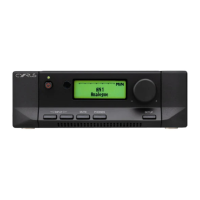
Cyrus Pre REMOTE CONTROL UNIT
15
English
Volume control
The level thumbwheel may be used to adjust both the
volume and balance setting of the Cyrus Pre.
To activate the System Commander for volume
adjustment, press briefly the SLEEP/STATUS key
18
.which will illuminate the SYSTEM SELECT
Indicators
8
-
12
. The LEVEL CONTROL thumbwheel
7
can now be used to change the volume level setting of
the Cyrus Pre. Rotate the thumbwheel gently clockwise to
increase the volume level, anti-clockwise to reduce the
level.
Balance control
To change the Left/Right balance setting, press the
BALANCE select key
6
(the level display of the Cyrus
Pre will change to read balance offset). The balance
setting may then be adjusted using the LEVEL
CONTROL thumbwheel
7
.
Mute
The mute function of the Cyrus Pre can be selected by
pressing the MUTE key of the System Commander
3
.
Remote operation of other
Cyrus
components
If the remote control is to be used with other Cyrus
components, refer to the System Commander handbook
which is packed separately in the accessory carton and
describes in detail the full functionality of the System
Commander.
Battery replacement
The battery compartment is located underneath the System
Commander. First place the Commander face down on a
soft cloth or similar surface.
Now remove the lid from the battery compartment by
inserting a small coin or the tip of a screwdriver into the
slot at the top of the lid to release the catch. The lid will
then lift away from the body of the System Commander.
The battery holder can now be removed, giving access to
the four battery positions, located on both sides of the
holder. Taking care not to stress the wires, fit a battery in
each position. Ensure that the polarity of the batteries is
correct and matches the diagrams marked inside the
holder. Batteries which are fitted incorrectly may damage
the sensitive circuitry of the System Commander.
Refit the battery holder and replace the battery
compartment lid by engaging the two small clips at the
bottom of the lid and pressing the top of the lid home.



 To Next Page