EasyManua.ls Logo

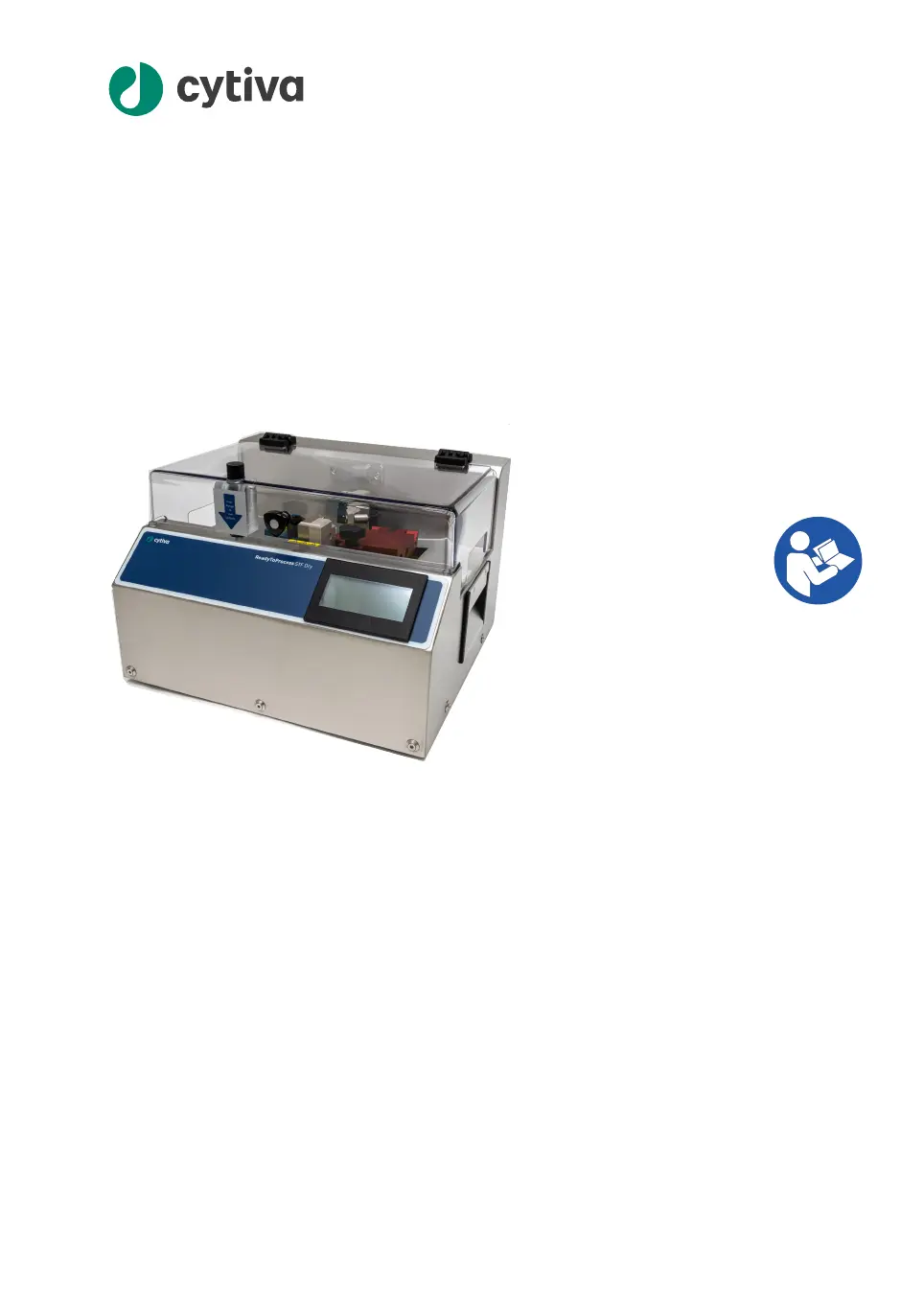
cytiva ReadyToProcess STF - Dry - User Manual

cytiva ReadyToProcess STF - Dry
82 pages
Print Icon
To Next Page IconTo Next Page
Loading...
ReadyToProcess™ STF Dry
O
p
e
rating Instructions
Original instructions
cytiva.com

Questions and Answers

  • C
    Curtis BurnsAug 7, 2025
    How to fix a cytiva ReadyToProcess STF - Dry Laboratory Equipment with a display that is not lit?
    • L
      lwebbAug 7, 2025
      If the display of your Cytiva Laboratory Equipment is not lit, start by ensuring the instrument is properly plugged into a power source. Then, verify that the power switch is in the "I" position. If these steps don't resolve the issue, the instrument fuses may have blown and need replacement. If the problem continues, further assistance is needed.
  • J
    Jacqueline LoweAug 12, 2025
    What to do if cytiva ReadyToProcess STF - Dry malfunctions during welding?
    • G
      gmartinezAug 12, 2025
      If your Cytiva Laboratory Equipment stops during the welding process, try these steps: 1. Reset the instrument by turning the power off, waiting 10 seconds, and then turning it back on. 2. Check that the holders are correctly installed and stable. 3. Ensure the left and right holders are for the same tubing diameter. 4. Verify the holders are locked with the locking tabs pulled out. 5. Confirm the tubing is the correct size and the instrument is set to the correct tubing type. 6. Try using a new cutting blade. If the issue persists, further assistance is needed.
  • P
    Patrick KingAug 18, 2025
    Why cytiva ReadyToProcess STF - Dry Laboratory Equipment does not recognize installed holders?
    • M
      michelleparksAug 18, 2025
      If your Cytiva Laboratory Equipment doesn't recognize the installed holders, ensure the holder tabs are locked by pulling them out towards the front. Also, check that the tubing is the correct size, firmly clamped in the holder, and that the holders are correctly positioned and firmly seated. Finally, inspect the holder code plate on the bottom of the left (blue) holder.
  • J
    Jorge ParkerAug 25, 2025
    What to do if cytiva Laboratory Equipment doesn't recognize inserted tubing?
    • K
      Kimberly HernandezAug 25, 2025
      If the Cytiva Laboratory Equipment does not recognize that the tubing is inserted, first ensure you're using the correct tubing O.D. for the holder and that it is firmly clamped. Also, check that there is tubing over the tube detector in each holder. If needed, adjust the tube detector microswitches located on the posts under the holders.
  • A
    Arthur MartinezAug 30, 2025
    Why won't the cover open on my cytiva ReadyToProcess STF - Dry?
    • N
      nwebbAug 30, 2025
      The access door of your Cytiva Laboratory Equipment should open when the cover lock is released by the instrument, or if the program was unable to run to completion. You can also turn off the power to release the cover. Wait for the blade to cool before attempting any repairs.

Summary

Introduction

Important User Information

Provides critical safety instructions, intended use, and prerequisites for operating the instrument.

About This Manual

Details the manual's purpose, scope, notes, tips, and typographical conventions.

Associated Documentation

Lists supplementary documentation and tools for managing tubing data.

Safety Instructions

Safety Precautions

Covers general and specific warnings, cautions, and notices for safe product operation.

Labels and Symbols

Explains the meaning of safety labels and symbols found on the instrument.

Emergency Procedures

Outlines steps for emergency shutdown and handling power failures.

Danger Zone

Identifies and describes the hazardous danger zone on the instrument.

Instrument Description

Main Parts Overview

Illustrates and describes the primary functional parts of the instrument.

Rear Panel Components

Details connectors, ports, and controls located on the instrument's rear panel.

Optional Printer Connection

Explains the setup and function of the optional printer accessory.

Installation

Site Requirements

Specifies environmental, electrical, and spatial requirements for installation.

Transporting the Instrument

Provides safety warnings and instructions for moving the instrument.

Unpacking Procedures

Step-by-step guide for safely unpacking the instrument from its packaging.

Electrical Connections

Details how to properly connect the instrument to a power source.

Connecting Optional Printer

Instructions for setting up and connecting the optional printer unit.

Operation

Cover Lock Mechanism

Explains the function and operation of the lid cover lock button.

Tube Fusing Process

Overview, steps, and quality inspection for fusing thermoplastic tubing.

Operational Overview

Describes the general process of welding thermoplastic tubing for sterile connections.

Fusing Tubes

Detailed instructions for preparing the instrument and performing tube fusion.

Inspecting Weld Quality

Guidelines for checking axial alignment, weld uniformity, and tensile strength.

Updating Tubing Database

Information on how to update the instrument's database for tubing types.

Maintenance

Cleaning Before Service

Procedures for ensuring the instrument is clean before maintenance work.

Instrument Cleaning

Methods for general cleaning and cleaning up liquid spills on the instrument.

Regular Maintenance Activities

Lists routine user maintenance tasks for the instrument.

Fuse Replacement

Step-by-step guide for safely replacing fuses in the instrument.

Storage Guidelines

Instructions and precautions for storing the instrument properly.

Troubleshooting

General Troubleshooting Guide

Solutions for common issues like display not lit or holder recognition.

Automatic Error Checking

Explains instrument monitoring for errors during operation stages.

Error Messages and Solutions

Lists error codes, their possible causes, and corrective actions.

Reference Information

Technical Specifications

Provides detailed technical parameters and values for the instrument.

Compatible Tubing

Lists approved tubing brands and dimensions for the Ready ToProcess STF – Dry.

Blade Contact Materials

Details the material composition and properties of the cutting blade.

Recycling and Disposal

Information on product decommissioning, decontamination, and disposal.

Regulatory Information

Lists applicable regulations and standards for the product by region.

Contact Information

Provides Cytiva's contact details for support and manufacturing information.

EU;EEA Compliance

Details regulatory information for the European Union and EEA, including CE marking.

Great Britain Compliance

Covers regulatory information for Great Britain, including UKCA marking.

Eurasian Economic Union Compliance

Provides regulatory information specific to the Eurasian Economic Union.

North America Compliance

Details FCC compliance and regulations for the USA and Canada.

Regulatory Statements

Includes statements on EMC emission and South Korean technical regulations.

Declaration of Hazardous Substances (DoHS)

Information on hazardous substances and EFUP for products sold in China.

Other Regulations & Standards

Information on additional applicable standards and design considerations.

Ordering Information

Guidance on ordering spare parts, accessories, and other items.

Health & Safety Declaration Form

Forms and procedures for ensuring safety for on-site service and returns.

cytiva ReadyToProcess STF - Dry Specifications

General IconGeneral
TypeSingle-Use Tangential Flow Filtration System
Max Operating Temperature40 °C
SterilizationGamma irradiation
SterilityPre-sterilized by gamma irradiation
Operating ModeContinuous or batch
Pump TypePeristaltic pump
Pressure SensorsIntegrated pressure monitoring
ConnectivityEthernet
AutomationCompatible with automation systems
Membrane MaterialPolyethersulfone (PES)
Max Operating Pressure4 bar

Related product manuals