EasyManua.ls Logo

cytiva Xuri W25 - User Manual

cytiva Xuri W25
290 pages
Print Icon
To Next Page IconTo Next Page
Loading...
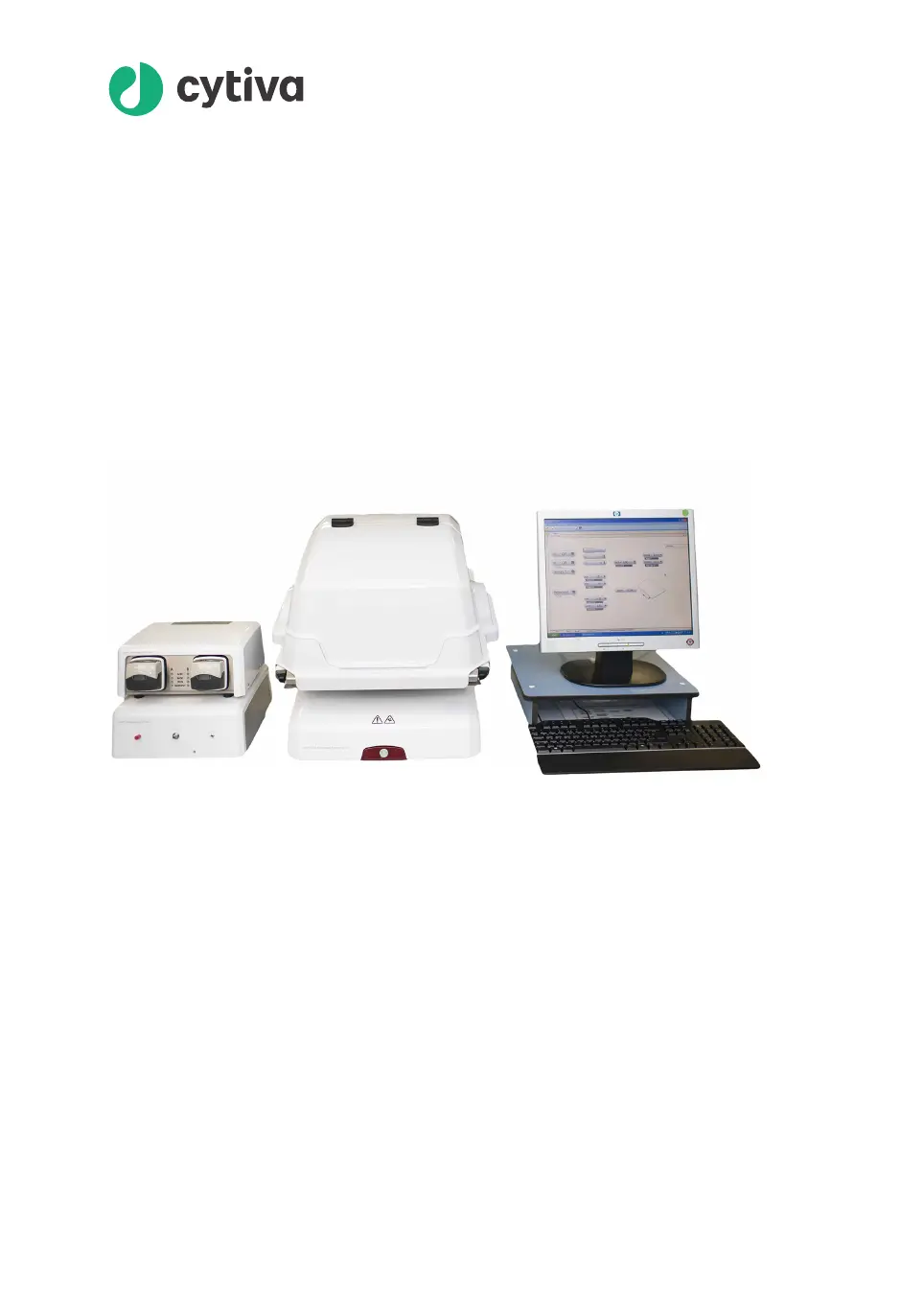
Xuri
Cell Expansion System
W25
User Manual
cytiva.com

Table of Contents

Other manuals for cytiva Xuri W25

Questions and Answers

  • S
    Stephanie MitchellAug 18, 2025
    What to do if the Cytiva Laboratory Equipment power button flashes red?
    • B
      beth71Aug 18, 2025
      If the power button is flashing red, it could be due to a missing connection between the rocker and the UNICORN database, or system units defined in UNICORN are not connected to the rocker. Verify the connection between the rocker and the client computer or network. Alternatively, disable the missing components in UNICORN, or connect the missing components to the rocker.
  • B
    Billy YoungAug 20, 2025
    Why is my cytiva Xuri W25 Laboratory Equipment pump not recognized by UNICORN?
    • M
      Mary WhiteAug 21, 2025
      The pump might not be recognized due to an incorrect pump CAN ID or because the pump is not selected as a component. Check and, if necessary, change the CAN ID using the switch on the pump's rear panel, ensuring each pump has a unique CAN ID value and restarting the system after the change. Also, ensure the pump is selected as a component by clicking Edit in System Properties within the Administration module.
  • L
    Lisa MosesAug 23, 2025
    Why is my cytiva Xuri W25 Laboratory Equipment CBCU not recognized by UNICORN?
    • C
      Cheryl BarrettAug 23, 2025
      The CBCU might not be recognized due to an incorrect CBCU CAN ID or because it's not selected as a component. To resolve this, check and, if necessary, change the CAN ID using the switch on the CBCU rear panel, remembering to switch off the system before making changes and restarting it afterward. Also, ensure the CBCU is selected as a component by clicking Edit in System Properties within the Administration module.
  • J
    Jennifer LarsenAug 26, 2025
    What to do if my cytiva Xuri W25 rocker stops rocking?
    • E
      emmakimAug 26, 2025
      If the rocker stops rocking, it could be mechanically restricted from moving. Check for any objects that may be restricting its movement and remove them.
  • P
    Patricia McmahonAug 27, 2025
    Why is the temperature control not functioning on my cytiva Xuri W25 Laboratory Equipment, or why is the displayed temperature incorrect?
    • T
      Todd BentleyAug 27, 2025
      The temperature control may not function correctly if the temperature sensor isn't in contact with the culture medium or needs calibration. Ensure there is enough culture medium in the Cellbag bioreactor to cover the temperature sensor, even when the rocker is active, and that no crease with an air pocket has formed on the Cellbag bioreactor film covering the sensor. Also, make sure that the pH or DO cables are not in contact with the temperature sensor.
  • D
    davidmontesAug 30, 2025
    What to do if my Cytiva Laboratory Equipment rocker is not rocking?
    • J
      Jerry DelacruzAug 30, 2025
      If the rocker is not rocking, it could be in an error state or the tray might be in a tilt position. Check the current alarms and reset power to the unit. Also, ensure that the tray is in the normal position.
  • A
    Alyssa FaulknerSep 1, 2025
    Why does my cytiva Xuri W25 display an incorrect weight?
    • J
      Julie GentrySep 1, 2025
      An incorrect weight display can occur if the weight distribution on the rocker feet is uneven, the rocker isn't on a horizontal surface, the tare wasn't done before adding the load, or there are mechanical obstructions. Use the tare functionality to even the weight distribution. Place the rocker on a horizontal surface. Enter the correct net weight and press tare; if unknown, remove all load and tare the scale. Ensure the tray is firmly locked, no tubing pulls on the Cellbag bioreactor, and the rocker's movement is unobstructed.
  • M
    Megan DuncanSep 4, 2025
    What does it mean if the status LED flashes red on my cytiva Xuri W25 Laboratory Equipment?
    • J
      Joy NealSep 4, 2025
      A flashing red status LED indicates that an internal error has occurred, but the CBCU is still operating. Check for any warning messages and follow the instructions provided.
  • M
    msnyderSep 6, 2025
    Why is there no gas flow or fluctuating gas flow with a high pressure alarm on my cytiva Xuri W25?
    • J
      Jacob BrownSep 6, 2025
      No gas flow, fluctuating gas flow, and a high-pressure alarm can occur if the gas flow has shut down or is restricted due to high pressure caused by a blockage in the gas tubing or vent filters, or if the Cellbag bioreactor outlet vent filter is clogged. Ensure all inlet and outlet lines are open and disconnect the N /Air and Gas mix out 2 tubing to locate any blockage.
  • P
    Paul McfarlandSep 8, 2025
    What does it mean if the status LED shows a steady red light on my Cytiva Laboratory Equipment?
    • S
      spooleSep 8, 2025
      A steady red light on the status LED indicates that an internal error has occurred, and the CBCU is not operating. Check any warning message and follow the instruction.

Summary

1 Introduction

1.1 Important User Information

Covers critical safety instructions, intended use, prerequisites, and safety notices for users.

1.3 Associated Documentation

Lists related documents for the Xuri Cell Expansion System W25, including operating instructions and guides.

2 System Description

2.1 System Overview

Provides a general overview of the Xuri Cell Expansion System W25 and its intended use for cell cultivation.

2.2 Xuri Cell Expansion System W25 Rocker

Details the rocker as the main system unit, its functions, and rocking parameters.

2.3 Xuri Cell Expansion W25 CBCU

Introduces the CBCU control unit and its configurations, showing front panel components.

2.5 Cellbag Bioreactor

Describes the Cellbag bioreactor, its options, and shows an illustration of its components.

2.6 UNICORN Software Overview

Gives an overview of the UNICORN software and its help utility, listing sections within.

3 The UNICORN Software

3.2 System Control

Details the System Control module for starting, viewing, and controlling runs, including its panes.

3.3 Methods in UNICORN

Covers creating and working with methods and text instructions in UNICORN.

4 System Control Description

4.3 pH and DO Measurement and Control

Introduces the principles of pH and DO measurement and control in the Xuri Cell Expansion System W25.

4.6 Media Control

Covers media control modes (Media addition, Perfusion) and references for settings.

5 Operation

5.1 Set Up the System

Guides on preparing the bioreactor system for cell cultivation, referring to system description.

5.2 Start and Configure the System

Guides on starting the system, logging into UNICORN, connecting, and configuring the system in software.

5.3 Prepare for Cultivation

Covers preparing the system for cell cultivation, including bioreactor and sensor preparation.

5.4 Perform Cultivation

Describes the basics of performing a cultivation, monitoring parameters and adjusting settings.

6 Maintenance

6.1 Calibration

Outlines the calibration schedule before cultivation and when required, including scale and sensor calibrations.

6.2 Pump Calibration

Explains pump calibration procedures, tube inner diameter importance, and rate modes.

7 Troubleshooting

7.2 Xuri Cell Expansion System W25 Rocker

Addresses troubleshooting for rocker issues like initialization, rocking, angle, speed, and power button errors.

7.3 Xuri Cell Expansion W25 CBCU

Covers general CBCU error symptoms, gas flow issues, and CO2/O2 mix problems.

7.6 Software Problems

Introduces troubleshooting for UNICORN software issues, listing specific modules.

8 Reference Information

8.1 System Specifications

Lists the overall system specifications for Xuri Cell Expansion System W25, including configuration and supply requirements.

8.2 Component Specifications

Details equipment dimensions, weights, and specific specifications for the Rocker unit.

8.5 Control Settings

States this section lists various control settings configurable in UNICORN.

cytiva Xuri W25 Specifications

General IconGeneral
ModelXuri W25
TypeCell Culture System
Cell Culture Capacityup to 25 L
Working Volume Range5-25 L
pH ControlYes
Dissolved Oxygen ControlYes
Agitation TypeRocking
SterilizationGamma-irradiated, ready-to-use
MaterialSingle-use Cellbag bioreactor
DescriptionThe Xuri W25 is a single-use cell expansion system designed for adherent and suspension cell culture.

Related product manuals