
 Need help?
Do you have a question about the cytiva AKTA readyflux and is the answer not in the manual?
Essential safety and operational information for all users of the ÄKTA readyflux system.
Lists all related user documentation and resources available from Cytiva for the ÄKTA readyflux system.
Details critical safety warnings, cautions, and notices for safe installation, operation, and maintenance.
Explains the meaning of system labels, nameplates, and safety symbols for proper identification.
Provides instructions for emergency shutdown, power failure, and system restart procedures.
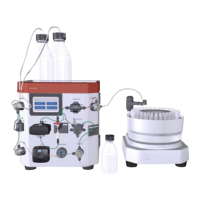
Provides a general overview of the ÄKTA readyflux system, its applications, and associated products.
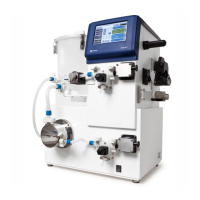
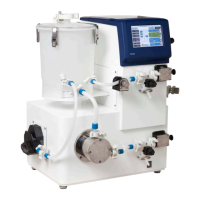
Presents visual diagrams and labels for the ÄKTA readyflux system's main features and components.
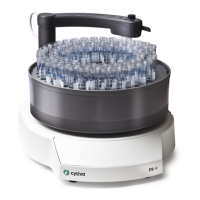
Details the various components of the ÄKTA readyflux system, including flow kits, pumps, valves, and sensors.
Describes the fluid pathways for both CFF and NFF flow kits, including flowcharts and descriptions.
Provides an overview of the different filter types, including flat sheet and hollow fiber filters, compatible with the system.
Explains the UNICORN software used for system operation, including modules, workflow, and process pictures.
Outlines essential safety measures for electrical connections, system installation, and moving the equipment.
Details requirements for the installation site, including room, environmental, power, media, and computer specifications.
Provides information on crate weights, dimensions, and safe procedures for moving the system during transport.
Guides users through the setup process, including system positioning, control system connection, and software configuration.
Covers critical safety aspects for system operation, including operating limits, overpressure, and safe distances.
Provides step-by-step instructions for installing both CFF and NFF flow kits, including preparations and testing.
Explains how to perform and interpret the system installation test to verify component functionality.
Details procedures for preparing, starting, and monitoring a run, including how to hold, pause, or stop operations.
Outlines safety measures for maintenance tasks, including power disconnection and use of approved parts.
Provides instructions for routine daily cleaning and upkeep to ensure system performance and safety.
Describes preventive maintenance tasks performed annually by qualified service personnel for optimal system operation.
Addresses common problems related to computer connectivity and UNICORN software operation, offering corrective actions.
Details troubleshooting steps for feed pump issues, including no flow, disabled status, and incorrect gain factors.
Guides users on resolving issues related to flow path problems, such as high outlet pressure and air bubbles.
Lists technical and environmental specifications, including dimensions, weight, voltage, and operating conditions.
Details allowed chemicals for external surfaces and wetted parts, outlining compatibility and concentrations.
Provides product codes for ÄKTA readyflux accessories, flow kits, spare parts, and qualification documents.
Summarizes applicable regulations and standards for the product across different geographical regions.
Provides forms for service declarations, ensuring equipment safety and cleanliness before on-site service or return.
 General
| Brand | cytiva |
|---|---|
| Model | AKTA readyflux |
| Category | Laboratory Equipment |
| Language | English |







 To Next Page