EasyManua.ls Logo

cytiva AKTA ready - User Manual

cytiva AKTA ready
210 pages
Print Icon
To Next Page IconTo Next Page
Loading...
ÄKTA
ready
Operating Instructions
Original instructions
cytiva.com

Table of Contents

Questions and Answers

  • E
    Edwin MitchellSep 4, 2025
    What to do if cavitation occurs in cytiva Laboratory Equipment?
    • S
      Shannon EvansSep 4, 2025
      If you're experiencing cavitation, which results in unstable flow meter readings, check the flow path for kinks and inspect the inlet containers. Make sure the inlet tubing diameter is equal to or larger than the inlet manifold tubing diameter. You can also remove any air in the flow path using the ManFlow command in UNICORN. To continue the run, click 'Continue' on the toolbar.
  • J
    johngonzalezSep 18, 2025
    What to do if there is wrong composition of wash solution or test solution in cytiva AKTA ready?
    • M
      Mary RobertsSep 18, 2025
      Make sure that the solutions used are fresh and correctly prepared.
  • L
    lutzkaylaSep 16, 2025
    What to do if wrong inlets are used during component test in cytiva AKTA ready?
    • K
      Kimberly PalmerSep 16, 2025
      Check that the wash solution is connected to Inlet 6, and the test liquid to Inlet 5.
  • P
    perryamberSep 14, 2025
    What to do if there is incorrect pressure measurement in cytiva AKTA ready?
    • H
      heather64Sep 14, 2025
      If you're getting incorrect pressure measurements, make sure that the pressure sensor is correctly aligned in the holder and check that there is no gap between the pressure sensor and the pressure sensor holder.
  • T
    Travis BennettSep 12, 2025
    What to do if valve safety lock is open in cytiva Laboratory Equipment?
    • E
      Eugene Phillips Jr.Sep 12, 2025
      To close the valve safety lock: First, turn the installation switch to the FLOW KIT INSTALL position. Then, lift the safety lock handle and turn it inward 180 degrees. Finally, turn the installation switch back to the RUN position.
  • B
    Brent PetersSep 12, 2025
    What to do if fuse blows repeatedly on cytiva AKTA ready Laboratory Equipment?
    • A
      angelicablanchardSep 12, 2025
      Shut the ÄKTA ready down using the main switch and contact your local Cytiva representative.
  • C
    Christian MccallSep 9, 2025
    What to do if the message Valve error is displayed on cytiva AKTA ready?
    • R
      Rachel CherrySep 9, 2025
      If the message 'Valve error' is displayed, a valve lock may be open. Check the valve locks and close them.
  • A
    Amy AllisonSep 7, 2025
    What to do if no system is found when starting up UNICORN for cytiva Laboratory Equipment?
    • S
      Steven PittsSep 7, 2025
      If UNICORN can't find the system during startup, ensure the system is switched on. Check the communication cable and connectors. If the system connects via a switch or hub, verify that the cross-over cable (3 m) is connected in series with the long (10 m) cable. Try switching off the computer, turning off the MAINS POWER on the ÄKTA ready system and then turning it back on, and restarting the computer.
  • R
    Rebecca GonzalesSep 5, 2025
    What happens if there is a power failure during a run on cytiva AKTA ready?
    • M
      Melissa Hughes MDSep 5, 2025
      In the event of a power failure during a run, check the system circuit breaker and the external power supply.
  • J
    James MartinezAug 20, 2025
    What to do if there is air in the flow path in cytiva AKTA ready?
    • A
      andrewwolfeAug 21, 2025
      If you find air in the flow path, identify the cause. This could be due to damaged tubing or a connector, a dislocated TC gasket, or the inlet tubing not being properly located in the liquid. In rare instances, cavitation from negative pressure might be the cause. Locate and fix the issue, checking the entire flow path, including the inlet containers. Additionally, you can use the ManFlow command in UNICORN to remove air from the flow path. To proceed with the run, click 'Continue' on the toolbar.

Summary

Introduction

Important User Information

Key safety and operational information for all users of ÄKTA ready.

About this Manual

Details the purpose, scope, and typographical conventions used in this manual.

Associated Documentation

Lists related literature and resources available for ÄKTA ready and flow kits.

Abbreviations

Defines abbreviations used in the user documentation for ÄKTA ready.

Safety Instructions

Safety Precautions

Covers general and specific safety precautions for operating the ÄKTA ready system.

Labels

Describes the system and safety labels attached to the product.

Emergency Procedures

Details procedures for emergency shutdown and restarting the system.

System Description

Overview

Provides a general description of the ÄKTA ready system's features and purpose.

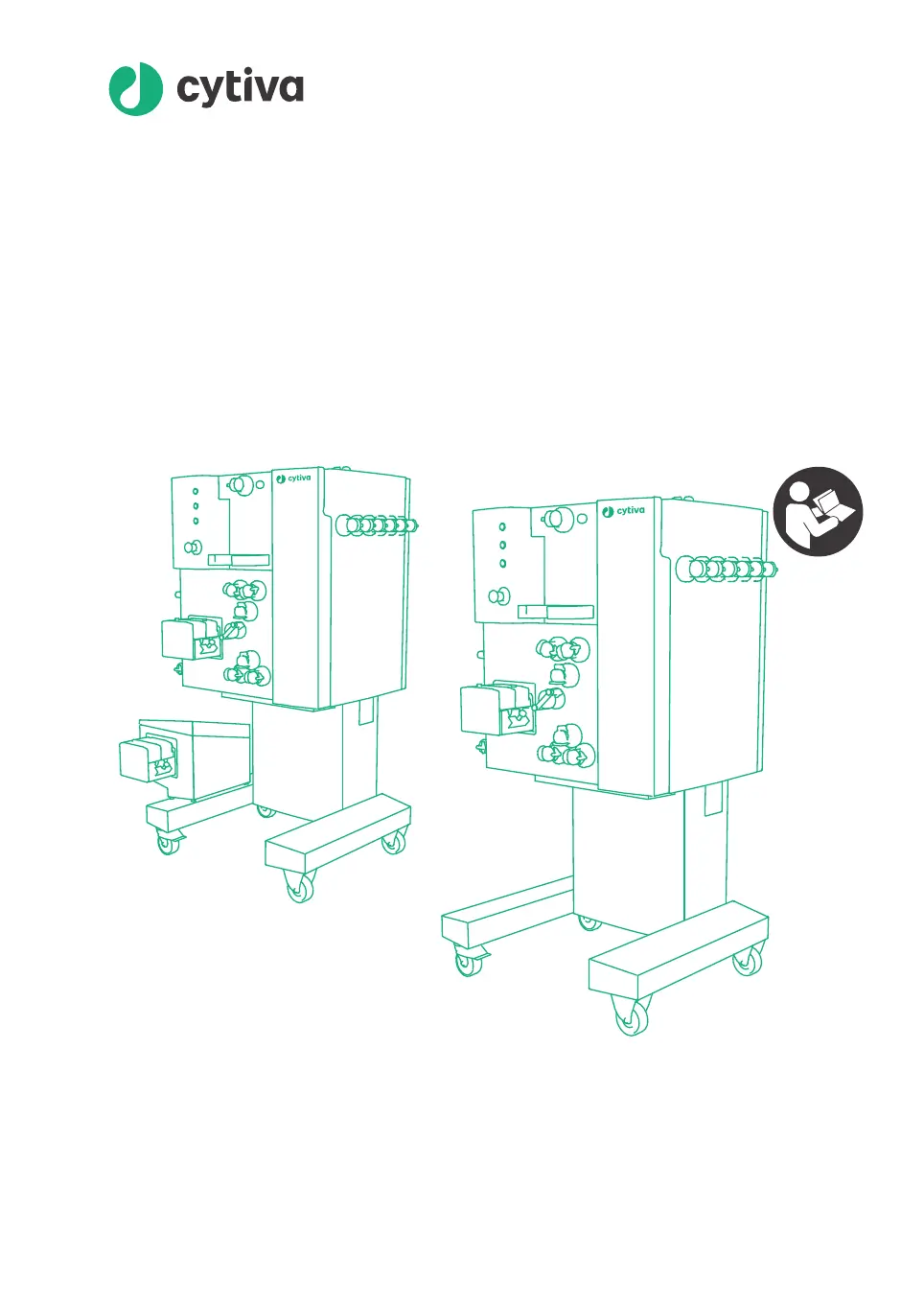
System Illustrations

Illustrates ÄKTA ready with flow kits, showing key components and their labels.

System Components

Details the various components that make up the ÄKTA ready system.

Flowchart

Presents a schematic diagram of the ÄKTA ready flow path, including color coding.

Flow Kits

Describes the disposable flow kits and their components for isocratic and gradient operations.

UNICORN Control System

Explains the role of UNICORN software in controlling the ÄKTA ready system.

Installation

Safety Precautions

Details safety precautions to be followed during the installation of ÄKTA ready.

Site Requirements

Outlines the environmental and physical requirements for the installation site.

Included in the Delivery

Lists the components and accessory kit included with the ÄKTA ready system.

Unpacking

Provides instructions on how to safely unpack the ÄKTA ready system and flow kit.

Transport

Covers safe procedures for moving, lifting, and transporting the ÄKTA ready system.

Connections

Guides on how to connect power, compressed air, computer, and external equipment.

Finish Installation

Describes steps to establish computer connection and equilibrate the system to temperature.

Operation

Safety Precautions

Covers critical safety precautions for operating the ÄKTA ready system.

Start the System and Log On to UNICORN

Guides on starting the ÄKTA ready system and logging into the UNICORN software.

Install Flow Kit

Step-by-step instructions for installing the isocratic and gradient flow kits.

Perform a Component Test

Instructions for running and understanding the results of component tests.

Connect a Column

Details on installing columns, performing efficiency tests, and rinsing.

Set ÄKTA Ready Specific Parameters in Method Editor

How to configure ÄKTA ready specific settings within the UNICORN Method Editor.

Run a Method

Procedures for preparing, starting, monitoring, and ending a method run.

Controlled Shutdown

Instructions for safely removing flow kits/columns and shutting down the system.

Maintenance

Safety Precautions

Essential safety precautions for performing maintenance on the ÄKTA ready system.

Maintenance Schedule

Provides a schedule for daily and annual maintenance tasks.

Maintenance Procedures

Detailed procedures for common maintenance tasks like cleaning and calibration.

Calibration

Instructions for calibrating the system's sensors and gradient pump.

Cleaning

Procedures for cleaning the ÄKTA ready system to ensure proper function.

Storage

Guidelines for preparing the system for storage.

Troubleshooting

Troubleshooting the System

Identifies and provides corrective actions for common system issues.

Troubleshooting a Failed Component Test

Guidance for resolving issues when a component test fails.

Reference Information

Specifications

Provides technical specifications for ÄKTA ready system capacity and pressure ratings.

Chemical Resistance

Lists recommended cleaning agents and allowed chemicals for ÄKTA ready.

Environmental Requirements

Specifies the environmental conditions required for operating and storing the system.

PID Control

Explains PID control principles and parameters used in ÄKTA ready.

Recycling Information

Information regarding product decommissioning, decontamination, and disposal.

Regulatory Information

Lists applicable regulations and standards for the ÄKTA ready system.

Flow Kit Ordering Information

Provides product codes and specifications for ordering flow kits.

More Information

Details on spare parts, accessories, contact information, and training.

Health and Safety Declaration Form

A form for declaring the safety status of equipment prior to service.

cytiva AKTA ready Specifications

General IconGeneral
Intended UseProtein purification
Conductivity MonitoringYes
pH MonitoringYes
Fraction CollectionYes
SoftwareUNICORN
Flow Rate Range0.001-100 mL/min
UV Wavelengths280 nm
Power Requirements100-240 V, 50/60 Hz

Related product manuals