13D-Link DAP-1525 User Manual
Section 3 - Configuration
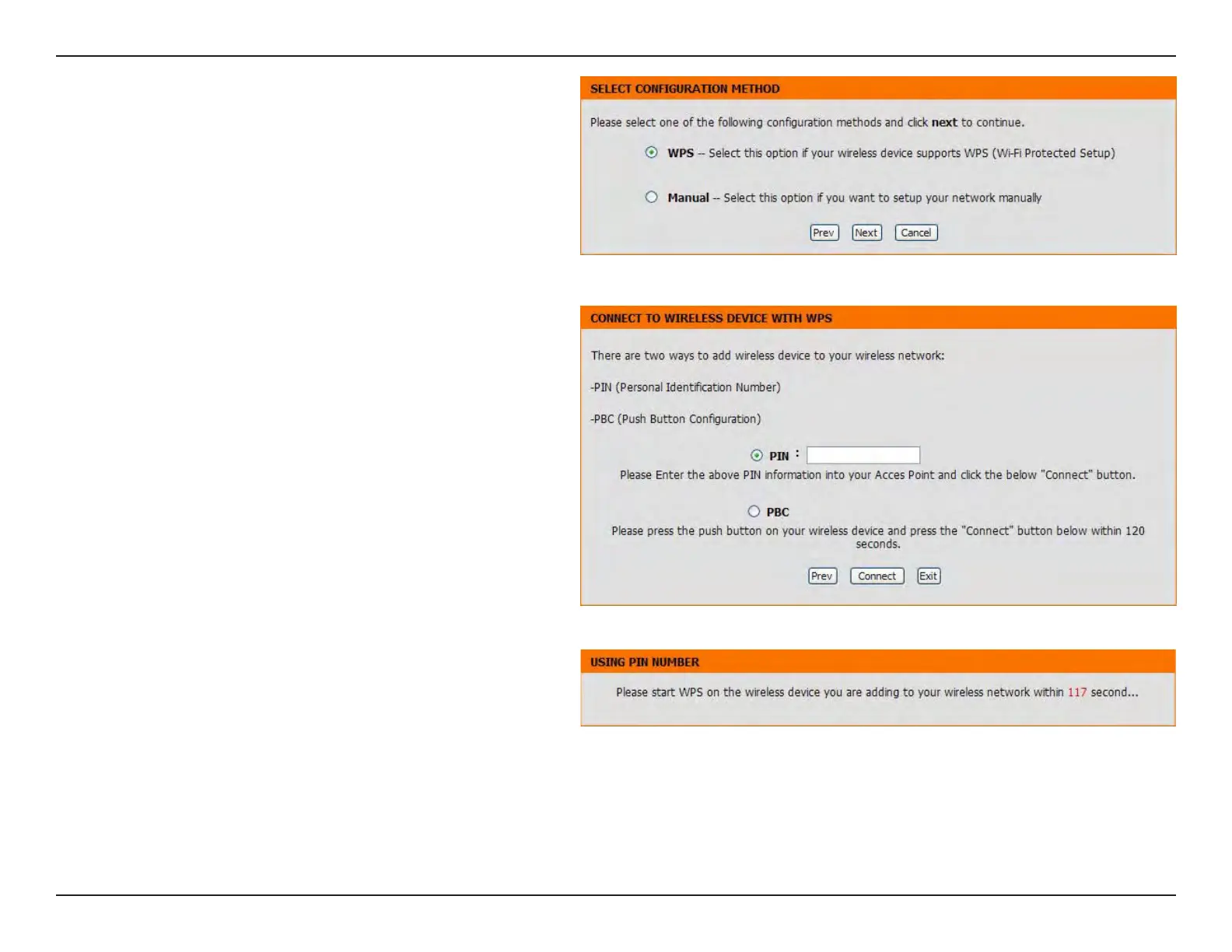
Click the WPS radio button if your wireless device
supports Wi-Fi Protected Setup. Click the Manual
radio button if you want to congure the network
manually. For Manual conguration, skip to page 15.
Click the Next button to continue.
Select PIN to enter the PIN number from other
wireless device to connect to your network.
For PBC conguration, skip to page 14.
Click Connect to continue.
Start WPS on the wireless device that you are adding
to your wireless network to complete the setup.



 To Next Page