16 DAP-1665 Install Guide
4
5
6
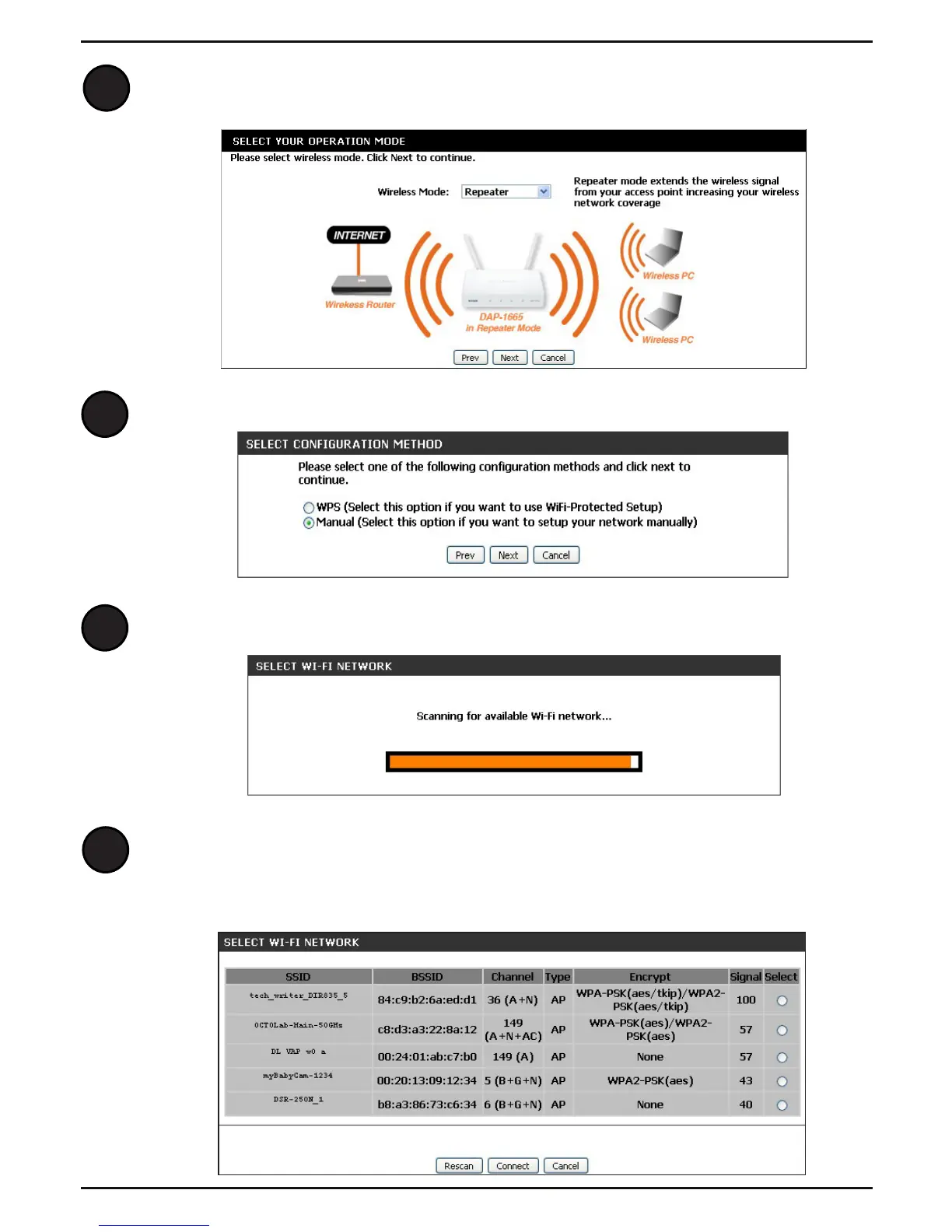
Select your preferred Wireless Mode from the drop-down menu. Select
Repeater or Wireless Client. Click Next to continue.
Select Manual to set up your network manually. Click Next to continue.
The DAP-1665 will scan for available wireless networks in your area.
When the scan is complete, the next screen will display a list of available
wireless networks. Click on the button in the Select column to the right of the
Wi-Fi network you would like to connect to. Click Connect.
7



 To Next Page
 Loading...











