DAP-1665 Install Guide 3
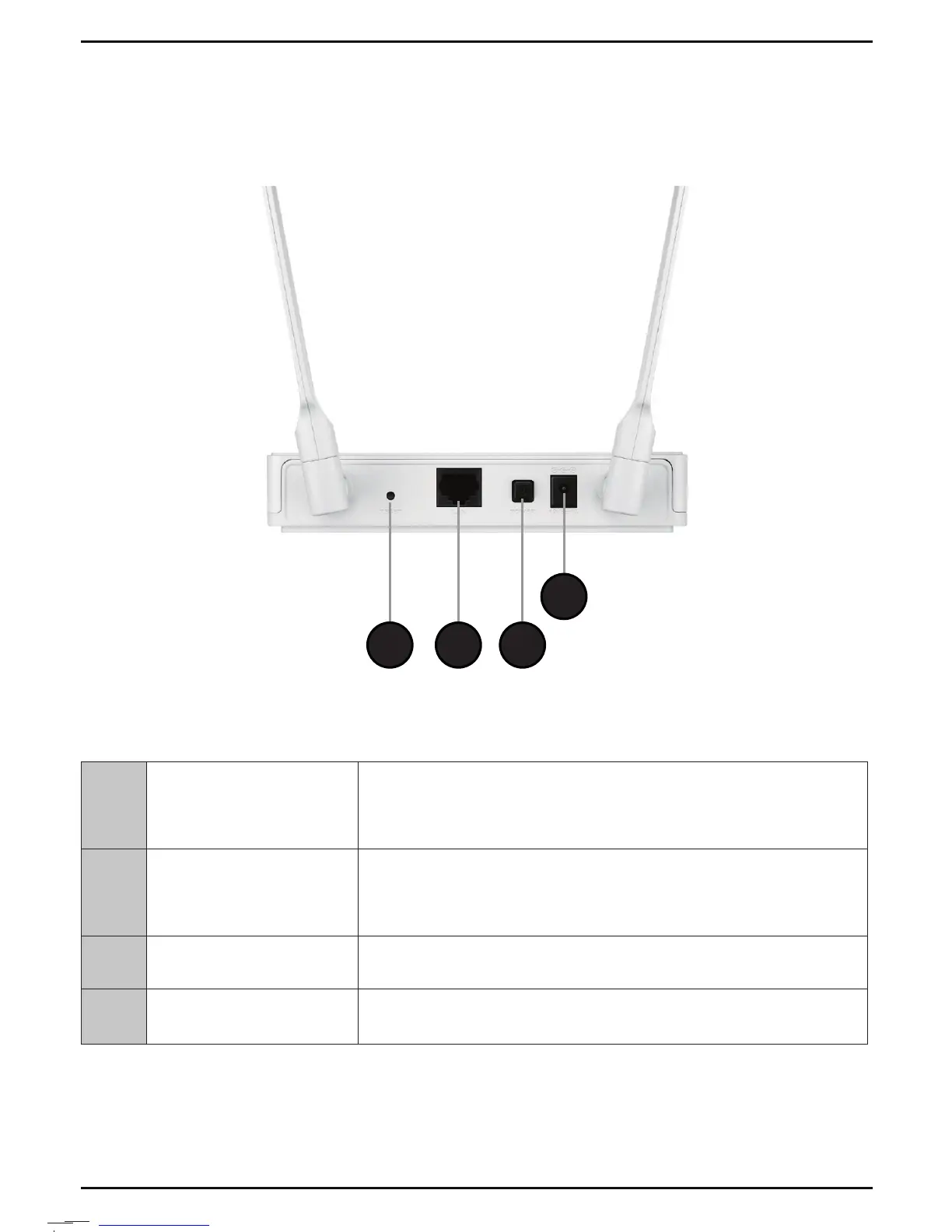
Hardware Overview
Connections
4
321
3
1 Reset
Use an unfolded paper clip to press and hold the reset
button for 10 seconds. This will reset the DAP-1665 back
to the factory default settings.
2 LAN Port
Connect an Ethernet-based device such as a computer,
video game console, Network Attached Storage (NAS)
device, or media player.
3 Power Button Press the power button to power on and o.
4 Power Receptor Receptor for the supplied power adapter.



 To Next Page