DAP-1665 Install Guide 17
8
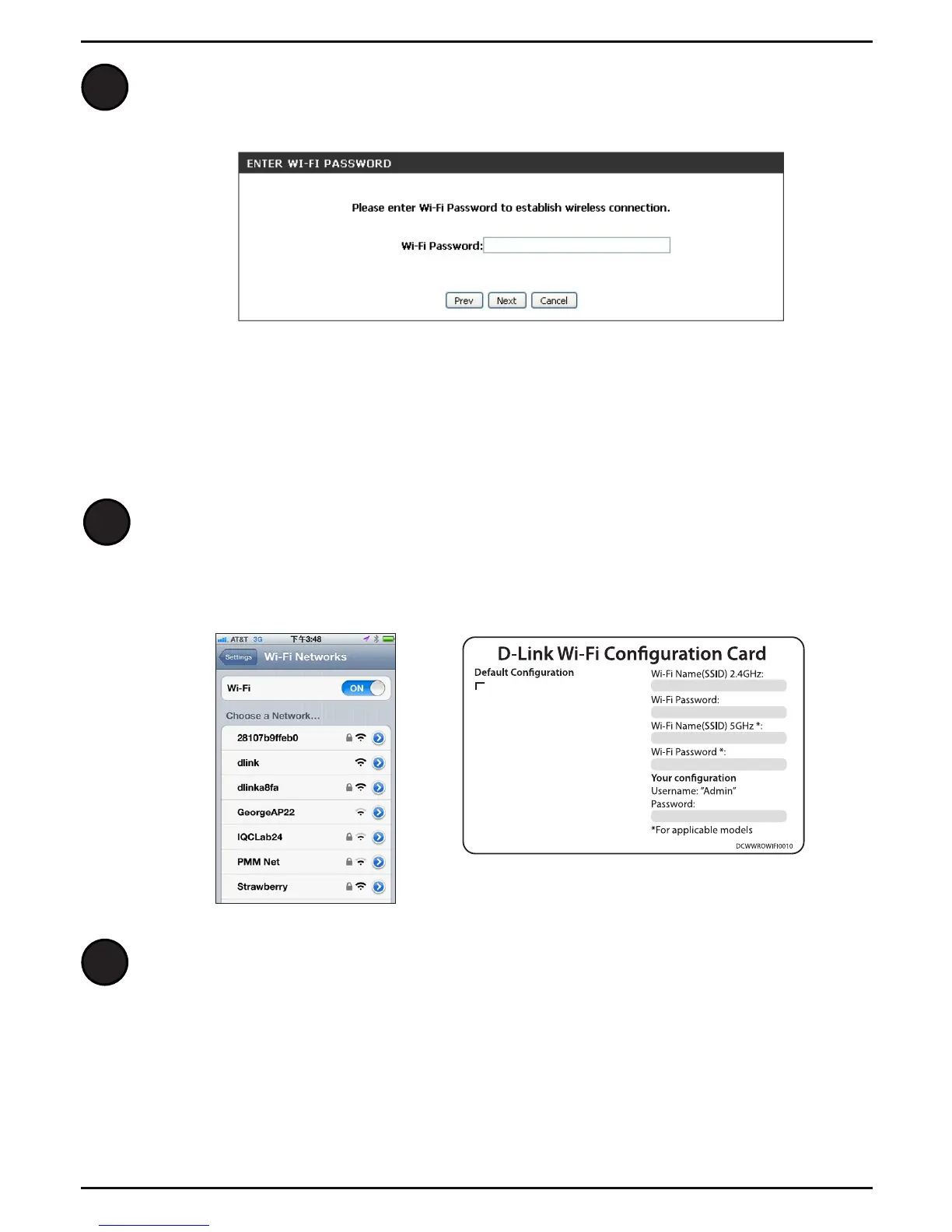
If the Wi-Fi Network you selected is secure, you will need to enter the Wi-Fi
Password and click Next to connect.
Connect Your Wireless Devices
to the DAP-1665*
From your wireless device, go to the Wireless Utility to display the available
wireless networks and select the Wi-Fi Network Name (SSID) that you created
for the DAP-1665. The default Wi-Fi network name and password are located
on the conguration card.
Wi-Fi Name(SSID) 2.4Ghz:
dlink-xxxx
Wi-Fi Name(SSID) 5GHz:
dlink-xxxx-5GHz
Password: xxxxxxxx
To congure your router, go to:
http://dlinkrouter.local.
Or http://192.168.0.1
Username: “Admin”
Password:” “ (leave the eld blank)
Your device is now connected to the DAP-1665 and can connect to your
wireless router. If you want to change your network settings, password, etc.,
follow the steps on page 14 to Congure Using a Web Browser. To connect
additional devices, repeat step 1.
Your setup is complete!
1
2
Note: The DAP-1665 must be set up as a Repeater or Access Point.



 To Next Page
 Loading...











