7D-Link DAP-1950 User Manual
Section 1 - Product Overview
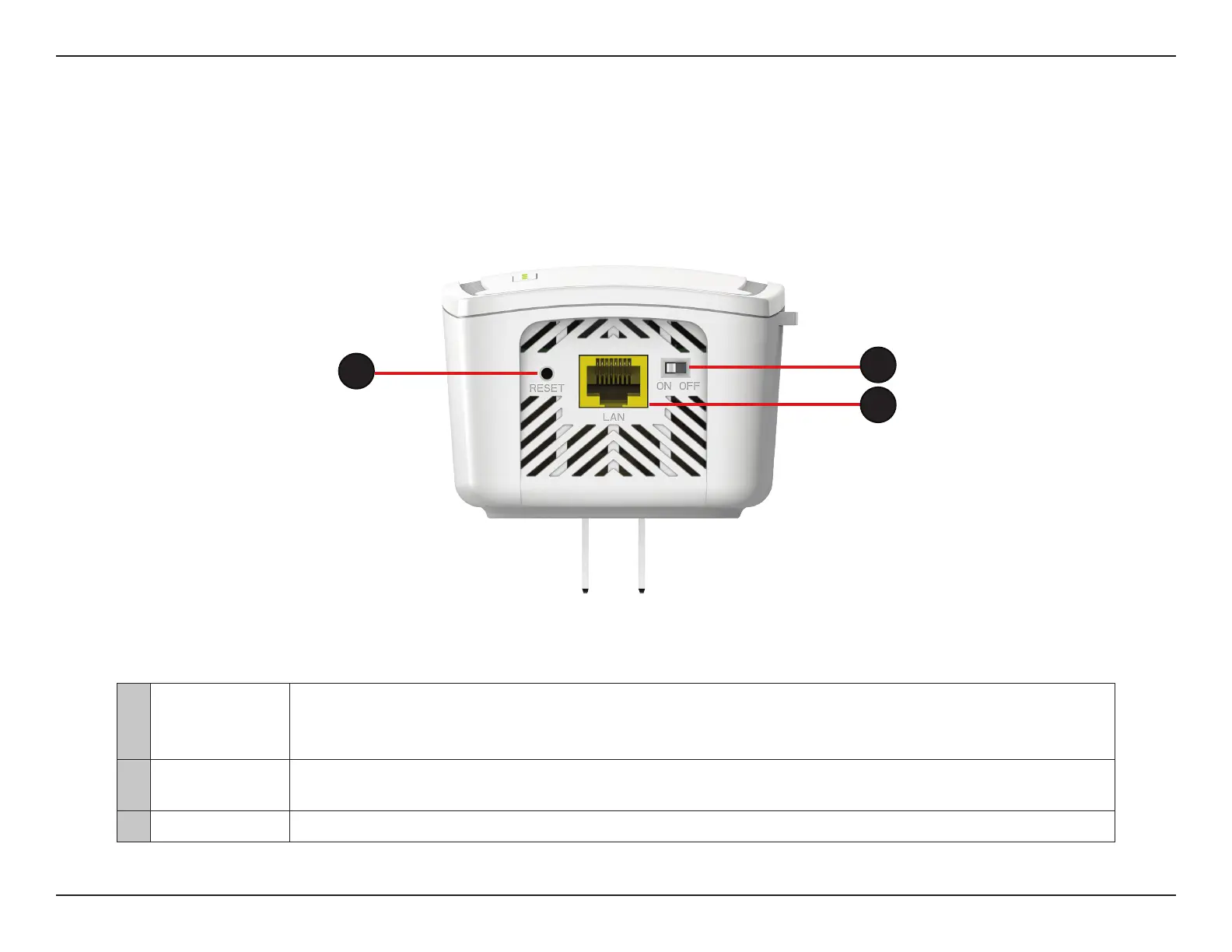
Bottom
1 Reset Button
Use an unfolded paperclip to press and hold the reset button on the bottom of DAP-1950 until a red light
appears. Release the button and the extender will go through its reboot process to restore to factory default
settings.
2 Power Switch
Use the power switch to power the DAP-1950 when it will not be in use for an extended period of time.
The factory default is ON.
3 LAN Connect an Ethernet cable if you are adding wireless to a wired network.
2
1
3


 To Next Page