Media name: Enter "imageSnapshot" or any other name.
Source: Select Profile1. The image's resolution will be set to the video
profile 1's frame size; other video parameters will not be used.
File Name Prefix: Enter "A" or any other prefix.
Also check the checkbox "Add date and time suffix to file name", and set it to send in 3 pre-
event images and 7 post-event images.
Click Save Settings.
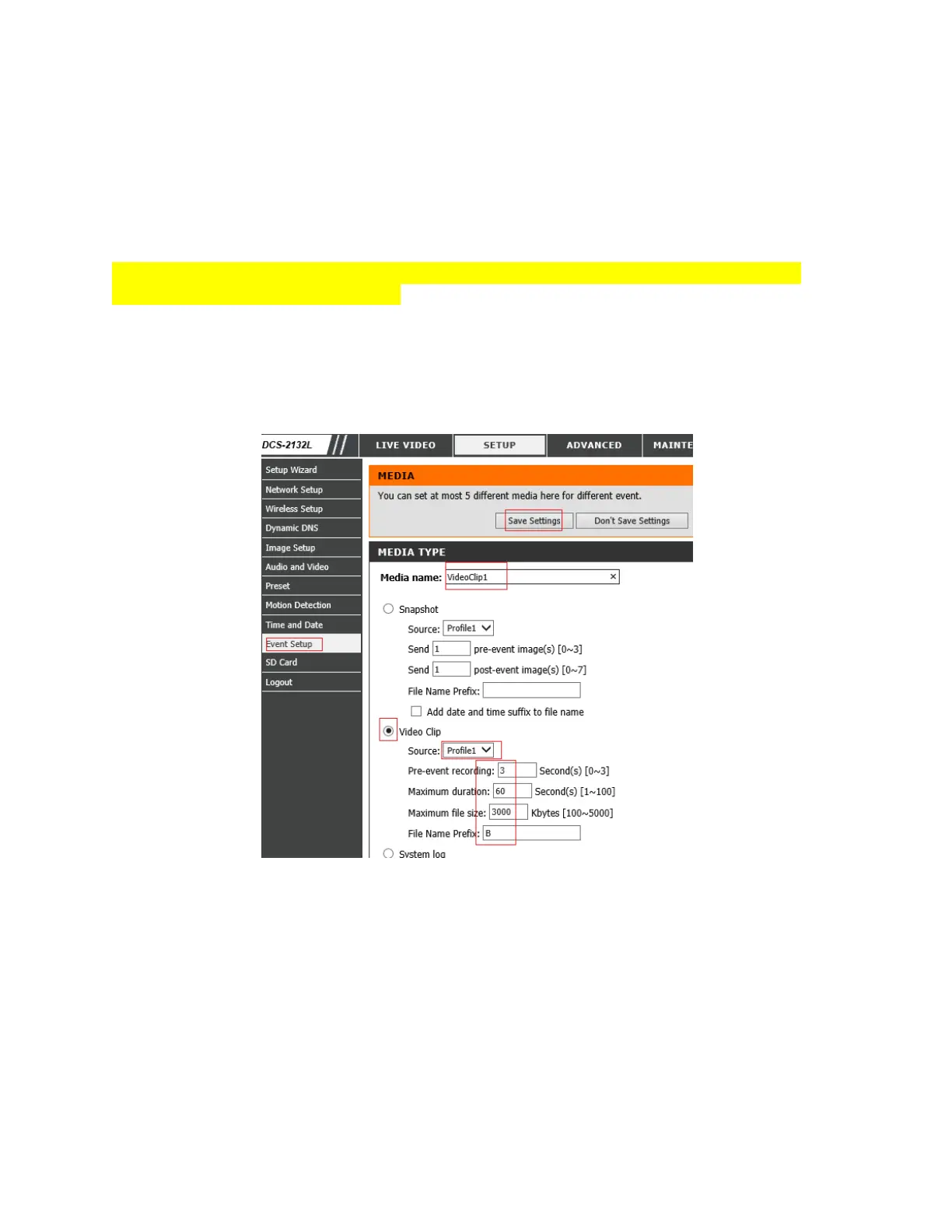
If you ordered a video plan, you can check the radio button of "Video Clip", see the screenshot
below:
Media Name: Enter "VideoClip1" (or any name)
Source: Select Profile1;
File Name prefix: "B" or any other prefix.
Maximum file size: 4000 Kbytes
Click Save Settings.


 To Next Page
 Loading...