5.3 Configure an Event
In the Event Setup screen, click the Add button in the Event Section below the Media section.
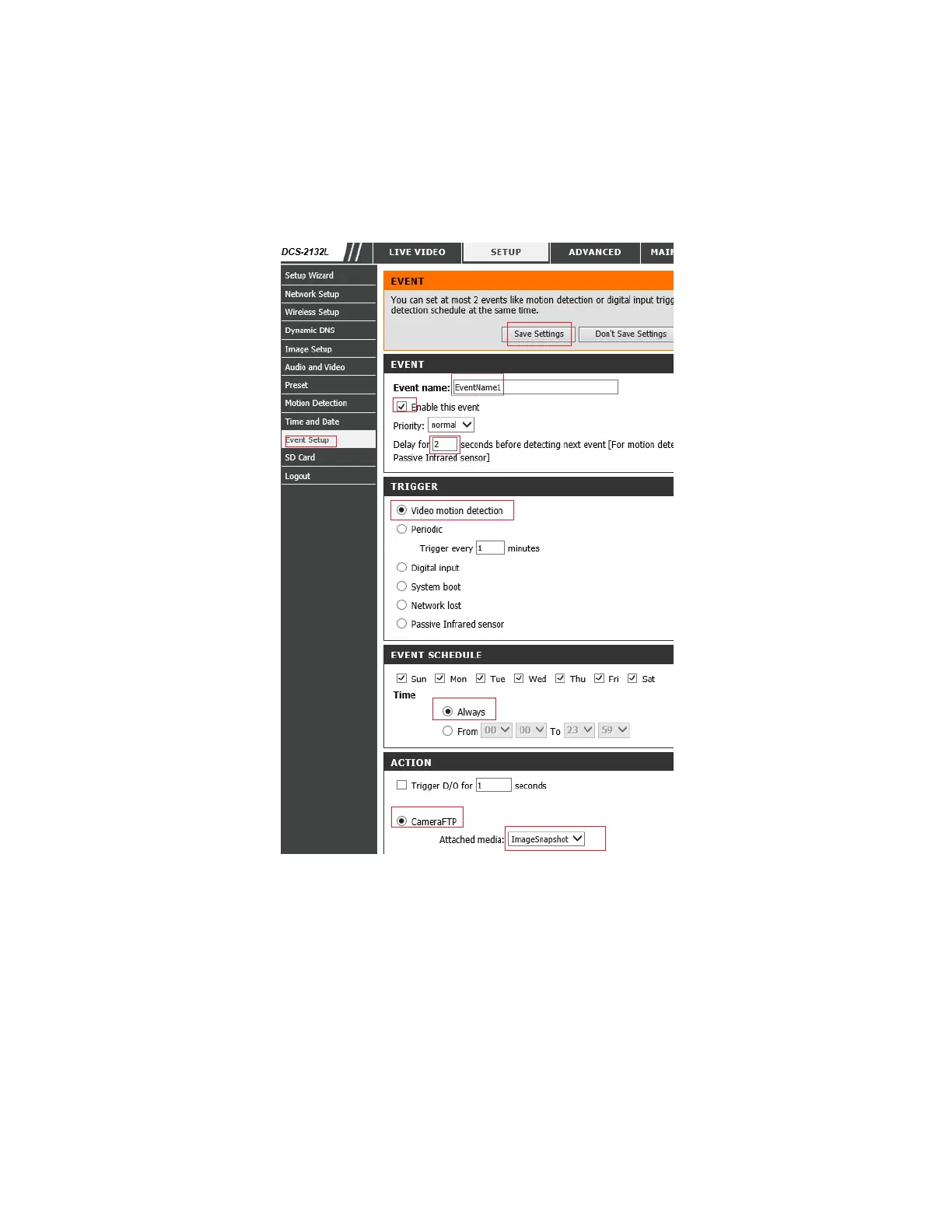
You will see the Add-Event page as shown below:
Event name: Enter any event name, such as EventName1.
Enable this event: Check the checkbox
Delay for 1 or 2 seconds before detecting next event.
If you ordered a plan with motion detection enabled, then you must check the checkbox of
"Video motion detection".
If you ordered a continuous recording plan, you can check the checkbox of "Periodic".
Note: this camera can only trigger periodic events every 1 minute, thus it is not truly continuous
recording. It can record a 1-minute video clip every 2 minutes, or 10 images/minute.


 To Next Page