www.cameraftp.com. If you have not created the camera
name, please log on to www.cameraftp.com, then click Add
in the My Cameras page.
Passive Mode: Enabled (This is very important!)
Click Test to test the FTP settings. If successful, click Save Settings.
5.2 Configure the Media Type (Image snapshots or video clips)
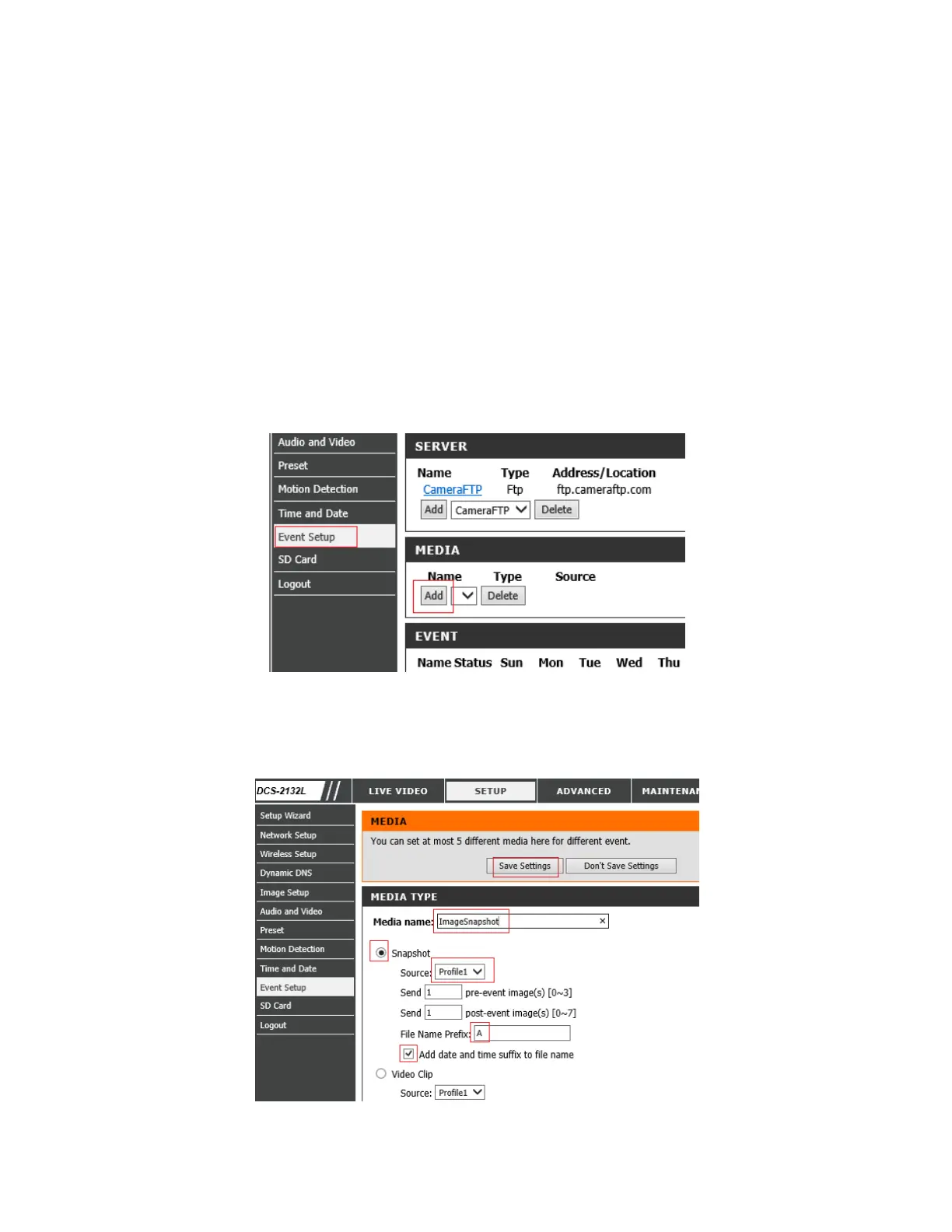
In this step, we will configure what type of media to be recorded when an event is triggered.
Click Event Setup, then click the Add button in the Media section as shown below:
You can then configure a media type in the following screen.
If you ordered an image plan, don't configure the video clip section. Check the "Snapshot"
radio button.


 To Next Page
 Loading...