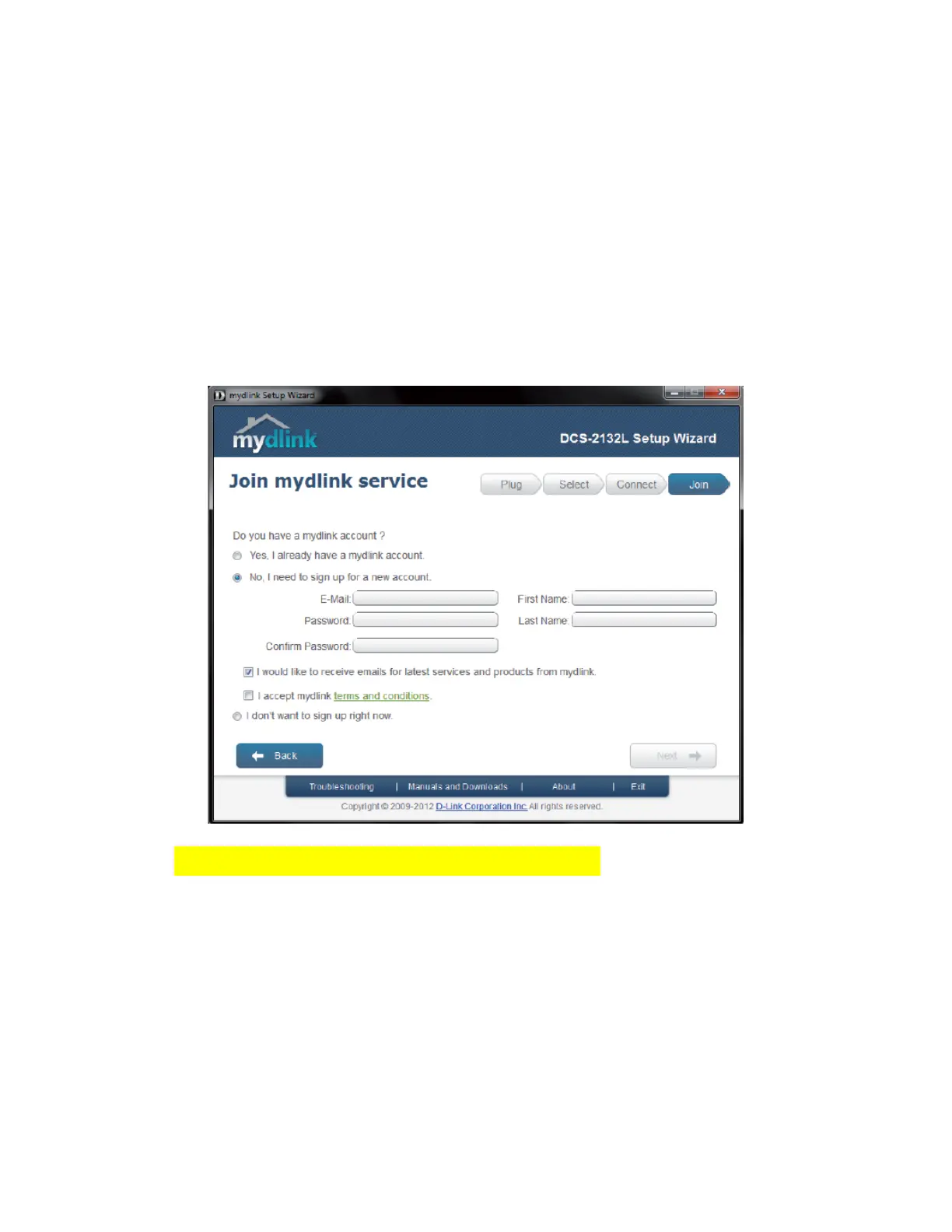
Follow the wizard to connect the camera to your network, and click Next. You will be offered to
sign up for mydlink service. Mydlink service is useful for live view and accessing your cameras
remotely. You can sign up for an account, or select "I don't want to sign up now".
CameraFTP’s service is different from mydlink service. We offer cloud-based storage for your
camera, which is much more secure than local storage or no storage. Also, we support cloud-
based live view and playback, so mydlink service is not necessary.
Click Next.
Finally, you will find a page that displays the camera's IP address:


 To Next Page