42
DCS-6620 User’s Manual
D-Link Systems, Inc.
Using the DCS-6620 with an Internet Browser
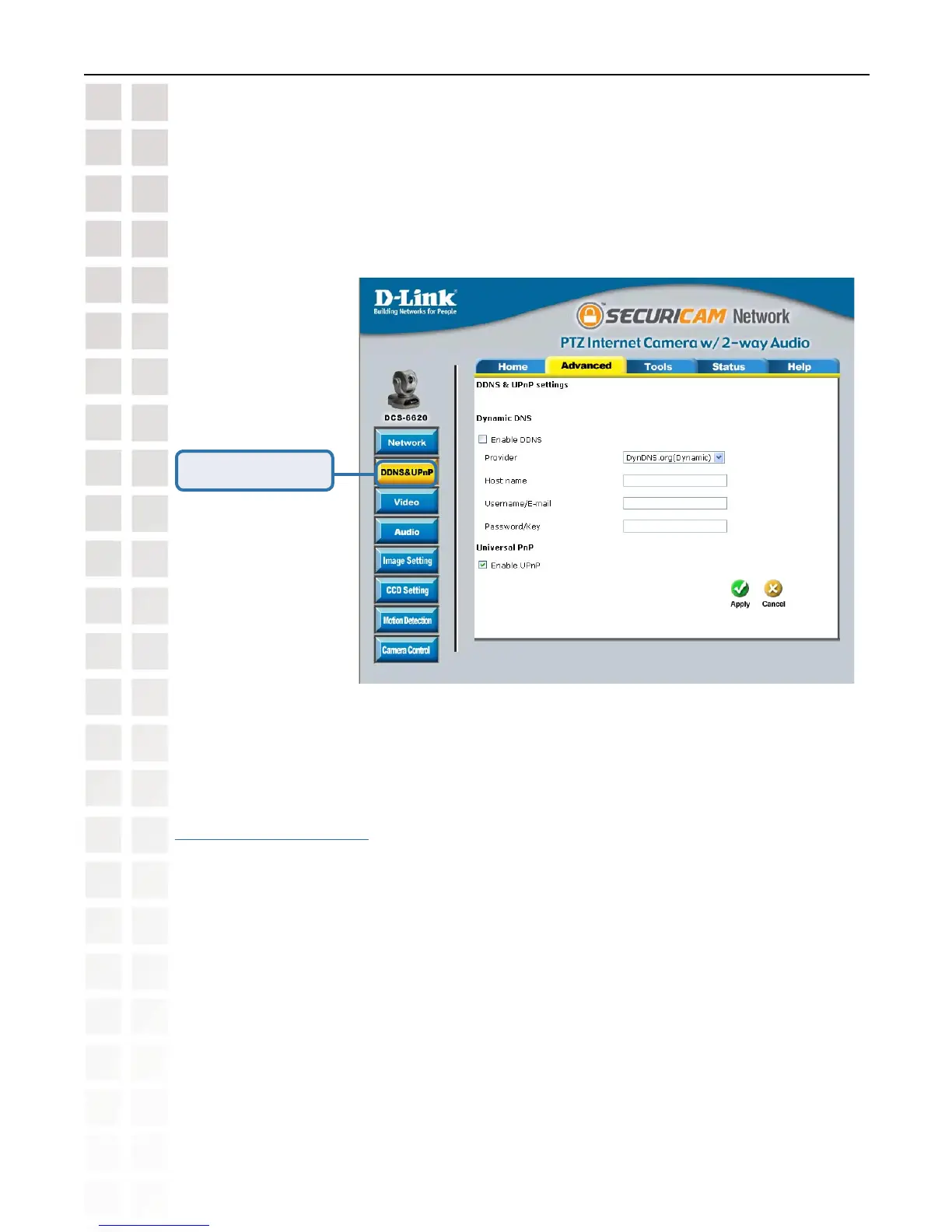
Click the DDNS & UPnP button from the Configuration screen to access DDNS & UPnP
settings.
Configuration > Advanced > DDNS & UPnP
Dynamic DNS (DDNS)
Dynamic DNS (Domain Name Service) is a method of keeping a domain name linked to a
changing (dynamic) IP address. With most Cable and DSL connections, you are assigned a
dynamic IP address and that address is used only for the duration of that specific connection.
With the DCS-6620, you can setup your DDNS service and the DCS-6620 will automatically
update your DDNS server every time it receives a different IP address. Depending on the
service, this update may take a few hours.
Click DDNS & UPnP















 To Next Page