52
DCS-6620 User’s Manual
D-Link Systems, Inc.
Using the DCS-6620 with an Internet Browser
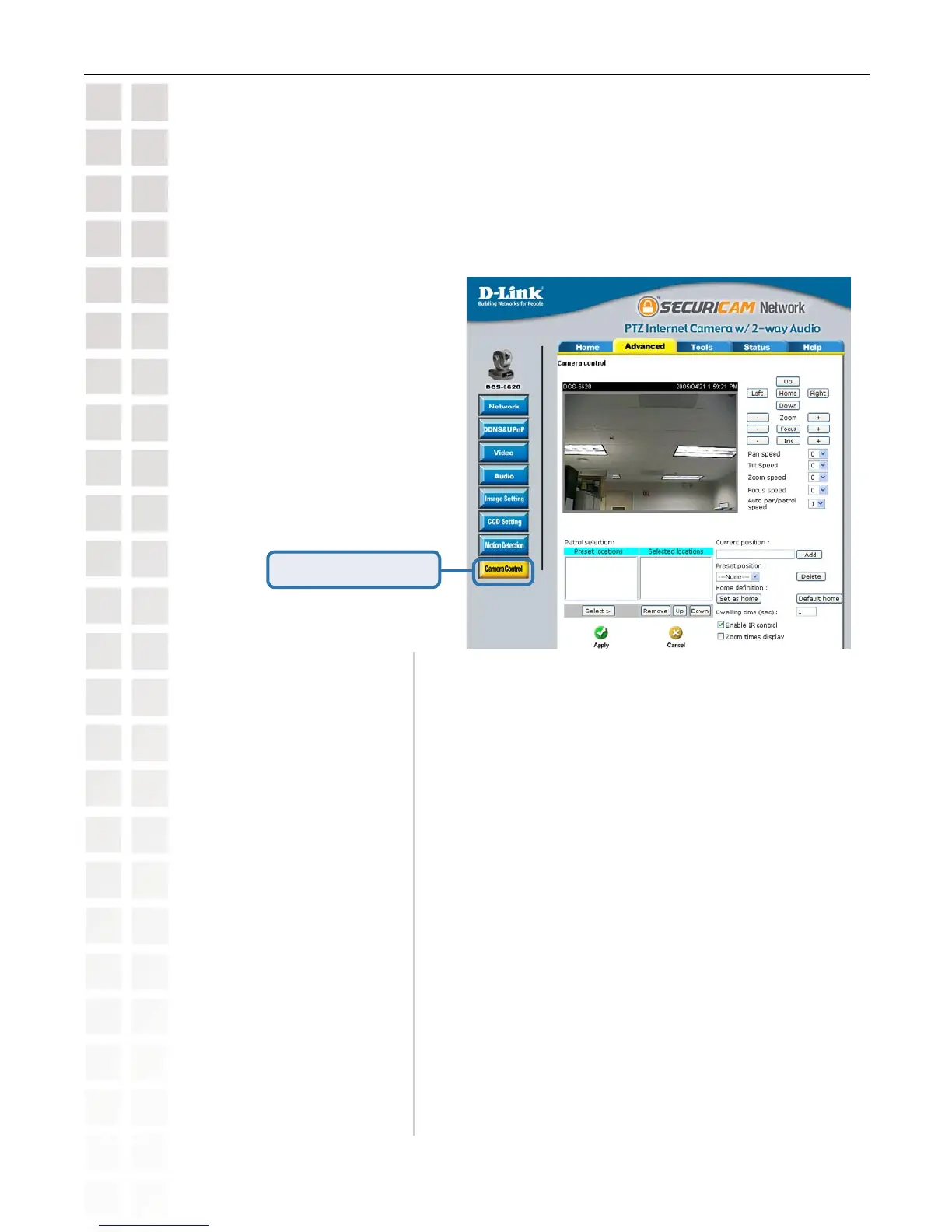
Configuration > Advanced >Camera Control
Click the Camera Control button from the Configuration screen to access settings that affect how
the DCS-6620 PTZ Internet Camera can pan and move to preset locations.
Pan Speed:
Select the speed at which the camera will pan for a full cycle
from the pull down menu. Select a value between -5 and +5,
-5 being the slowest setting.
Tilt Speed:
Select the speed at which the camera will tilt for a full cycle
from the pull down menu. Select a value between -5 and +5,
-5 being the slowest setting.
Auto Pan/Patrol Speed:
Select the speed at which the camera will pan during auto
patrol. Select a value between 1 and 5, 1 being the slowest
setting.
Click Camera Control
Zoom Speed:
Select the speed at which the camera will zoom for a full
cycle from the pull down menu. Select a value between -5
and +5, -5 being the slowest setting.
Zoom:
Focus:
Iris:
“-” sets the aperture smaller, “Iris” automatically sets the
aperture to normal, and “+” sets the aperture bigger.
“-” controls the focus near function, “Focus” automatically
controls the focus normal function, and “+” controls the focus
far function.
“-” controls the zoom widely function, “Zoom” automatically
returns the lens to normal view, “+” controls the zoom
telescopically function.
Left, Up, Right, Down, & Home:
“Home” aims the camera to the center, where as the other
buttons aim the camera accordingly.















 To Next Page