89
DCS-6620 User’s Manual
D-Link Systems, Inc.
Using IP surveillance Software
Monitor Program (continued)
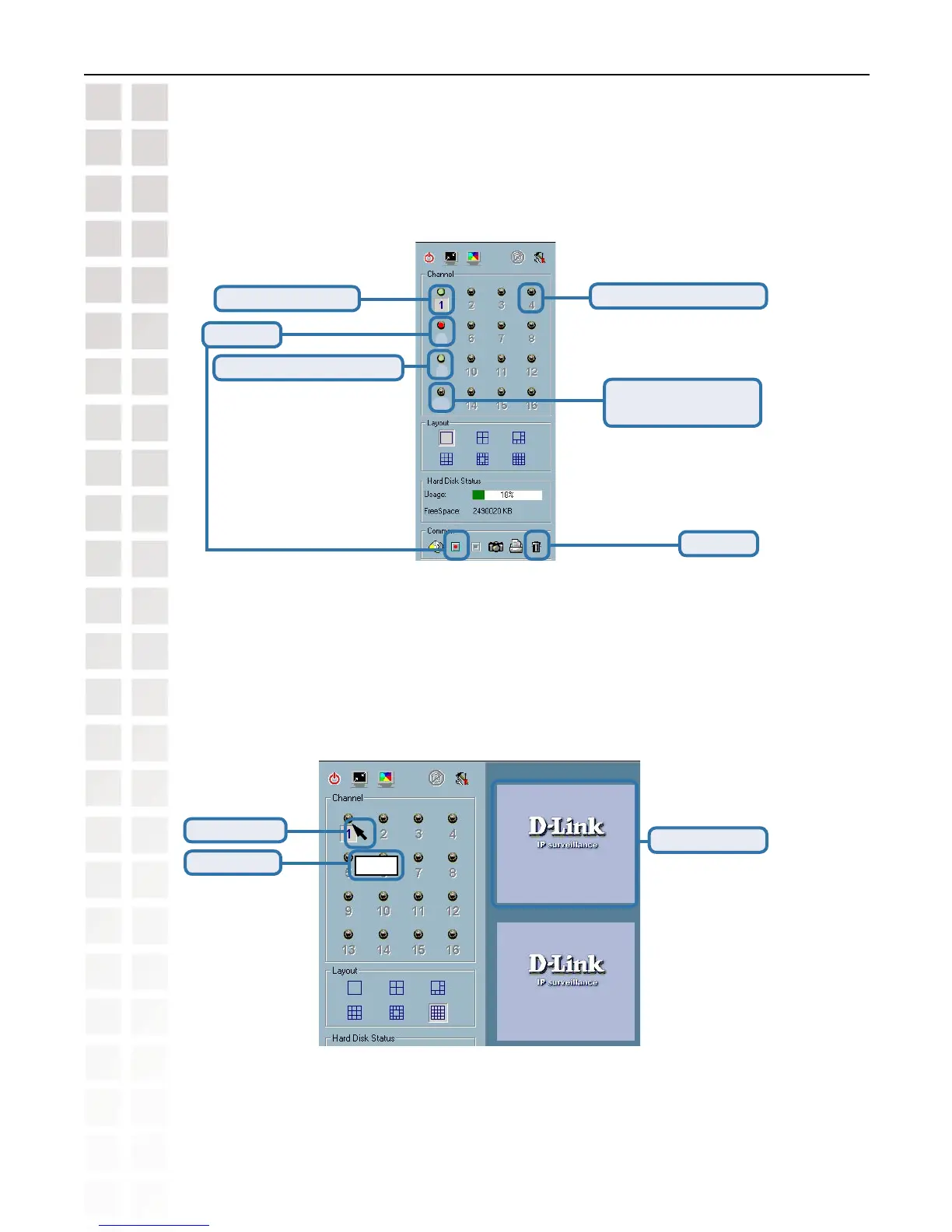
If you do not want to monitor one video, you can drag and drop the video (in the video area)
to the trashcan in the common control area of the monitor program. The following section will
demonstrate the procedures for “drag and drop” step-by-step.
Show the video of a specified channel
This section depicts the method of how to show the video of a specific channel
in a display window.
Step 1: Move the mouse cursor to the display window shown below.
Video 1
5
9
13
Selected Channel
Connected and monitoring
Not configured channel
Configured but not
connected (no video)
Trashcan
Mouse cursor
Location hint
Display window
Recording















 To Next Page