16D-Link DCS-8000LH User Manual
Section 3 - Using the Mobile App
Step 1:
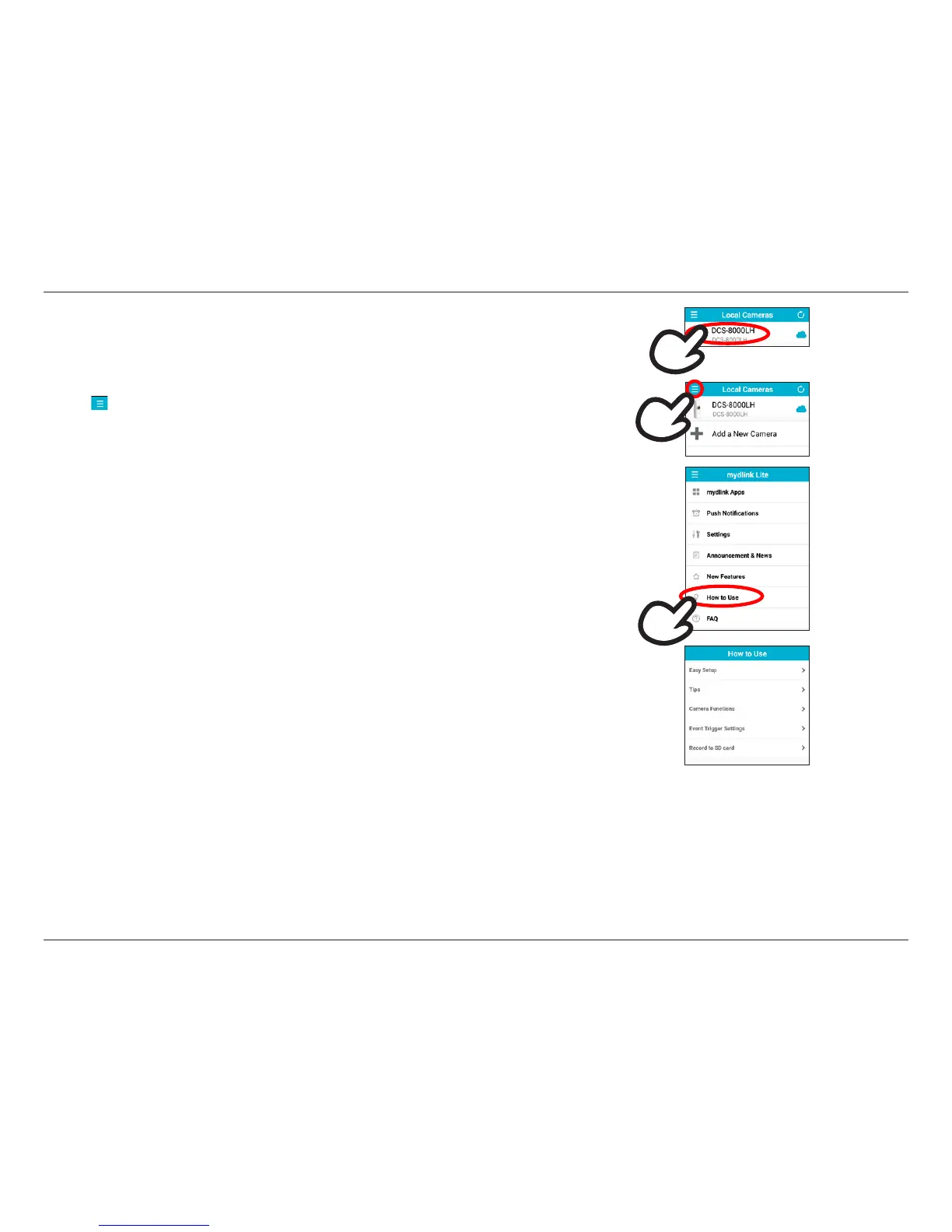
Tap the icon to bring up the menu.
Step 2:
Tap How to Use to see a list of topics you need help on.
If you tap on your device name, you will be taken to the Live View page, where you can view a live
stream from your camera. There are also short how-to guides built into the app that you can access
at any time if you need help.
Step 3:
The list of topics include:
• Easy Setup: For details on how to set up your new camera.
• Tips: For details on local and remote connection to your camera, push notications, and custom
naming for your device.
• Camera Functions: For details on live view, PTZ, audio and other features supported by your
camera.
• Event Trigger Settings: For details on motion and sound detection.
Tap on a topic to view a description of the feature and how to access or use it.








 To Next Page