22D-Link DCS-8000LH User Manual
Section 3 - Using the Mobile App
Wi-Fi Setting
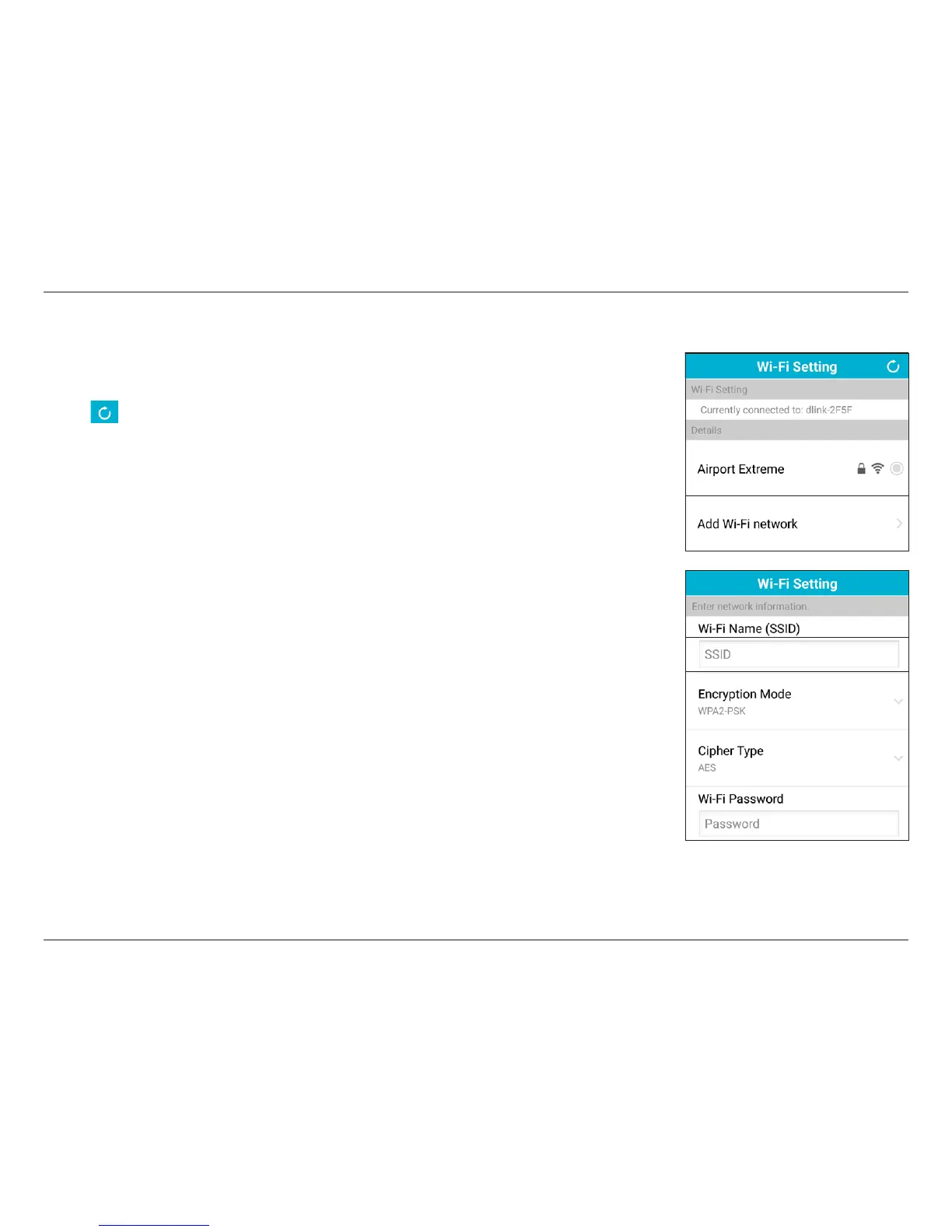
If you need to change the network settings for your device, go to Wi-Fi Setting to scan for or manually
add a Wi-Fi network.
Tap the icon to perform a rescan, or select from one of the SSIDs below.
If necessary, you can tap Add Wi-Fi network to manually add an SSID.
After entering the Wi-Fi network name (SSID) of your preferred network, you need to select the type
of encryption being used for the network you’re connecting to. The options are WEP, WPA-PSK, or
WPA2-PSK.
You will need to select the Cipher Type (TKIP or AES) being used as well.
Then enter the Wi-Fi password for the wireless network.
Tap Done when you have nished to apply the settings.








 To Next Page