13D-Link DCS-8300LH User Manual
Section 2: Installation
Mounting the Camera
To mount your camera on a wall or ceiling, please follow the steps below. It is recommended that you congure the camera before mounting.
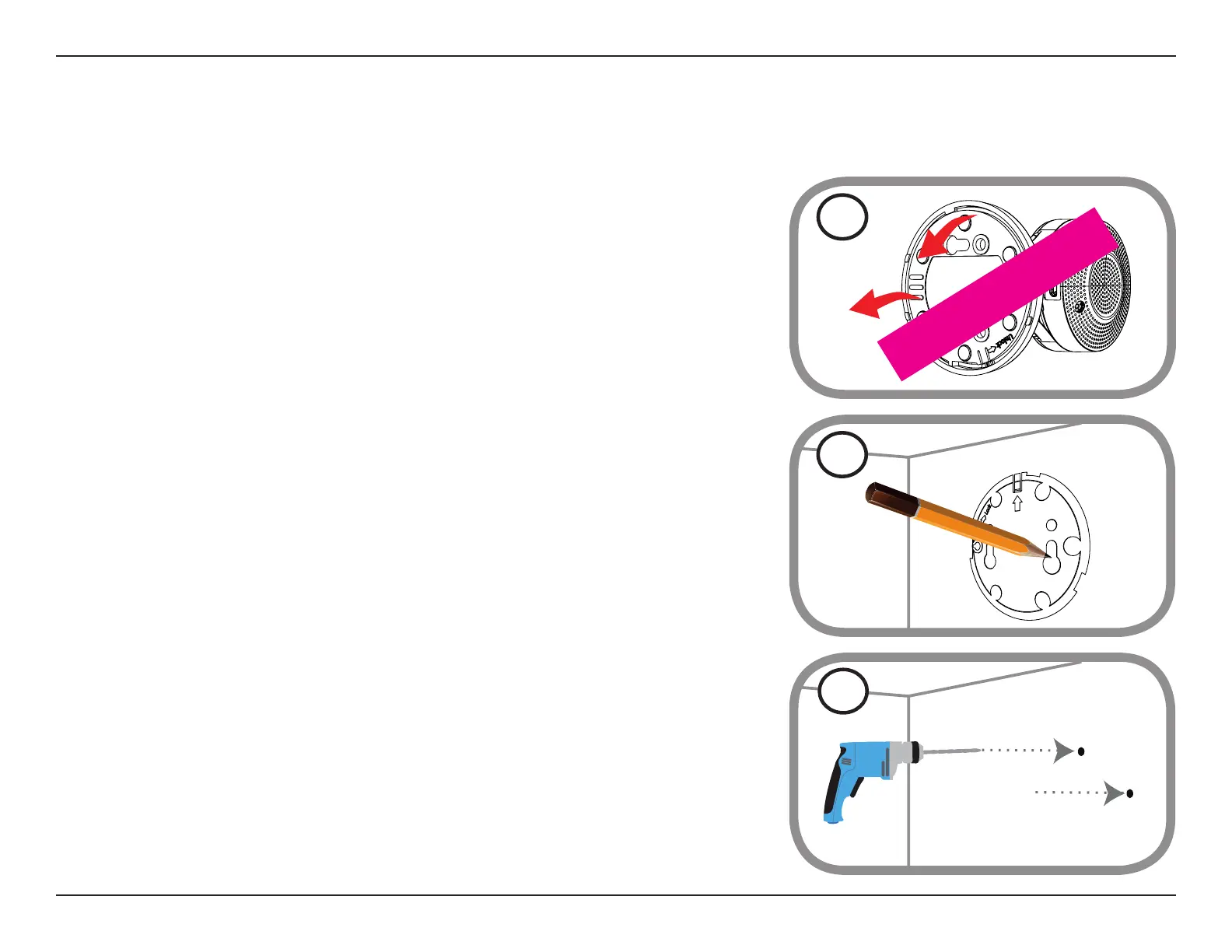
Step 1
Rotate the baseplate counter-clockwise and remove it.
1
Step 2
Place the baseplate where you want to position the camera and use a pencil to mark the holes.
You can use the lower holes for a removable installation, or the top holes for a xed one. Make
sure that the arrow on the baseplate is pointing up.
2
Step 3
Depending on the material of the wall or ceiling, use proper tools to drill holes 25 mm deep
with a 6 mm drill bit where you marked. If the wall is made out of concrete, drill the holes rst,
then insert the plastic anchors to support the screws.
3








 To Next Page