17D-Link DCS-8515LH User Manual
Section 3: mydlink
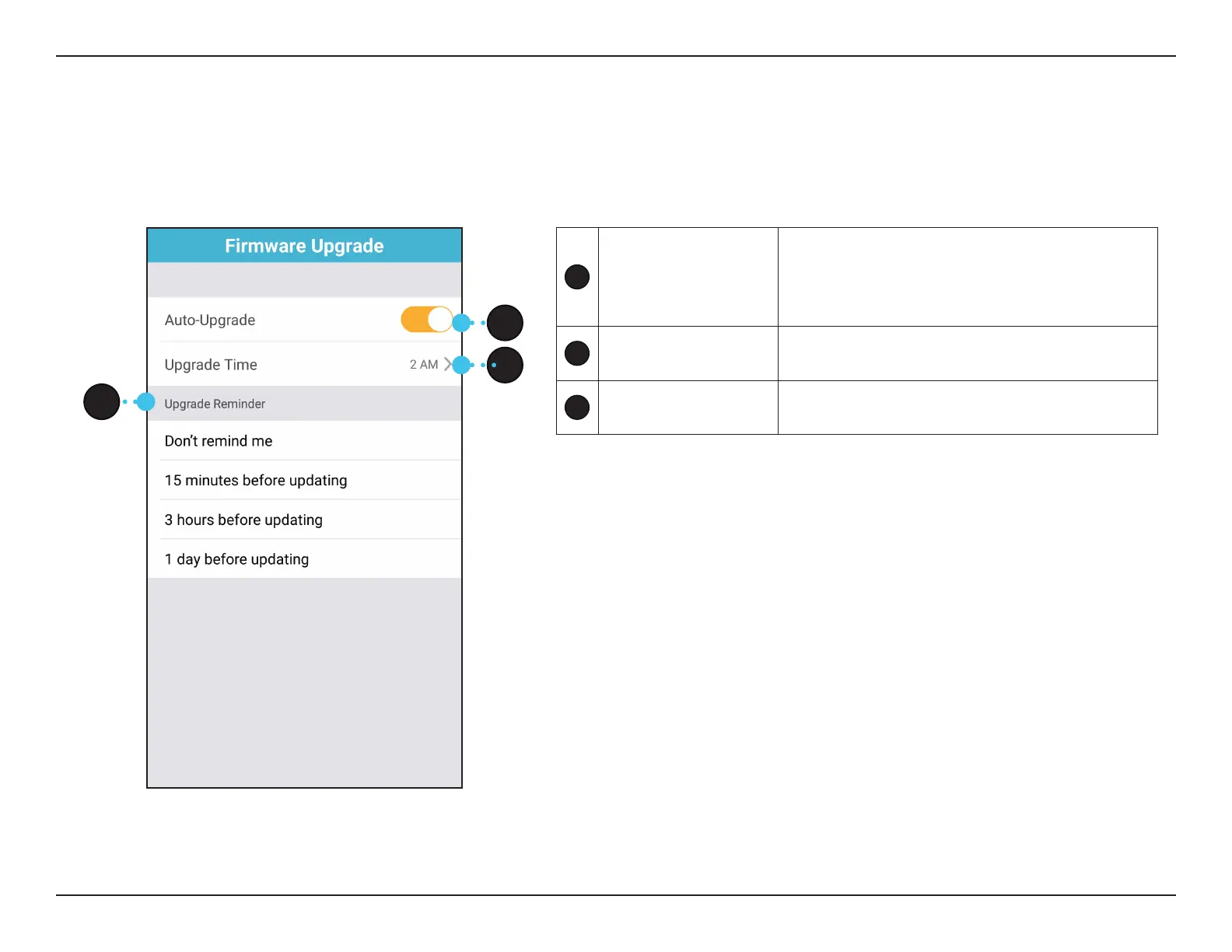
Firmware Upgrade
1
Auto-Upgrade
Tap to enable/disable automatic Over-The-Air
rmware updates. Note: It’s recommended you
enable Auto-Upgrade to make sure you have
the most up-to-date security updates.
2
Upgrade Time
Tap to change the time for automatic rmware
updates to be downloaded and installed.
3
Upgrade Reminder
Tap to change the notication time whenever
there is a new update.
1
2
3
You can update the rmware for a specic device in this section.








 To Next Page