11D-Link DCS-8526LH User Manual
Section 2 - Installation
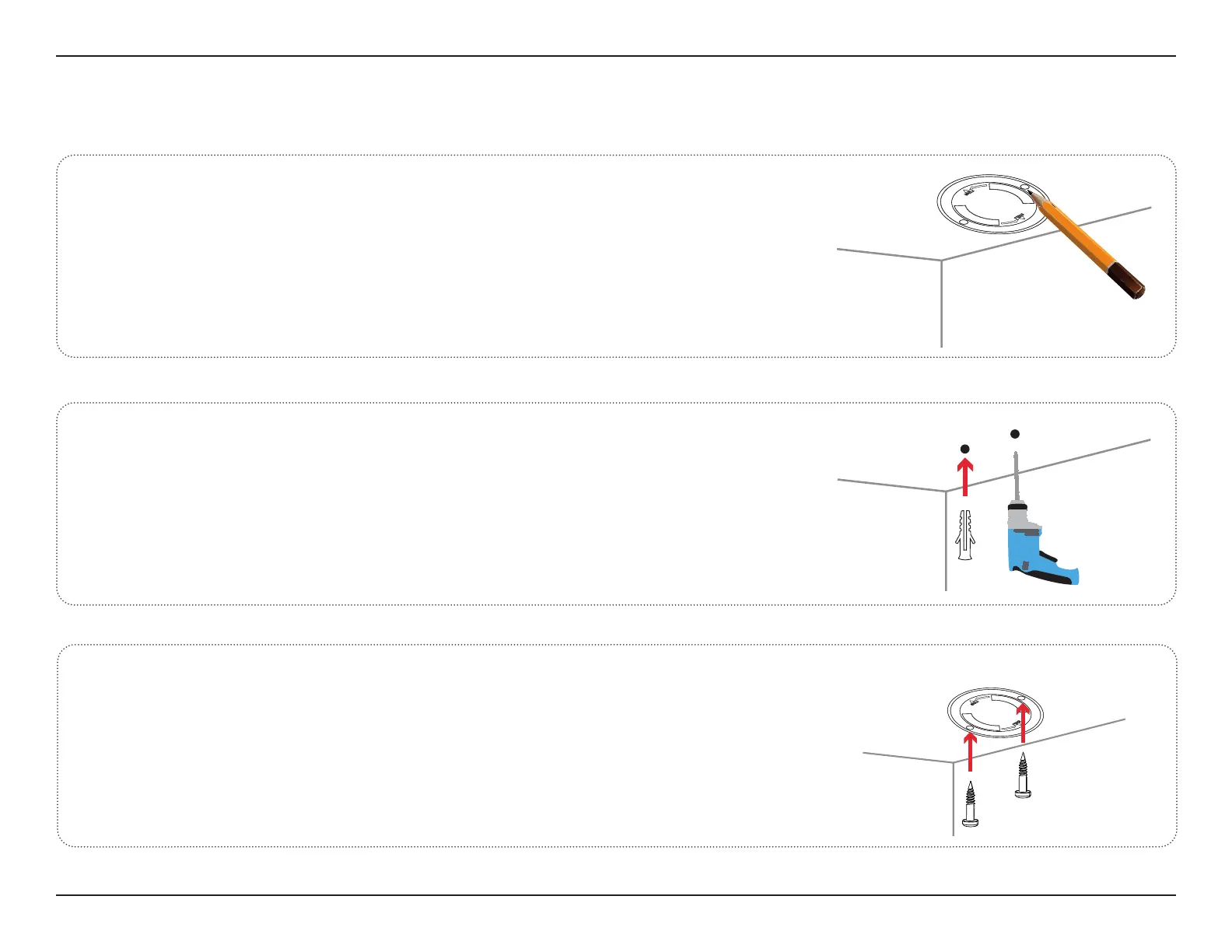
Place the mounting bracket at the desired location, ensuring that
the location of the power cord thread is also at the desired location.
Use a pencil to mark the holes.
Mounting the Camera
1
/
Use a 6 mm drill bit to drill two 26 mm deep holes over the pencil
marks. Hammer in the plastic wall anchors to support the screws.
2/
Align the mount over the holes. Use the supplied screws to attach
the mount to the surface of the wall.
3/








 To Next Page