11D-Link DCS-910 User Manual
Section 2 - Installation
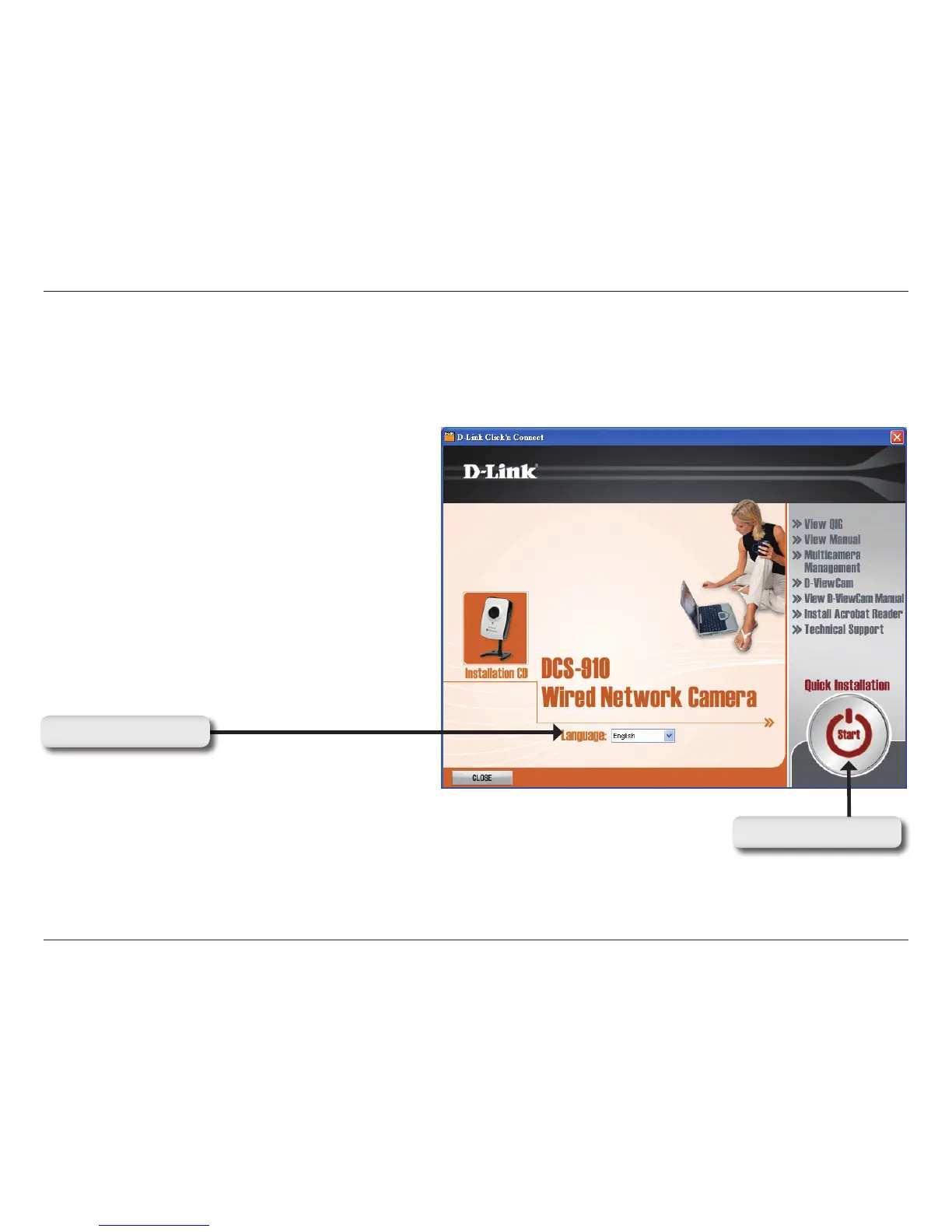
Turn on the computer and Insert the D-Link DCS-910 Installation CD in the CD-ROM drive. Use the D-Link Click ‘n Connect utility for
initial setup. The following step-by-step instructions will be shown in Windows
®
XP. The similar steps and screens will be shown
for other Windows operating systems.
If the CD Autorun function does not automatically start on your computer, click Windows Start > Run. In the Run command box type
“D:\D-Link.exe”, where D: represents the drive letter of your CD-ROM. If it does start, proceed to the next screen.
Software Installation
Using D-Link Click ‘n Connect
Select Language
Click on Start button


 To Next Page