10/100 Fast Ethernet Switch User’s Guide
Connecting The Switch
21
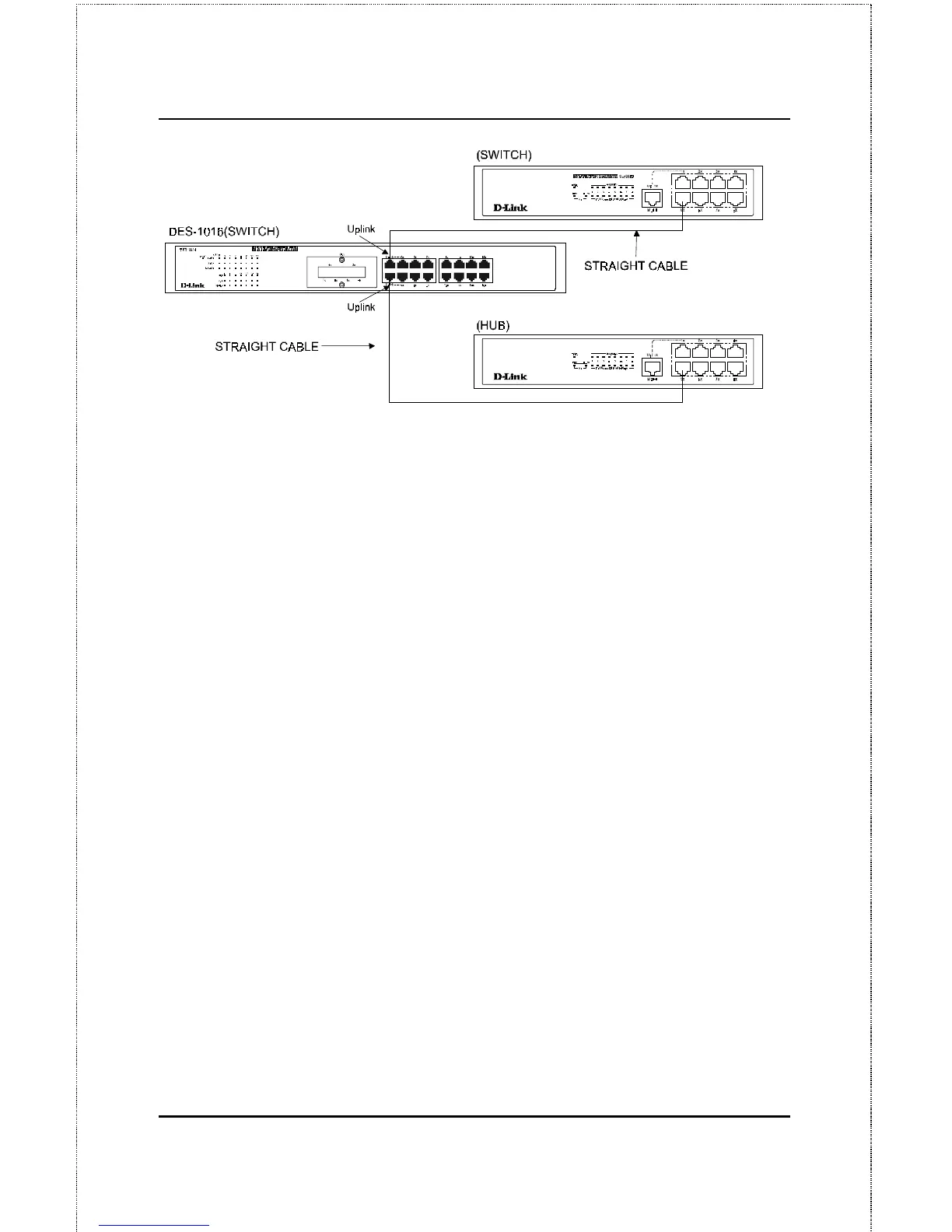
Figure 4.4 DES-1016 Switch to switch/ hub connections using the straight
cable.
Using straight cable
When using straight cable, this is done from the Uplink
(MDI-II) port of the
Switch to any of the 10 Mbps or 100 Mbps (MDI-X) ports of the other
switch or other devices (see Figure 4.4).
Using crossover cable
When using crossover cable, this is done from any
(MDI-X) port of the
Switch to any of the 10 Mbps or 100 Mbps (MDI-X) ports of the other
switch or other devices.
The Switch’s LED indicators for the respective connected ports are as
follows:
♦
100M is ON for 100BASE-TX, otherwise OFF.
♦
Link/Act is ON.
♦
FDX depends on the connected switch or other device.










 To Next Page