7D-Link DHP-1320 User Manual
Section 1 - Product Overview
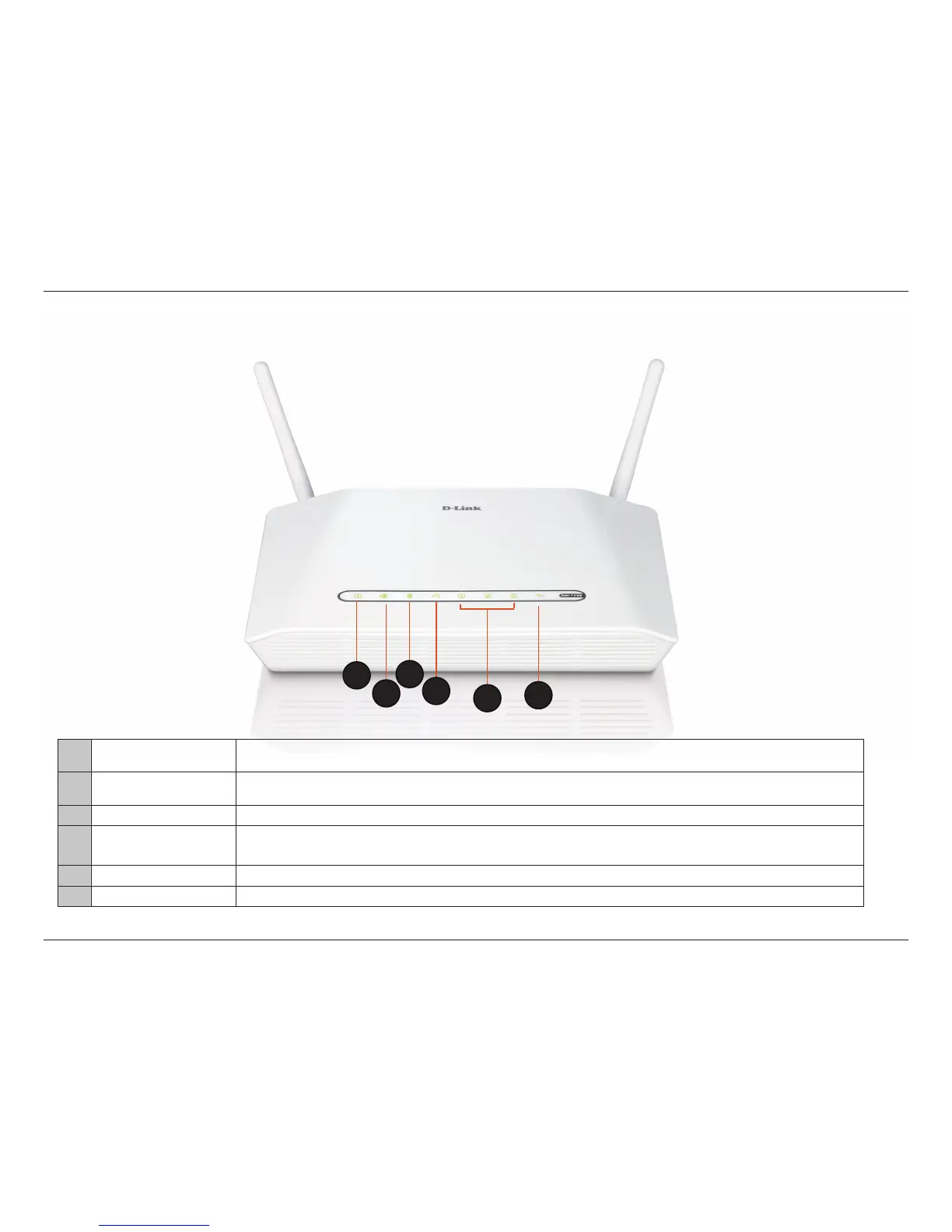
1 Power LED
A solid green light indicates a proper connection to the power supply. This LED will light orange during a factory reset or
reboot. A slow blinking orange LED indicates that the Router has crashed during bootup.
2 Internet LED
A solid green light indicates that the internet connection has successfully completed. This LED blinks green during data
transmission. A solid orange light indicates that the physical link is up, but the ISP service is down.
3 WLAN LED A solid light indicates that the 2.4GHz wireless segment is ready. This LED blinks during wireless data transmission.
4 PowerLine AV LEDs
A solid light indicates that a powerLine connection is established. The LED will blink quickly when data is transmitted to or
from another PowerLine unit.
5 LAN LEDs (1-3) A solid light indicates a connection to an Ethernet-enabled computer on ports 1-3. This LED blinks during data transmission.
6 USB LED A solid light indicated that the USB device is ready. This LED blinks during data transmission.
Hardware Overview
LEDs
1
2
3
4
5
6



 To Next Page