70D-Link DHP-1320 User Manual
Section 3 - Conguration
IPv6
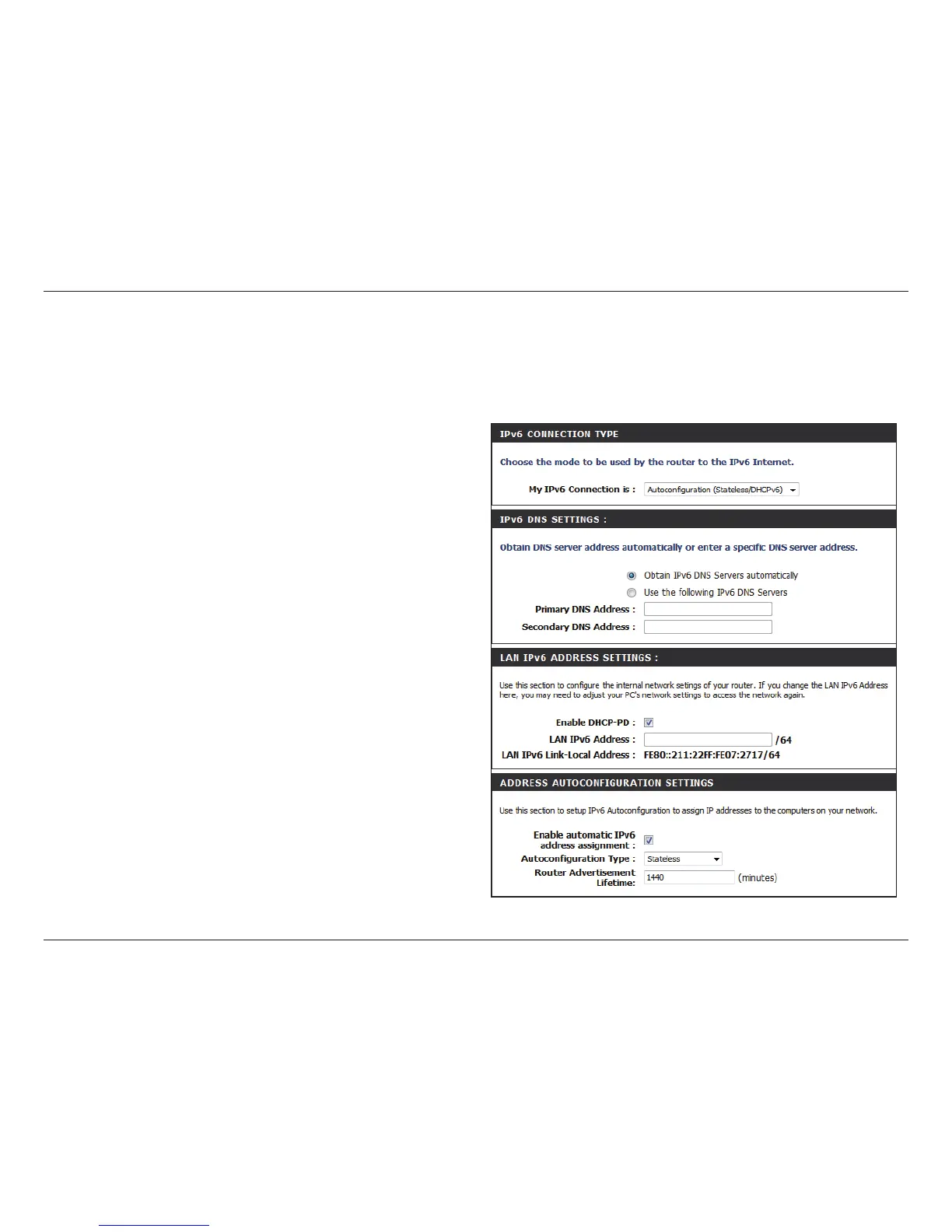
Autoconguration (Stateless/DHCPv6)
Select Static IPv6 from the My IPv6 Connection is drop-down menu if your Router will use a static IPv6 address to connect
to the Internet.
Select Obtain DNS Server address automatically or enter
a specic DNS server address.
Enter the LAN (local) IPv6 address for the router.
Displays the Router’s LAN Link-Local Address.
Use this section to congure the IPv6 autoconguration
settings.
IPv6 DNS Settings:
LAN IPv6 Address
Settings:
LAN IPv6
Link-Local Address:
Address
Autoconguration
Settings:
Click the Save Settings button to save any changes made.



 To Next Page