22D-Link DHP-W611AV User Manual
Section 3 - Conguration
Admin
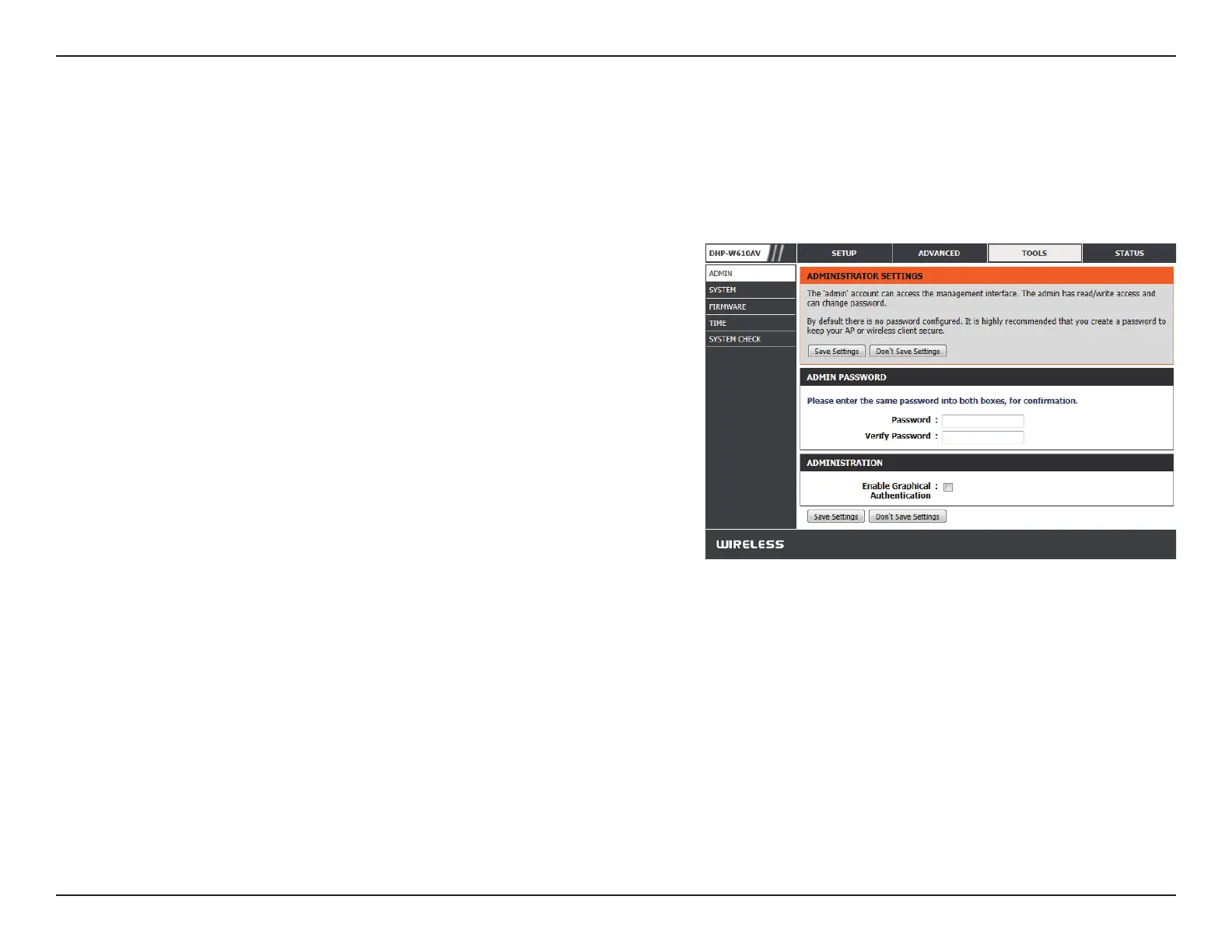
This page will allow you to change the administrator password, which is used to access the conguration interface and change settings.
Enter a new password for the admin user name. The
administrator account can change the conguration of the
device.
Enter the same password that you entered in the previous
textbox in order to conrm its accuracy.
Enables a CAPTCHA verication which will require users to
type letters or numbers from a distorted image displayed
on the screen to prevent online hackers and unauthorized
users from gaining access to your device’s conguration. This
feature is disabled by default.
Click Save Settings for the changes to take eect.
Password:
Verify
Password:
Enable
Graphical
Authentication:
Tools


 To Next Page