5D-Link DHP-W611AV User Manual
Section 1 - Product Overview
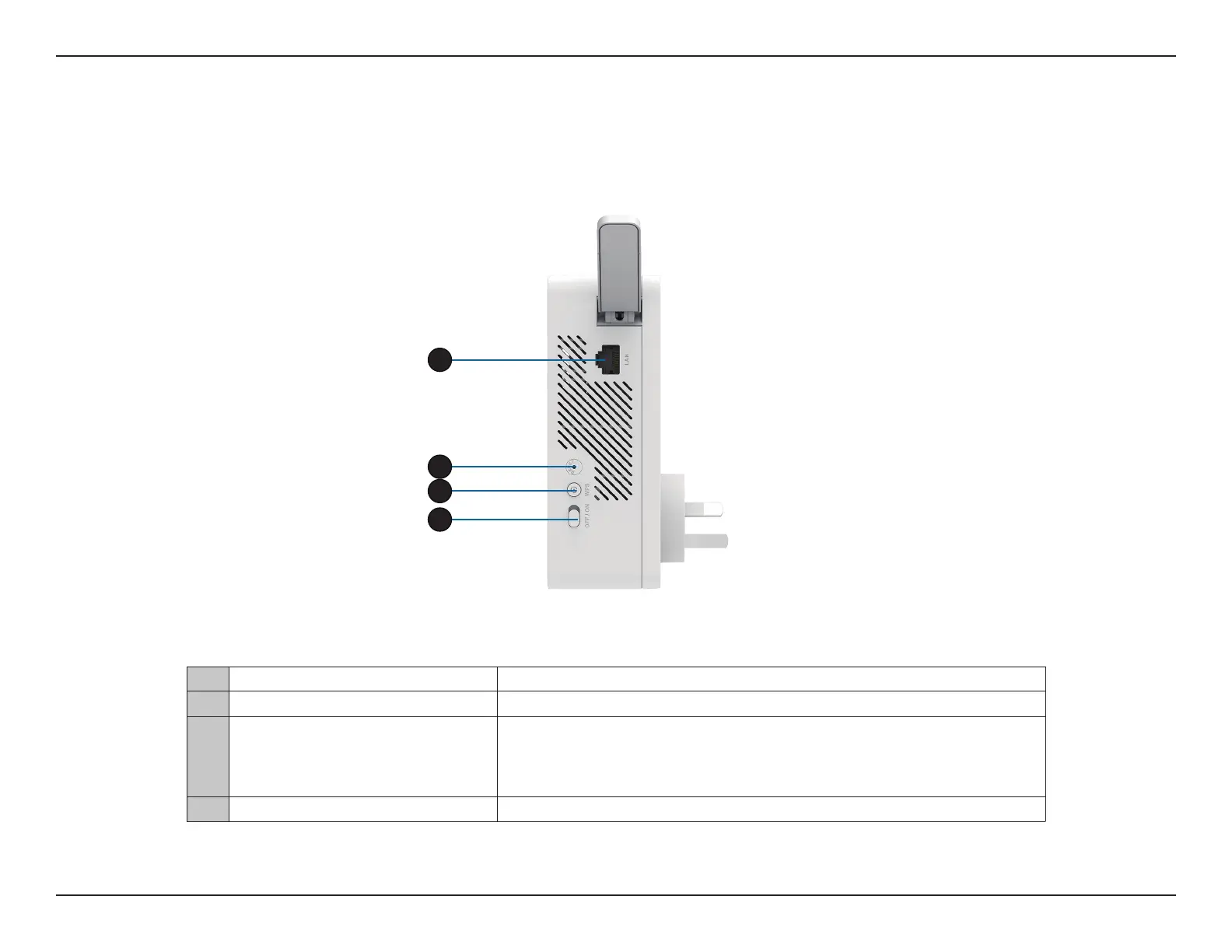
Hardware Overview
DHP-W610AV
Connections
1 RJ-45 10/100BASE-TX Ethernet Port Connects to Digital Media Devices, PCs, Game Consoles, Network Storage Devices
2 Reset Button Press and hold the button for 5 seconds to reset to factory defaults.
3 Simple Connect/WPS Button
Push this button to create a secure Powerline connection with another adapter. For
more details on how to do this, go to Hardware Installation on page 9. It can also be
used to connect using Wi-Fi Protected Setup (WPS). To connect using WPS, press this
button, then press the WPS button on your wireless client.
4 On/O Switch Slide this switch to power on or o the device.
1
4
3
1
2



 To Next Page