53D-Link DHP-W611AV User Manual
Appendix A - Wireless Basics
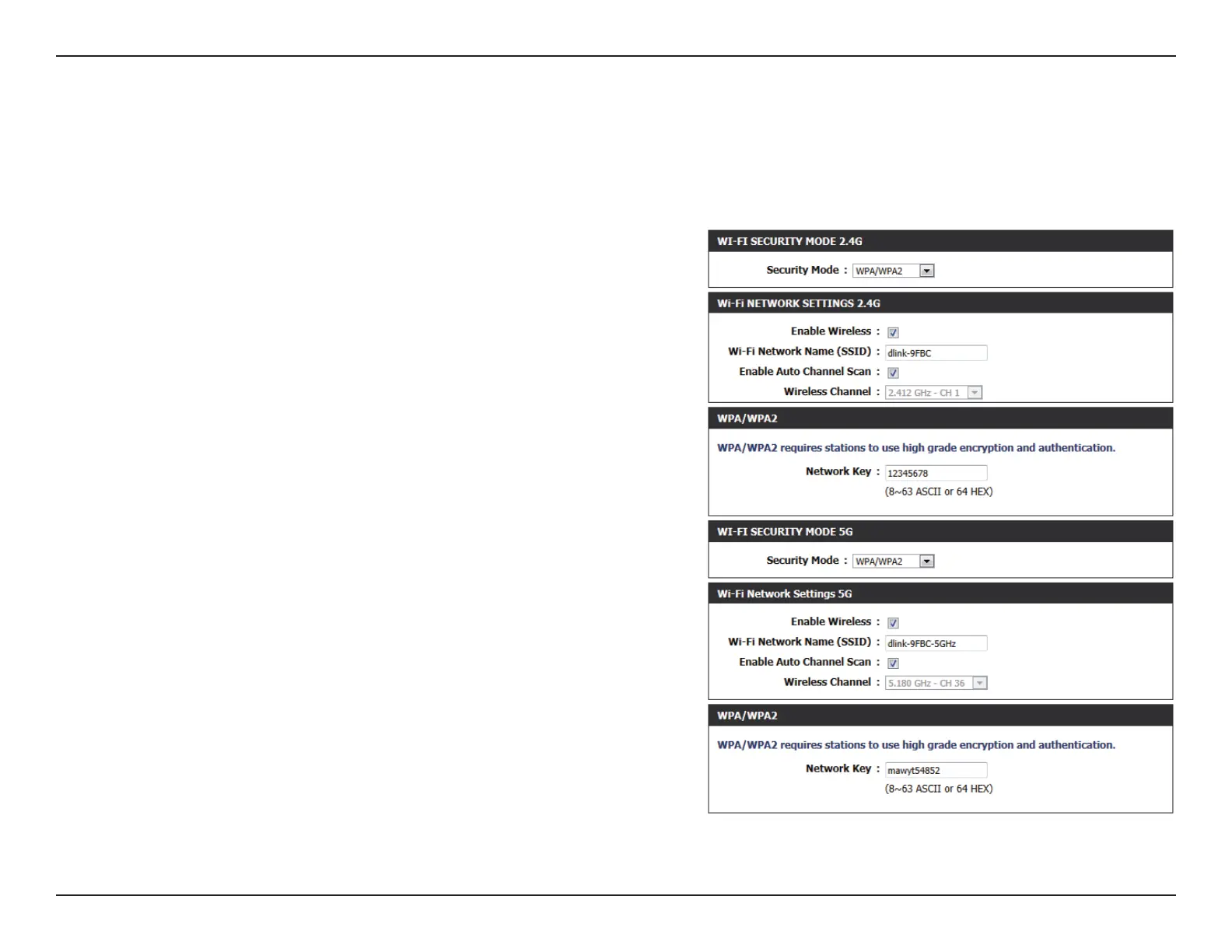
Conguring WPA/WPA2 Personal
For improved security, it is highly recommended that you enable encryption for both 2.4G and 5G networks on your DHP-W610AV. Please establish
wireless connectivity before enabling encryption.
1. Log into the web-based conguration by opening a web browser and
entering http://dlinkapWXYZ.local to get access to the DHP-W610AV web
UI. Click on Setup and then click Wireless Settings on the left side.
2. For Security Mode, select WPA/WPA2.
3. For Wi-Fi Password, enter a key. The password must be between 8-63
characters and use numbers, letters, and/or special characters.
4. Click Save Settings at the top of the window to save your settings. If you
are conguring the DHP-W610AV with a wireless adapter, you will lose
connectivity until you enable WPA on your adapter and enter the same
passphrase as you did on the DHP-W610AV.


 To Next Page