57D-Link DIR-506L User Manual 57D-Link DIR-506L User Manual
Section 4 - Tools
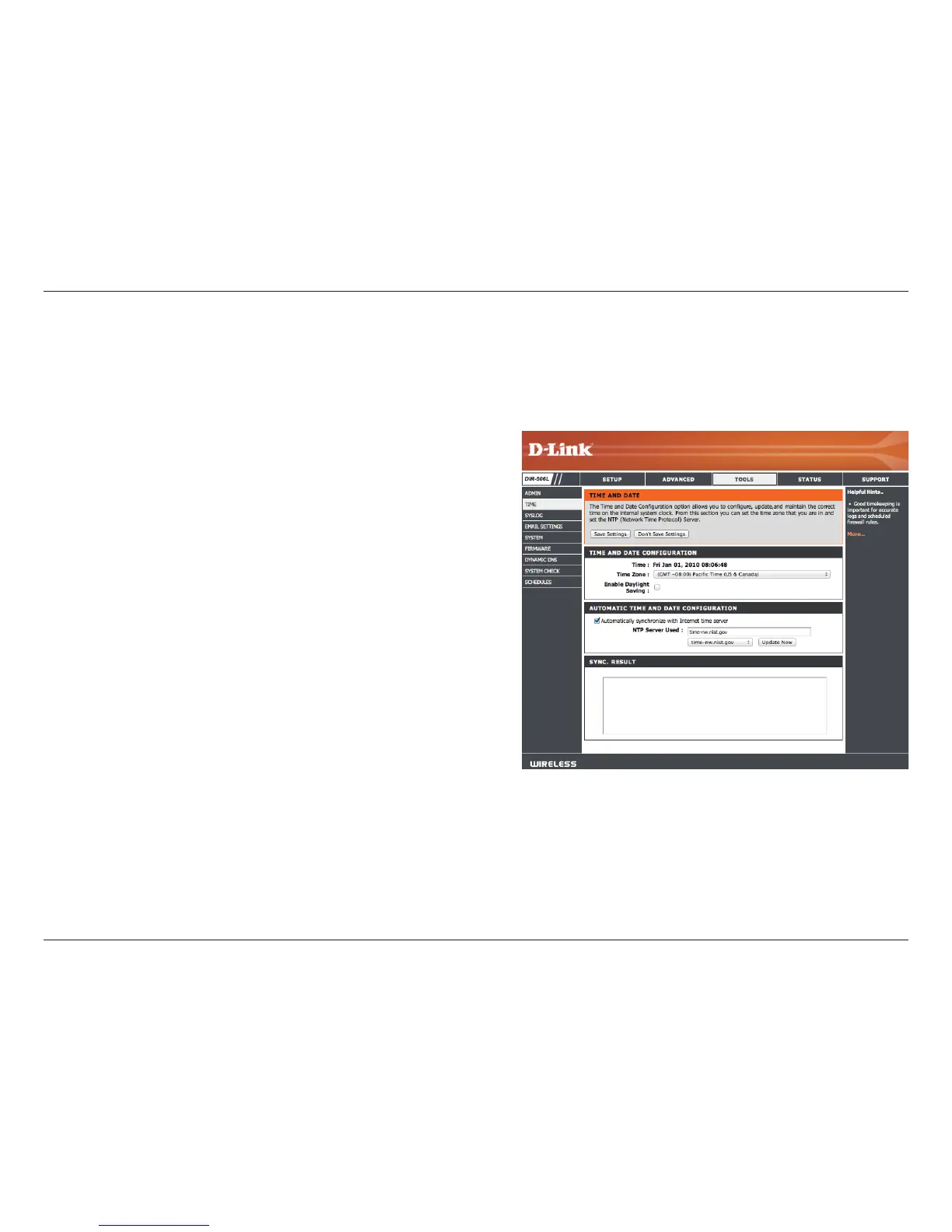
Time Zone:
Enable Daylight
Saving:
Auto Sync:
NTP Server
Used:
Select the Time Zone from the drop-down menu.
To select Daylight Saving time manually, click the Enable
Daylight Saving check box. Next use the drop-down
menu to select a Daylight Saving Oset and then enter
a start date and an end date for daylight saving time.
NTP is short for Network Time Protocol. NTP synchronizes
computer clock times in a network of computers. Check
this box to use a NTP server. This will only connect to a
server on the Internet, not a local server.
Enter the NTP server or select one from the drop-down
menu.
Time and Date
The Time page allows you to congure, update, and maintain the correct time on the internal system clock. From this section
you can set the time zone that you are in. Daylight Saving can also be congured to automatically adjust the time when needed.
After making your changes, click the Save Settings button.



 To Next Page