DIR-632 Multifunction Wireless Router Supporting WiMAX,
3G GSM/CDMA with Built-in 8-port Switch
User Manual
Configuring via Web-based Interface
Wi-Fi
In this menu you can specify all needed settings for your wireless network.
Common settings
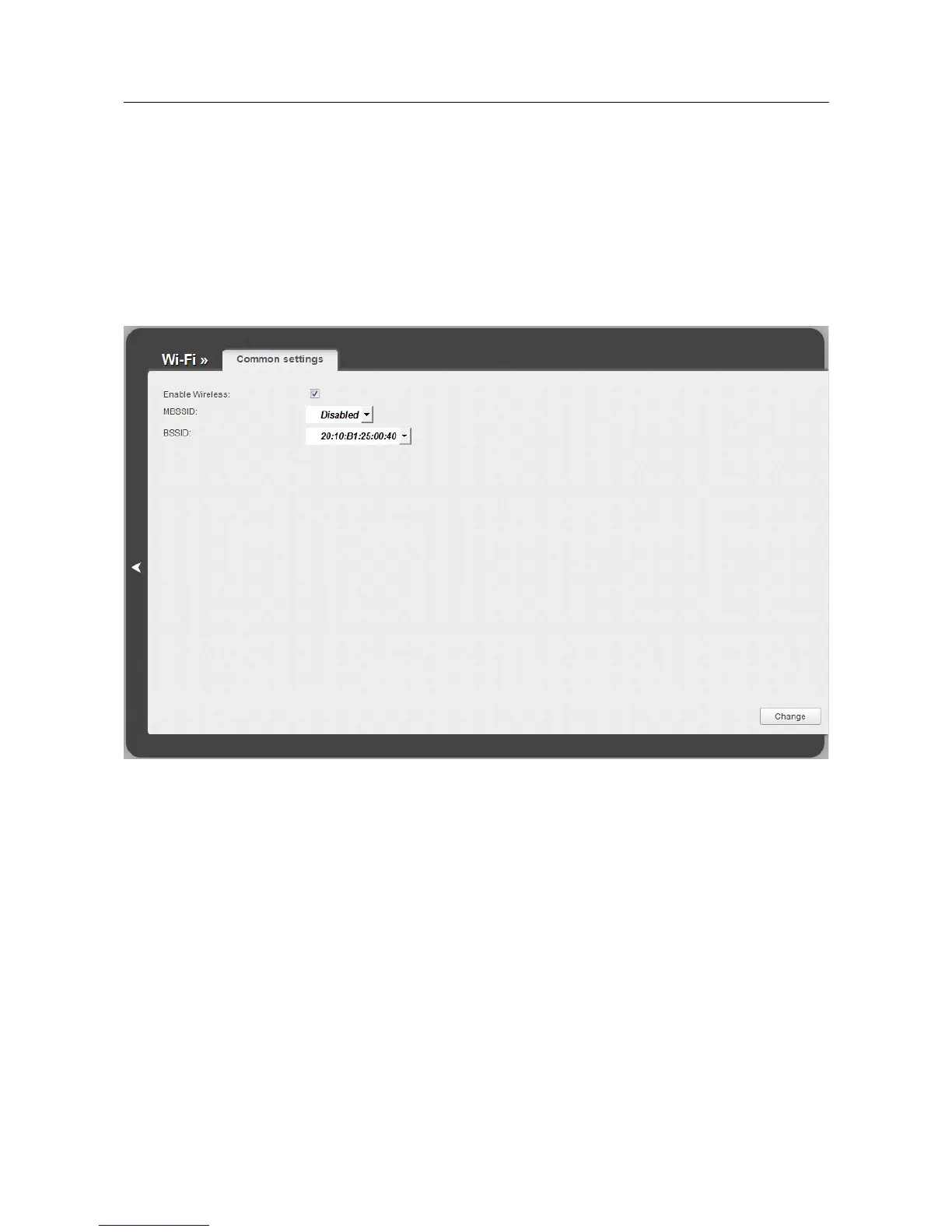
On the Wi-Fi / Common settings page, you can enable your wireless local area network
(WLAN).
Figure 104. Common settings of the wireless LAN.
The Enable Wireless checkbox enables Wi-Fi connections. By default, the checkbox is selected.
If you want to disable your WLAN, deselect the Enable Wireless checkbox.
The value from the BSSID drop-down list is the unique identifier for your Wi-Fi network. You
cannot change the value of this parameter, it is determined in the device's internal settings.
Page 128 of 197











 To Next Page