99D-Link DIR-810L User Manual
Section 3 - Conguration
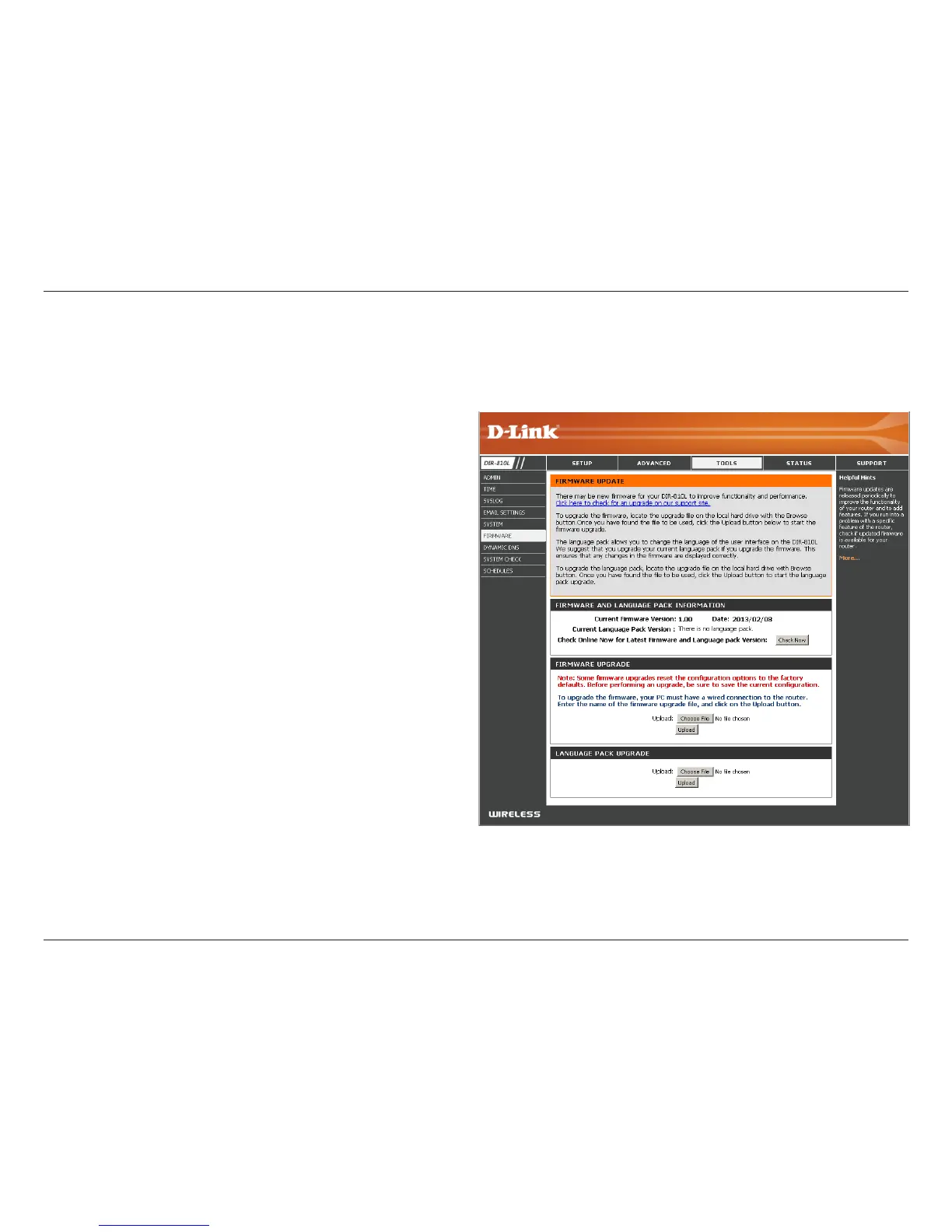
Firmware
Choose File:
Upload:
After you have downloaded the new rmware, click
Choose File to locate the rmware update on your
hard drive. Click Upload to complete the rmware
upgrade.
Once you have a rmware update on your computer,
use this option to browse for the le and then upload
the information into the access point.
You can upgrade the rmware of the router here. Make sure the rmware you want to use is on the local hard drive of the
computer.
After you have downloaded the new language pack,
click Choose File to locate the language pack le
on your hard drive. Click Upload to complete the
language pack upgrade.
Once you have a language pack update on your
computer, use this option to browse for the le and
then upload the information into the access point.
Language Pack Upgrade
You can change the language of the web UI by uploading
available language packs.
Choose File:
Upload:
Firmware Upgrade


 To Next Page