16
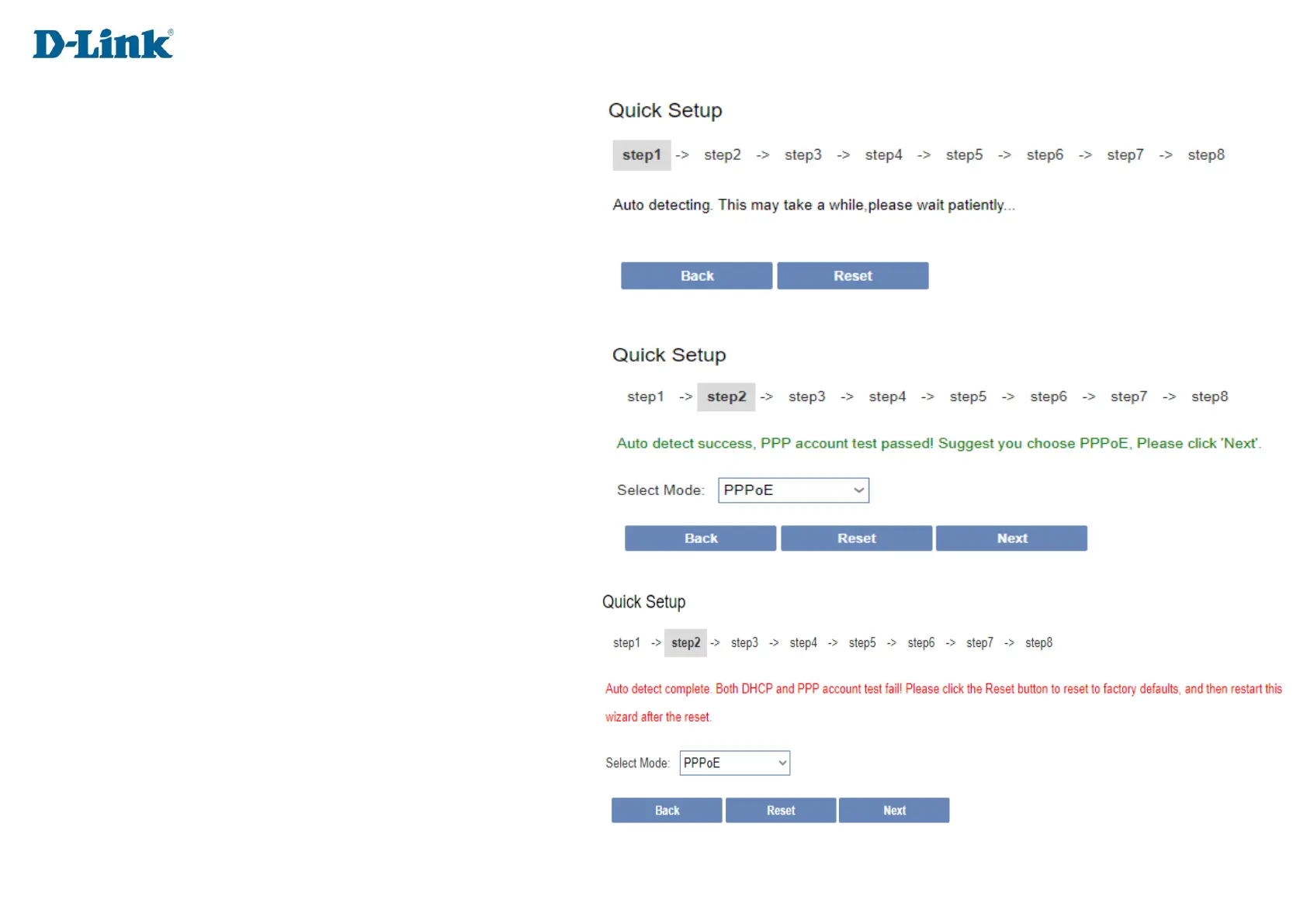
Step 2
Auto detecting
With a Fibre connection you will use either:
PPPoE or DHCP connection.
If PPPoE or DHCP is successful, please click the next button to
continue to next step.
If both DHCP and PPPoE test fails,
Please verify that your fibre is active and the cable from the
ONT device is plugged into the WAN port at the back of the
DIR-822K.


 To Next Page