187
D-Link ShareCenter DNS-327L User Manual
Section 4 - Conguration
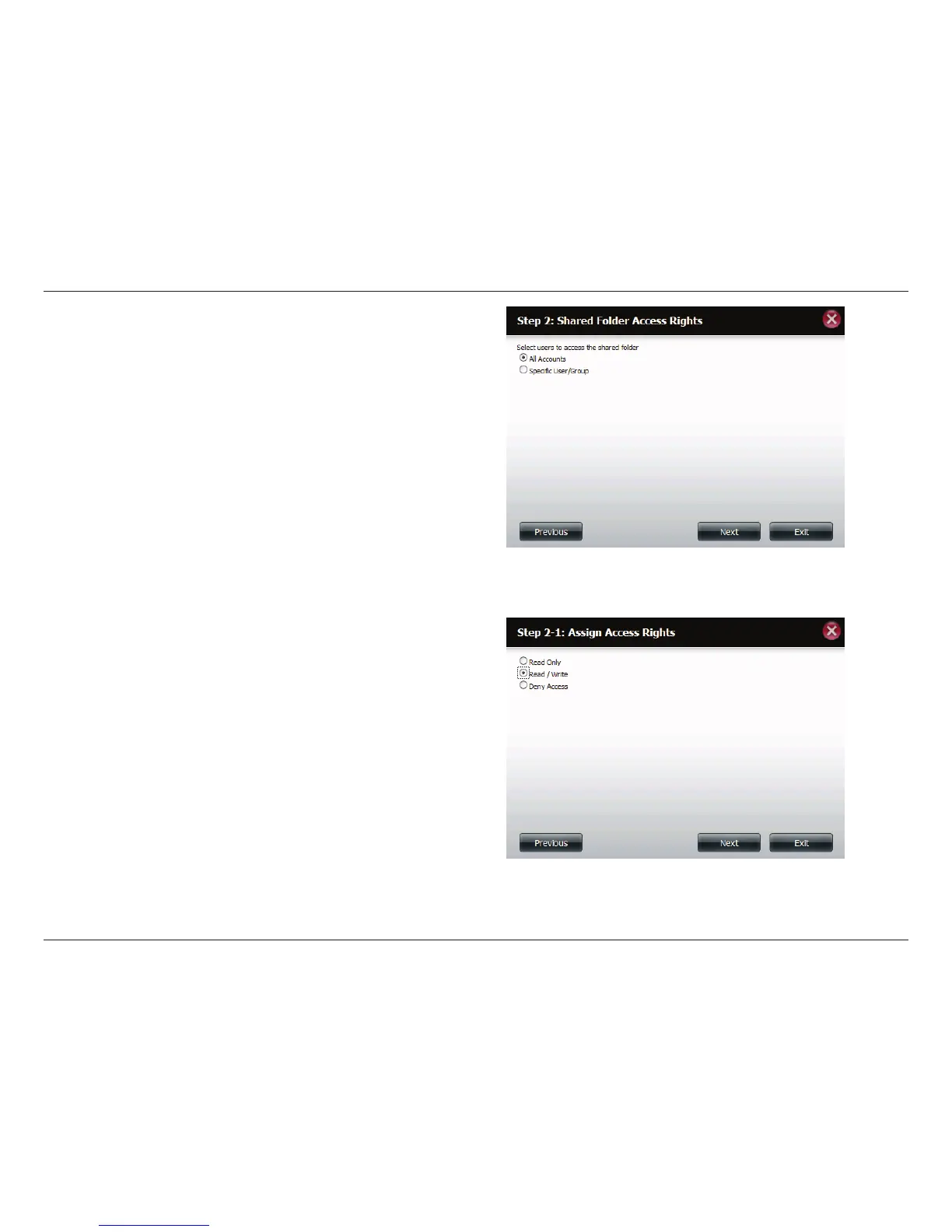
Step 3 - Select the user accounts or group which are allowed to
access this folder(s). Select All Accounts to allow access to this
folder to all the accounts. Select Specic User/Group to only allow
certain users or groups access to this folder.
Click Next to continue.
Step 4 - Select the appropriate access rights for the share. Options
to select from are Read Only, Read/Write, and Deny Access.
This procedure can also be used to block certain users from
accessing certain folders.
Click Next to continue.












 To Next Page