23
D-Link ShareCenter DNS-327L User Manual
Section 3 - Installation
To run the Setup Wizard, insert the ShareCenter™ CD into your CD-ROM drive.
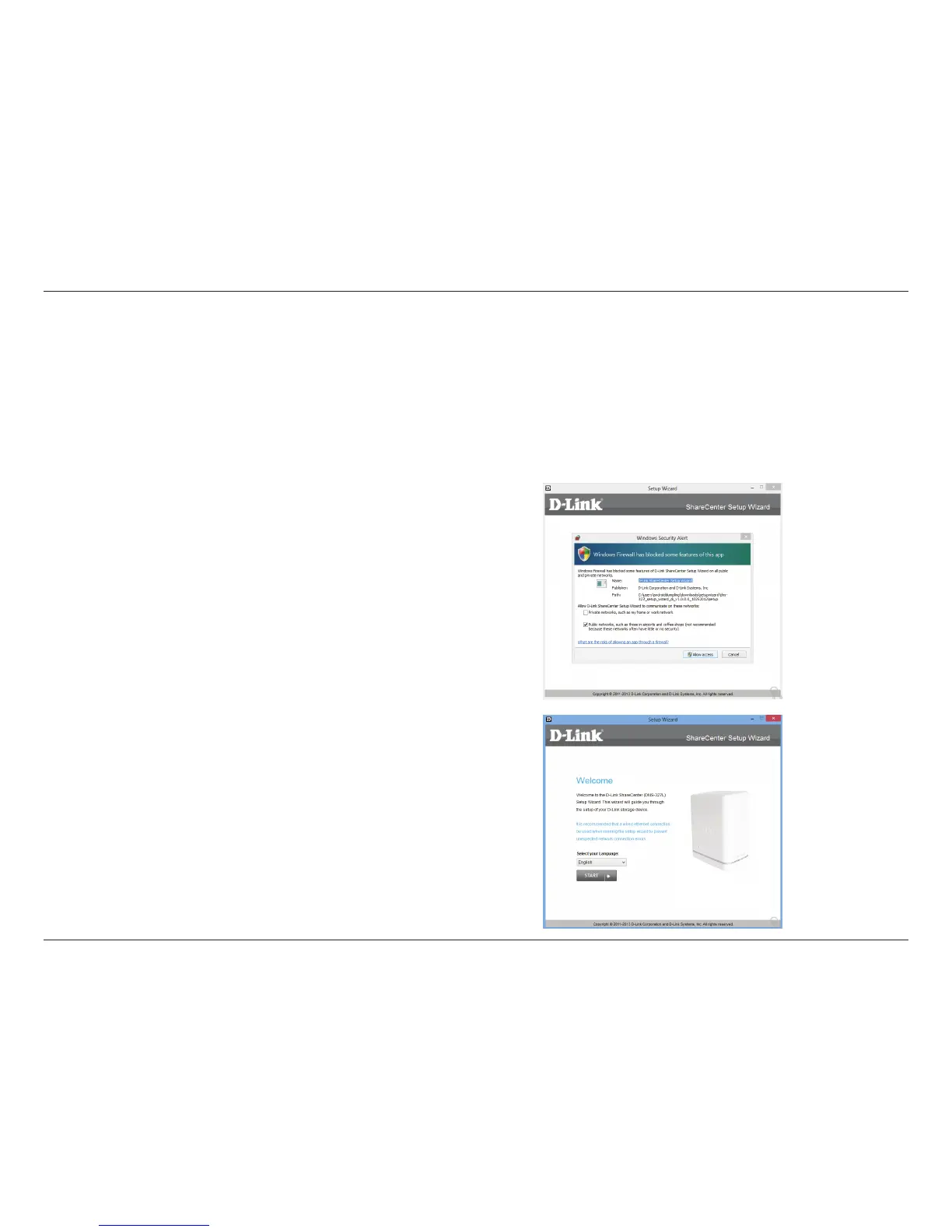
Step 1 - When the autorun screen appears, click Install
Step 2 - Select the Language of your choice and then click the Start
button.
Note: Windows Firewall presents you with a warning message to
unblock the device. Click Unblock to give your computer access to
the NAS.
Windows Installation
Setup Wizard












 To Next Page