205
D-Link ShareCenter DNS-327L User Manual
Section 4 - Conguration
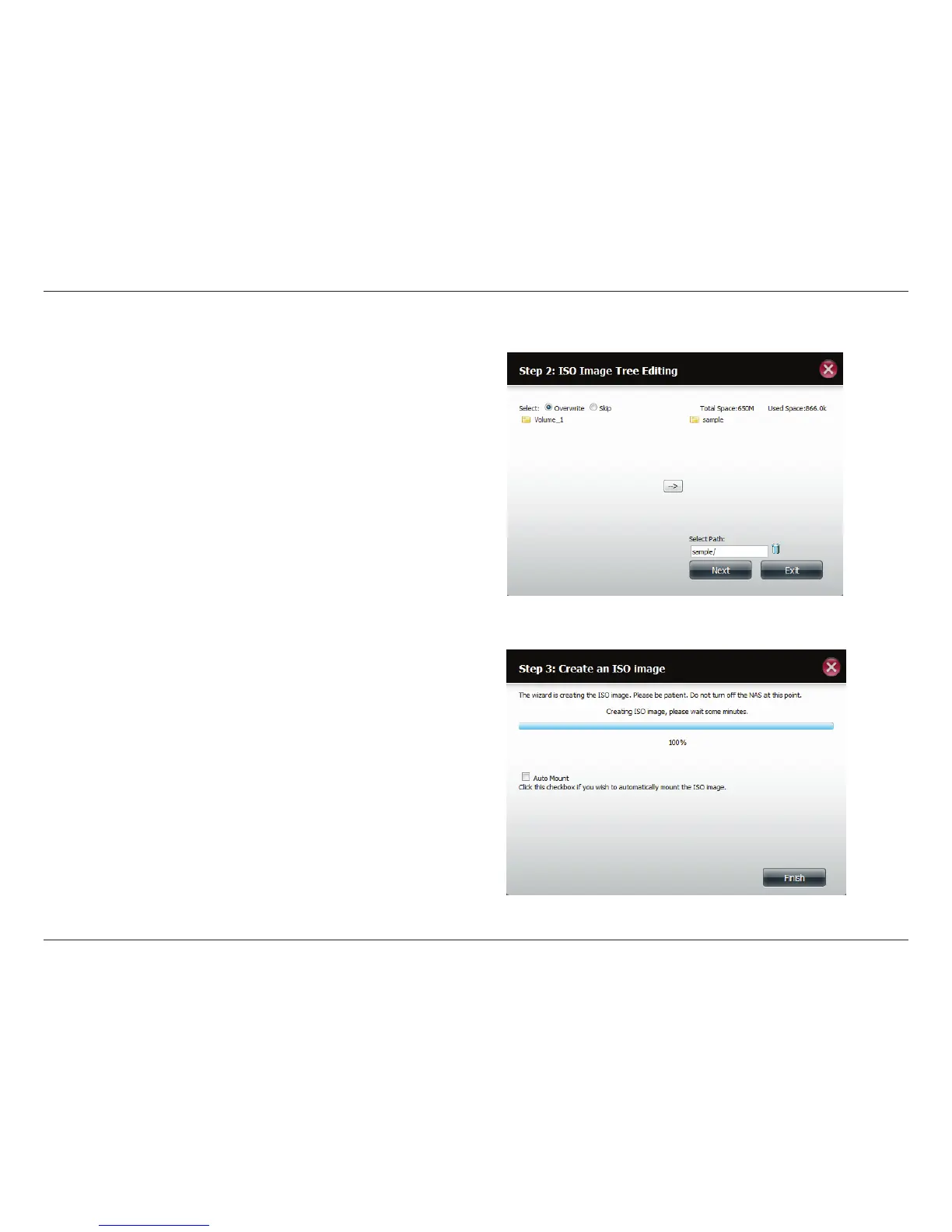
ISO Tree Editing
On the left side of the ISO Tree Editing window you have the option to
Overwrite a previous ISO le or Skip it. It also displays the main directory
on your NAS. Select the le(s) and click the --> button to add the le(s)
to the ISO image. On the right side of the window it displays the total
available space of the ISO le and the used space of the ISO. At the bottom
of the window it shows the path where the ISO le will be saved.
Click Next to continue.
The wizard will create the ISO image.
Click the Auto Mount checkbox if you want the ISO le to be mounted
automatically.
Click Finish to close the wizard.












 To Next Page