89
D-Link ShareCenter DNS-327L User Manual
Section 2 - Getting Started
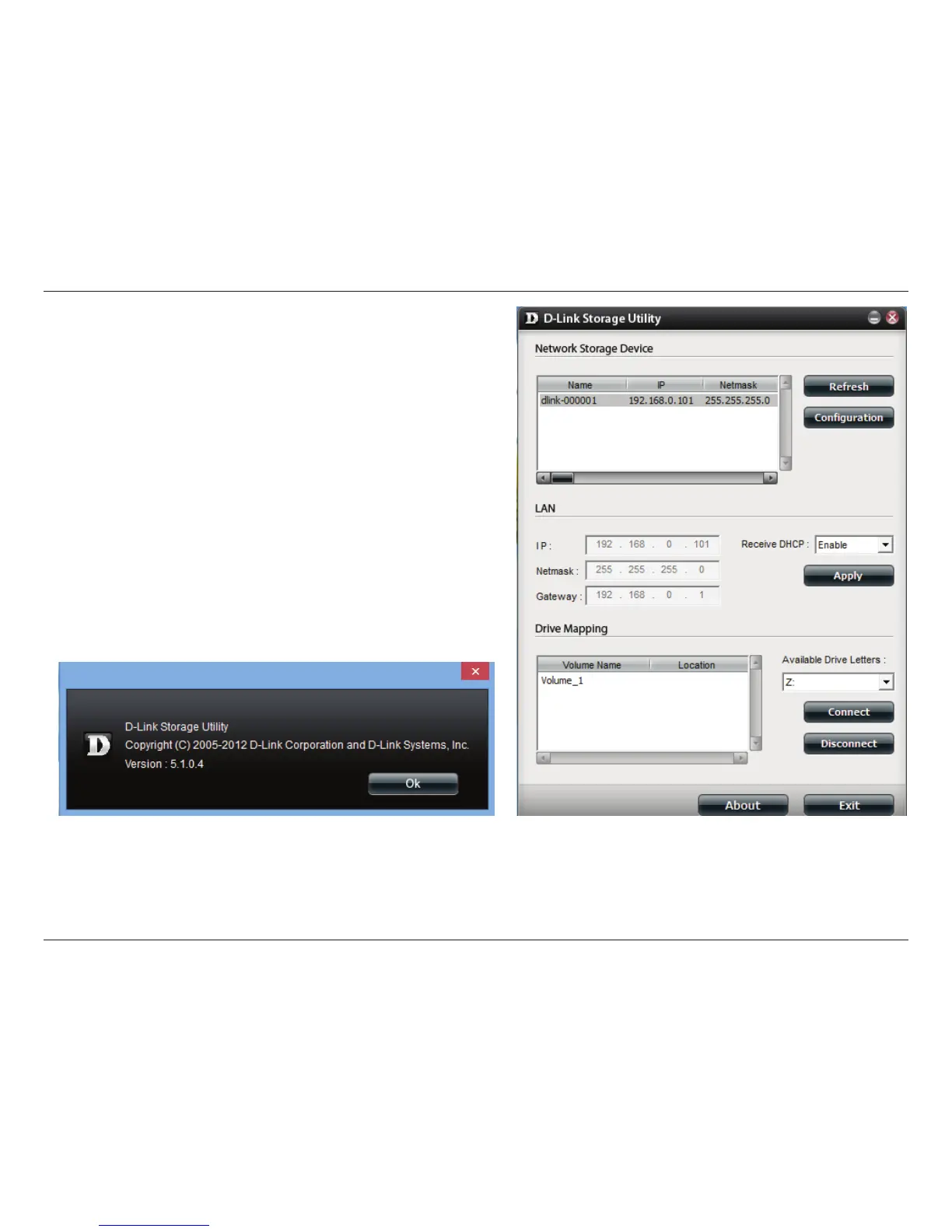
Select the ShareCenter™ from the list and click the Conguration
button. This will launch the computer’s default web browser and
direct it to the IP address listed for the device. Make sure the browser
is not congured to use a proxy server.
Note: The computer used to access the ShareCenter
™
web-
based configuration manager must be on the same subnet as
the ShareCenter.
™
If your network is using a DHCP server and the
computer receives IP settings from DHCP server, the ShareCenter
™
will automatically be in the same subnet.












 To Next Page