92
D-Link ShareCenter DNS-327L User Manual
Section 2 - Getting Started
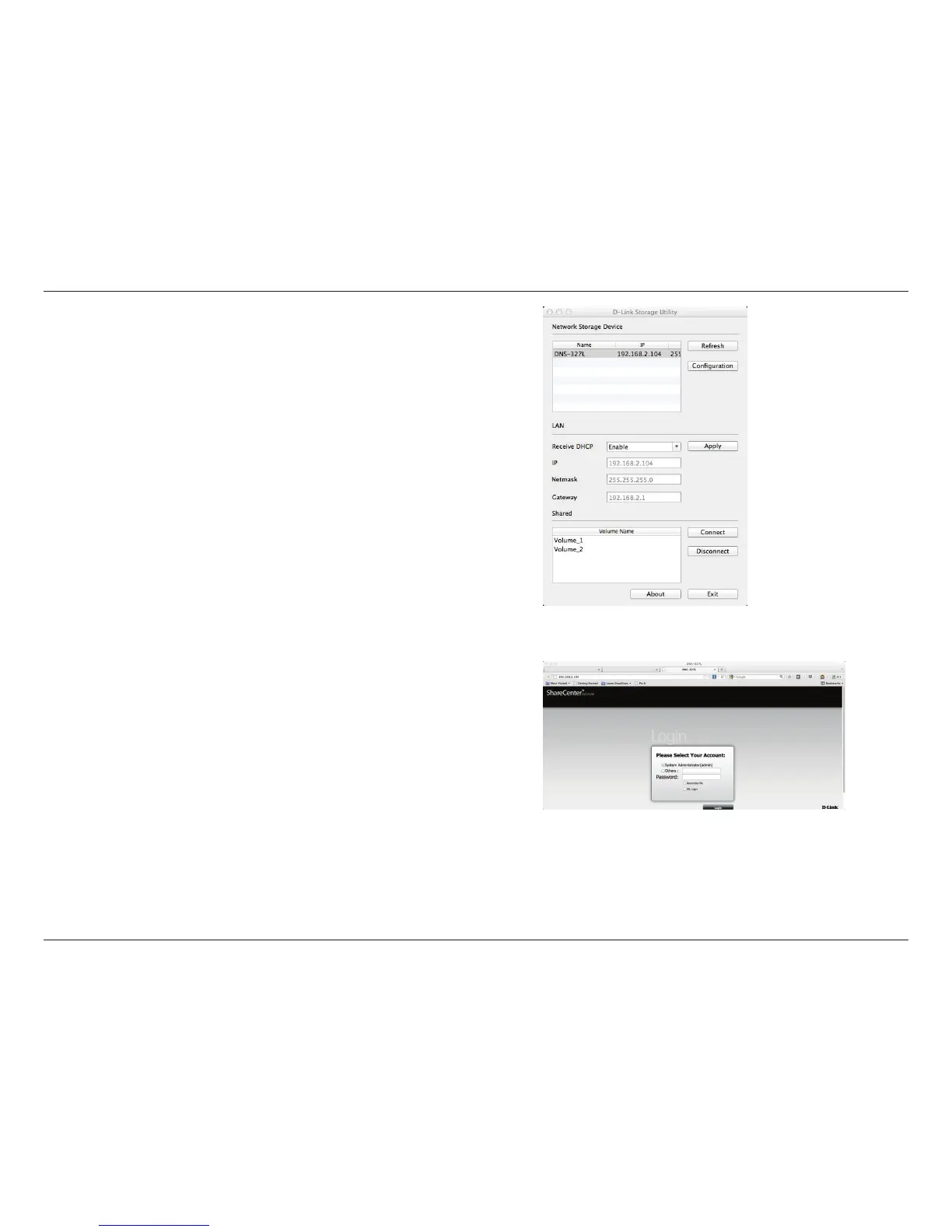
Step 5: The Storage Utility now shows the DNS-327L, the LAN conguration
(toggle between DHCP and manual), and the Volume details.
Use the drop-down list to congure your LAN settings and click Apply.
Step 6: To congure the NAS, click the conguration button. This opens your
default browser. Log in and congure.












 To Next Page