17D-Link DPR-1260 User Manual
Section 3 - Configuration
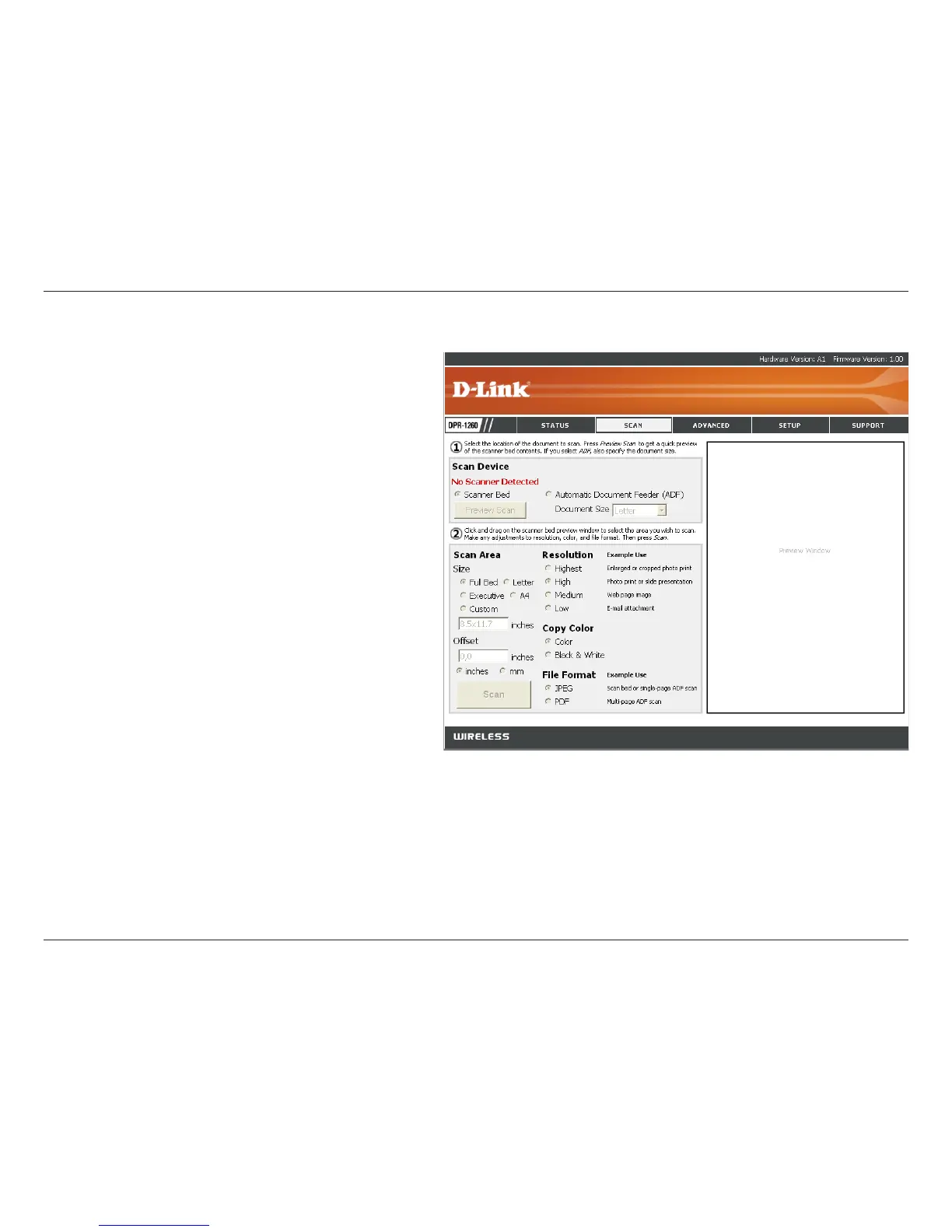
Select Scanner Bed (most common) or
Automatic Document Feeder (ADF). If you
select ADF, select the document size from the
drop-down menu.
Select Full Bed, Letter, Executive, A4, or enter
a custom size.
Enter an offset in inches or millimeters.
Select the resolution from Low to Highest.
Select color or black & white.
Select JPEG or PDF format.
Click the Scan button to scan the document.
Scan Device:
Scan
Size:
Offset:
Resolution:
Color Copy:
File Format:
Scan Button:
For more information regarding your scanner, please refer to the scanner’s
documentation.
Unfortunately not all scanners will operate or be detected when connected
to the D-Link print server. Please visit http://support.dlink.com for an
updated compatibility list.












 To Next Page